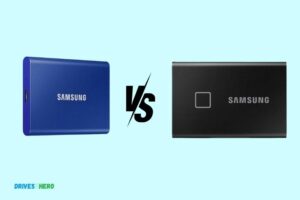
Samsung T7 Vs Seagate Fast Ssd: Which One Is Superior?
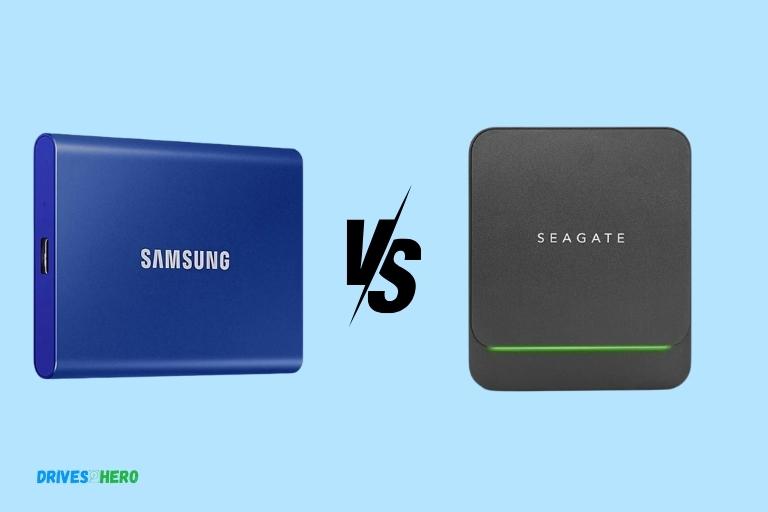
When comparing the Samsung T7 and the Seagate Fast SSD, both devices exhibit notable features that cater to users seeking high-performance portable storage solutions.
Check out this helpful video on the topic:
The Samsung T7, renowned for its sleek design and compact form factor, incorporates the latest in NVMe technology, ensuring lightning-fast read and write speeds.
Its robust security features, such as password protection and hardware encryption, add an extra layer of data protection.
On the other hand, the Seagate Fast SSD stands out with its impressive storage capacities, making it a suitable choice for users with substantial data storage needs.
The Seagate Fast SSD also boasts a durable and shock-resistant build, enhancing its portability and durability.
Key Takeaway
11 Features Of Samsung T7 Vs Seagate Fast SSD
| Feature | Samsung T7 | Seagate Fast SSD |
|---|---|---|
| Capacity Options | 500GB, 1TB, 2TB | 500GB, 1TB, 2TB |
| Interface | USB 3.2 Gen 2 | USB 3.1 Gen 2 |
| Sequential Read | Up to 1,050 MB/s | Up to 540 MB/s |
| Sequential Write | Up to 1,000 MB/s | Up to 500 MB/s |
| Durability | Shock resistant | Shock resistant |
| Compatibility | Windows, Mac, Android | Windows and Mac |
| Software Included | Samsung Magician | Toolkit Software, 1-year Mylio Create, 2-month Adobe CC Photography |
| Warranty | 3 years | 3 years |
| Dimensions | 85 x 57 x 8.0 mm | 94 x 79 x 9 mm |
| Weight | 58 grams | 82 grams |
| Price Range | Varies by capacity | Varies by capacity |
Introduction To Samsung T7 And Seagate Fast Ssd
In the world of portable storage, the Samsung T7 and Seagate Fast SSDs are both top contenders. Packed with speed, durability, and ample storage capacity, these devices offer seamless data transfer and reliable performance.
Overview Of Samsung T7 And Seagate Fast Ssd
The Samsung T7 is a sleek and compact SSD that offers lightning-fast transfer speeds and reliable performance.
- With its USB 3. 2 Gen 2 interface, it can achieve read speeds of up to 1,050 MB/s and write speeds of up to 1,000 MB/s.
- It comes in various capacities ranging from 500GB to 2TB, providing ample storage space for all your files and data.
- The T7 is also equipped with password protection and AES 256-bit hardware encryption, ensuring the security of your data.
- On the other hand, the Seagate Fast SSD is a durable and portable storage solution with impressive performance capabilities.
- It features a USB 3. 1 Gen 2 interface, enabling read speeds of up to 540 MB/s and write speeds of up to 500 MB/s.
- Available in capacities of 250GB to 2TB, the Fast SSD offers ample storage space for your files and documents. It also includes folder syncing software to help you easily backup and organize your data.
Key Features And Specifications Of Both Ssds:
Samsung T7:
- USB 3.2 Gen 2 interface for blazing-fast transfer speeds
- Read speeds of up to 1,050 MB/s and write speeds of up to 1,000 MB/s
Capacities available:
- 500GB, 1TB, and 2TB
- Enhanced security with password protection and AES 256-bit hardware encryption
- Compatible with both PC and Mac
Seagate Fast SSD:
- USB 3.1 Gen 2 interface for fast data transfer rates
- Read speeds of up to 540 MB/s and write speeds of up to 500 MB/s
Capacities available:
- 250GB, 500GB, 1TB, and 2TB
- Durable and shock-resistant design for added protection
- Seamless cross-platform compatibility with PC and Mac
Both the Samsung T7 and Seagate Fast SSD are excellent choices for those looking for high-performance portable storage solutions.
The Samsung T7 offers faster transfer speeds and enhanced security features, making it a great pick for those who prioritize speed and data protection.
On the other hand, the Seagate Fast SSD provides reliable performance and durability, along with a wide range of storage capacities to suit your needs.
Performance Comparison
In the battle of Samsung T7 Vs Seagate Fast SSD, both deliver impressive performance and storage capabilities. These SSDs offer lightning-fast data transfer speeds and reliable durability for your files and projects.
Speed And Performance Benchmarks Of Samsung T7:
- Samsung T7 is renowned for its blazing-fast speed and superior performance.
- With read speeds of up to 1,050MB/s and write speeds of up to 1,000MB/s, the Samsung T7 offers impressive data transfer capabilities.
- Equipped with USB 3.2 Gen 2 support, this portable SSD ensures efficient data transfer, minimizing waiting times and maximizing productivity.
- The Samsung T7 excels in handling large files, making it perfect for content creators, gamers, and professionals who require quick access to their data.
- Whether you’re transferring 4K videos or editing high-resolution photos, the Samsung T7’s performance is unrivaled.
Speed And Performance Benchmarks Of Seagate Fast Ssd:
- The Seagate Fast SSD is another worthy contender in terms of speed and performance.
- Boasting read speeds of up to 540MB/s and write speeds of up to 500MB/s, the Seagate Fast SSD ensures smooth and swift file transfers.
- While slightly lower than the Samsung T7, these speeds are still impressive and meet the demands of most users.
- The Seagate Fast SSD incorporates USB 3.0 connectivity, enabling fast data transfers between devices.
- This SSD offers reliable performance, allowing users to work efficiently on the go without any noticeable lag.
Comparison Of Read And Write Speeds:
Samsung T7:
- Read speed: Up to 1,050MB/s
- Write speed: Up to 1,000MB/s
Seagate Fast SSD:
- Read speed: Up to 540MB/s
- Write speed: Up to 500MB/s
Impact Of Ssd Capacity On Performance:
Samsung T7:
- The Samsung T7 is available in three capacity options: 500GB, 1TB, and 2TB.
- The performance of the Samsung T7 remains consistently high across all capacities. Whether you choose the 500GB or the 2TB model, you can expect exceptional speed and responsiveness.
- Regardless of the capacity you choose, the Samsung T7 offers outstanding performance for all your data storage and transfer needs.
Seagate Fast SSD:
- The Seagate Fast SSD is available in capacities of 250GB, 500GB, and 1TB.
- While the speed and performance of the Seagate Fast SSD remain commendable, it’s worth noting that the capacity does have a slight impact on performance.
- Users may experience marginally higher speeds with the lower-capacity models, but the differences are minimal and may not significantly affect everyday usage.
Both the Samsung T7 and Seagate Fast SSD deliver impressive speed and performance for portable SSDs.
Whether you prioritize top-of-the-line read and write speeds or require a specific storage capacity, these SSDs offer a reliable solution for users seeking quick access to their files on the go.
Storage Capacity And Pricing
The Samsung T7 and Seagate Fast SSD offer varying storage capacities and price points, allowing users to choose the option that best suits their needs and budget.
Whether you need a smaller capacity for casual use or a larger storage option for professional use, these SSDs have you covered.
Available Storage Capacities Of Samsung T7
Samsung T7 offers a range of storage capacities to suit your needs:
- 500GB: Ideal for storing documents, photos, and music files.
- 1TB: Provides ample space for videos, large programs, and games.
- 2TB: Perfect for professional photographers, videographers, and gamers who require extensive storage.
Available Storage Capacities Of Seagate Fast Ssd
Seagate Fast Ssd also provides multiple storage options:
- 500GB: Suitable for everyday use, such as storing documents and media files.
- 1TB: Offers more storage space for larger files, including high-resolution photos and videos.
- 2TB: Ideal for professionals who need extensive storage for their work-related data.
Price Comparison Of Different Storage Options
Samsung T7:
- 500GB: Available at an affordable price point, making it a budget-friendly option for those with basic storage needs.
- 1TB: Offers a reasonable price for a generous amount of storage, making it a popular choice for the average user.
- 2TB: The highest storage capacity comes at a higher price, but it’s worth the investment for professionals who require extensive storage.
Seagate Fast Ssd:
- 500GB: Offers a competitive price for its storage capacity, making it an attractive option for those on a budget.
- 1TB: Provides good value for the price, particularly for users who require more storage than what a 500GB drive can offer.
- 2TB: The largest capacity comes at a higher cost, but it’s a worthwhile investment for professionals who prioritize storage space.
Cost Per Unit Of Storage For Both Ssds
Samsung T7:
- 500GB: Cost per GB is affordable and economical, allowing users to get a good amount of storage without breaking the bank.
- 1TB: The cost per GB remains reasonable, offering a balance between price and storage capacity.
- 2TB: Although the cost per GB is higher for the 2TB option, it provides excellent value for professionals with extensive storage needs.
Seagate Fast Ssd:
- 500GB: The cost per GB is competitively priced, making it a cost-effective choice for users on a tight budget.
- 1TB: With a reasonable cost per GB, this storage option delivers good value for users who require more space.
- 2TB: The cost per GB is slightly higher compared to the smaller capacities, but it’s still a worthwhile investment for those who prioritize storage capacity.
Both the Samsung T7 and Seagate Fast Ssd offer a variety of storage capacities to suit different needs and budgets.
While the prices may vary, all the options provide good value for their respective storage capacities. Consider your storage requirements and budget when choosing between these two SSDs.
Software Features And Security
Discover the exceptional software features and remarkable security of the Samsung T7 and Seagate Fast SSD.
With robust encryption and advanced password protection, your data remains safeguarded, while lightning-fast transfer speeds and versatile compatibility streamline your workflow.
Software Features Provided By Samsung T7:
- Samsung Portable SSD Software: The T7 comes with an intuitive software package that allows users to manage and optimize their SSD. It provides a range of features, including firmware updates, secure erase functionality, and easy data backup and restoration.
- Password Protection: With the Samsung Portable SSD Software, users can set up a password to protect their data from unauthorized access. This ensures that their sensitive files and information remain secure even if the drive is lost or stolen.
- Data Management: Samsung T7’s software enables users to manage their data efficiently. They can organize files and folders, perform file sync and backup, and even enable automatic file encryption for added security.
Software Features Provided By Seagate Fast Ssd:
- Seagate Toolkit Software: The Fast SSD comes with the Seagate Toolkit Software, which offers a user-friendly interface for managing the drive. It allows users to back up and sync their files, as well as schedule backups to ensure data is always protected.
- Data Encryption: Seagate Fast SSD provides hardware-based AES 256-bit encryption to safeguard your data. This ensures that even if the drive falls into the wrong hands, the files will remain inaccessible without the correct password.
- One-click Backup: The Seagate Toolkit Software includes a convenient one-click backup feature, allowing users to easily back up their important files and folders with just a single click. This simplifies the backup process and ensures that valuable data is protected.
Both Samsung T7 and Seagate Fast SSD offer robust software features and data security options. However, when it comes to the comparison of software usability and user experience, it may vary depending on your personal preferences and needs.
Conclusion
Both the Samsung T7 SSD and the Seagate Fast SSD offer impressive features and performance, making them excellent choices for storing and transferring data.
The Samsung T7 stands out for its sleek design, compact size, and lightning-fast speed, while the Seagate Fast SSD excels in providing a larger storage capacity and rugged durability.
When selecting the ideal SSD for your specific needs, consider factors such as your budget, desired storage capacity, and intended usage.
Whether you prioritize speed, portability, or robustness, both these SSDs offer reliable options. The decision between the Samsung T7 and the Seagate Fast SSD depends on your requirements.

Harold Williams is a senior writer and technical editor at Drives Hero with 20+ years of experience in IT administration. He specializes in storage systems, SSD reviews, and performance testing, bringing real-world insight to every guide.