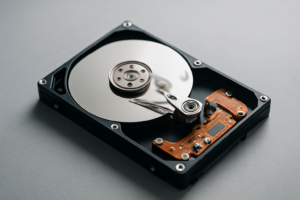
Best Hard Drives for Cheap Mass Storage in 2026
Hard drives aren’t dead. Not even close. While SSDs dominate when it comes to speed, spinning disks still reign supreme for one thing: storing massive amounts of data without emptying your bank account. If you’re hoarding movies, archiving photos, backing up entire systems, or building out a NAS, you need raw terabytes at the lowest possible cost per TB.
I’ve spent the last several months tracking prices, reading reliability reports, and testing drives for bulk storage use cases. Here are the best hard drives you can buy in 2026 if your goal is cheap, reliable mass storage.
Why Hard Drives Still Make Sense for Mass Storage
SSDs have gotten more affordable, but they still can’t touch hard drives when you’re talking 8TB, 16TB, or 20TB+ capacities. A high-capacity SSD at those sizes costs several times more per terabyte than a comparable HDD. If you’re curious about the broader tradeoffs between the two, our SSD vs HDD comparison for 2026 breaks it all down.
For cold storage, media libraries, surveillance footage, and NAS builds, hard drives deliver the best value. They’re also easier to find at extreme capacities. You can grab a single 22TB or 24TB drive today, something that simply doesn’t exist in the consumer SSD market at a reasonable cost.
Best Hard Drives for Cheap Mass Storage in 2026
WD Red Plus (8TB, 12TB, 14TB)
The WD Red Plus line has been a NAS favorite for years, and for good reason. These are CMR (Conventional Magnetic Recording) drives, which means better sustained write performance and longer lifespan compared to SMR alternatives. The 8TB and 12TB models tend to hit the sweet spot for price-per-TB.
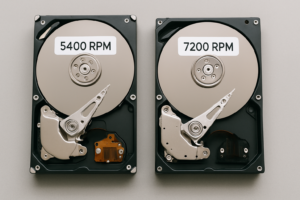
WD Red Plus drives run at 5,400 RPM with a 256MB cache, and they’re rated for 24/7 operation in multi-bay NAS enclosures. If you’re building a budget home NAS, these should be at the top of your list. They’re quiet, cool-running, and Western Digital’s reliability data has been consistent over the past few generations.

WD Red Plus 8TB NAS Hard Drive
A proven NAS workhorse with CMR recording and 24/7 reliability ratings, ideal for multi-bay setups.
Seagate IronWolf (8TB, 12TB, 16TB)
Seagate’s answer to the WD Red Plus is the Seagate IronWolf, and it’s every bit as capable. The IronWolf lineup uses CMR across all capacities, includes built-in rotational vibration sensors for multi-drive enclosures, and comes with Seagate’s IronWolf Health Management software for monitoring drive health.
The 12TB and 16TB models frequently offer some of the best price-per-TB ratios on the market. These drives spin at 7,200 RPM (in higher capacities), giving you a noticeable speed bump for large sequential transfers. If you’re choosing between the IronWolf and WD Red Plus, it often comes down to whichever one has better current pricing. Check both on Amazon before committing.
Seagate Exos X20 / X24 (20TB, 24TB)
When you need the absolute maximum storage in a single 3.5-inch bay, the Seagate Exos enterprise line delivers. The Exos X20 (20TB) and X24 (24TB) are enterprise-grade drives built for data center workloads, which means they’re overbuilt for home use in the best possible way.
These drives carry a 2.5 million hour MTBF rating and a 5-year warranty. They’re louder than consumer NAS drives, and they draw more power. But per terabyte, especially at the 20TB tier, they can be incredibly competitive. Many data hoarders buy these refurbished or as OEM pulls to save even more. Just make sure you check the SMART data on arrival if you go that route.

Seagate Exos X20 20TB Enterprise Hard Drive
Maximum capacity per bay with enterprise-grade reliability, perfect for serious data hoarders and archival storage.
WD Elements / Seagate Expansion (Shucking Candidates)
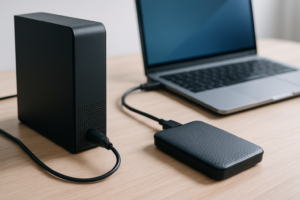
Here’s an open secret in the storage community: external desktop hard drives often contain the exact same drives sold as internal models, sometimes at a lower price. “Shucking” means buying an external drive like the WD Elements Desktop or Seagate Expansion Desktop, cracking open the enclosure, and pulling out the bare drive inside.
WD Elements drives in the 12TB+ range have historically contained WD Red or even White Label drives (which are essentially relabeled WD Red/Ultrastar units). The savings can be significant, though you do void the external enclosure warranty. For our complete rundown on external options, including best uses for WD Elements drives, we’ve covered that in a separate guide.
Toshiba N300 (8TB, 12TB, 16TB)
The Toshiba N300 is the underdog pick that often gets overlooked. Toshiba doesn’t have the marketing budget of WD or Seagate, but their N300 line is a genuine competitor. These are 7,200 RPM CMR drives with rotational vibration sensors and a workload rating of 180TB per year.
The N300 in 8TB and 12TB configurations frequently undercuts both WD and Seagate on price while offering comparable specs and reliability. Backblaze’s drive stats (one of the few sources of large-scale HDD reliability data) have generally been kind to Toshiba drives. If brand loyalty isn’t a factor for you, give the N300 a serious look.

Toshiba N300 12TB NAS Hard Drive
An often-overlooked NAS drive that regularly offers some of the best price-per-TB ratios in its class.
CMR vs. SMR: Why It Matters for Bulk Storage
You’ll see two recording technologies in modern hard drives: CMR (Conventional Magnetic Recording) and SMR (Shingled Magnetic Recording). SMR drives are cheaper to manufacture, but they suffer from significantly slower write speeds once the drive’s cache fills up. For sequential writes during large backups or RAID rebuilds, this can be painful.
Every drive I’ve recommended above uses CMR. If you’re buying any hard drive not on this list, double-check the recording technology before purchasing. Manufacturers haven’t always been transparent about which drives use SMR (the “SMR-gate” controversy with WD a few years back was a perfect example). For NAS use, especially if you’re running RAID 0 or RAID 1 configurations, CMR is a must.
Tips for Getting the Best Price Per Terabyte
- Buy in the 8TB to 16TB sweet spot. Drives under 8TB carry a higher cost per terabyte because the fixed manufacturing costs don’t scale down much. Drives above 16TB offer more capacity but often at a premium per-TB. The 12TB tier tends to be the overall sweet spot in 2026.
- Watch for sales cycles. Amazon Prime Day, Black Friday, and back-to-school sales reliably drop hard drive prices. If you’re also shopping for SSDs during those periods, we’ve put together a Black Friday SSD deals guide worth bookmarking.
- Consider shucking external drives. As mentioned above, WD Elements and Seagate Expansion desktop drives often contain NAS-grade internals at a lower price.
- Don’t ignore refurbished enterprise drives. Pulls from data center decommissions (Exos, Ultrastar, etc.) can offer phenomenal value. Just verify SMART health data and power-on hours when the drive arrives.
- Compare across retailers. Amazon is convenient, but Newegg, B&H Photo, and even eBay (for enterprise pulls) sometimes beat Amazon’s pricing on specific models.
A Word on Backup Strategy
Buying cheap storage is only half the equation. A single drive, no matter how reliable, can fail. If the data matters to you, follow the 3-2-1 backup rule: three copies of your data, on two different types of media, with one copy offsite. For most home users, that means a NAS with redundancy for local access, plus a cloud backup or offsite drive for disaster recovery. Our cloud backup vs. local NAS cost comparison can help you figure out which combination fits your budget.
If you already have old drives in your setup that you’re planning to retire or sell, make sure you securely wipe them before they leave your hands. A quick format isn’t enough to protect your personal data.
Frequently Asked Questions
How long do hard drives last in cold storage?
Hard drives stored powered off in a cool, dry environment can retain data reliably for 3 to 5 years. Beyond that, lubricants inside the drive can degrade and magnetic data can weaken. If you’re using drives for long-term archival, it’s a good practice to power them on at least once a year, let them spin for a bit, and verify your data integrity. For truly critical archives, keep multiple copies on separate drives.
Is it safe to buy refurbished or “shucked” hard drives?
Shucked drives are brand new, just removed from an external enclosure, so they

James Kennedy is a writer and product researcher at Drives Hero with a background in IT administration and consulting. He has hands-on experience with storage, networking, and system performance, and regularly improves and optimizes his home networking setup.