5400 RPM vs 7200 RPM Hard Drives: When Spindle Speed Still Makes a Difference
Hard drives haven’t disappeared. Despite the SSD revolution, spinning platters still power the majority of NAS boxes, surveillance systems, bulk storage arrays, and budget PCs worldwide. And if you’re shopping for a traditional HDD in 2026, you’ll quickly face a choice that’s been around for decades: 5400 RPM or 7200 RPM.
The speed difference sounds modest on paper, about 33% more rotations per minute. But that gap ripples through every aspect of a drive’s behavior, from raw throughput and random access latency to the heat it generates and the noise it makes at 2 AM. I’ve benchmarked both classes extensively, and the answer to “which is better” depends entirely on what you’re doing with the drive. Let’s break down the real numbers, the trade-offs, and when each speed class actually makes sense.
How Spindle Speed Affects Performance (The Physics)
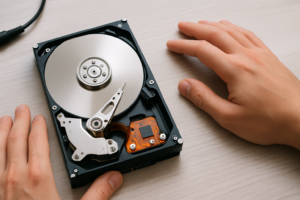
A hard drive’s spindle speed determines how quickly the platters rotate beneath the read/write head. Faster rotation means two things: the data under the head passes by more quickly (improving sequential throughput), and the drive spends less time waiting for the right sector to rotate into position (reducing rotational latency).
At 5400 RPM, the average rotational latency is about 5.56 milliseconds. At 7200 RPM, it drops to roughly 4.17 ms. That 1.4 ms difference doesn’t sound like much in isolation, but it compounds with every single I/O operation. During a workload with thousands of random reads per minute, those milliseconds stack into seconds and then minutes of real waiting time.
Spindle speed also affects sustained transfer rates because the outer tracks of a faster-spinning platter move past the head at higher linear velocity. Combined with modern high-density platters (some reaching 2TB per platter), a 7200 RPM drive can push noticeably more megabytes per second in a long sequential read. If you’re curious about the broader comparison between spinning drives and solid-state storage, our guide on SSD vs HDD in 2026 covers the full picture.
Sequential Read/Write Benchmarks: 5400 RPM vs 7200 RPM
Sequential performance is where hard drives still earn their keep, especially for large file transfers, video archives, and backup operations. Here’s what typical modern drives in each class deliver:
- 5400 RPM (e.g., WD Red Plus 4TB, Seagate Barracuda 5400): Sequential reads of 140 to 180 MB/s. Sequential writes in a similar range, sometimes slightly lower depending on cache behavior.
- 7200 RPM (e.g., WD Black 4TB, Seagate Barracuda 7200): Sequential reads of 180 to 230 MB/s. Some newer models with high-density platters push toward 250 MB/s on the outer tracks.
That’s roughly a 30 to 40% improvement in sustained throughput for the 7200 RPM class, which aligns almost perfectly with the proportional increase in spindle speed. For copying a 100GB video project, this translates to finishing in about 7 minutes on a 7200 RPM drive versus roughly 9.5 minutes on a 5400 RPM drive. Not transformative, but meaningful if you’re transferring large files regularly.
The WD Black series consistently tops the sequential benchmarks in the 7200 RPM category, particularly in sustained write performance where its larger cache buffer helps maintain speed during long operations.

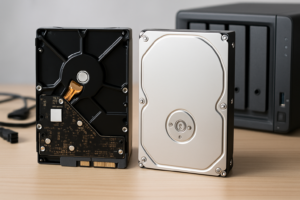
WD Black 4TB 7200 RPM Performance Desktop Hard Drive
Best-in-class sequential performance among 7200 RPM consumer drives, ideal for secondary storage on a desktop PC.
Random Access Performance: Where the Gap Widens
Random access is the Achilles’ heel of every mechanical drive, and it’s where spindle speed differences become most noticeable during daily use. Random reads and writes involve the head seeking to scattered positions across the platters, and every seek operation includes both the mechanical arm movement (seek time) and the wait for the platter to rotate to the correct position (rotational latency).
Typical random 4K read/write performance looks like this:
- 5400 RPM: 0.5 to 0.8 IOPS (random 4K reads), translating to roughly 55 to 80 operations per second.
- 7200 RPM: 0.8 to 1.2 IOPS (random 4K reads), roughly 75 to 120 operations per second.
In practical terms, this means a 7200 RPM drive will feel more responsive as a boot drive or application drive. Opening programs, loading game levels, and browsing through large photo libraries all generate random read patterns. The 7200 RPM drive won’t feel “fast” compared to any SSD (even a budget SATA model will deliver 50x more IOPS), but it will feel noticeably snappier than a 5400 RPM drive for general desktop tasks.
If you’re running a 5400 RPM drive as your primary OS disk and wondering why everything feels sluggish, swapping it for a 7200 RPM model is one option, though honestly, upgrading to even a basic SSD is a much bigger leap. We covered several ways to speed up aging mechanical drives in our article on making your old hard drive lightning fast, and many of those tips apply regardless of spindle speed.
Noise Levels: The 5400 RPM Advantage
This is where slower drives fight back, and fight back hard. A spinning hard drive produces noise from three main sources: the motor spinning the platters, the actuator arm seeking across the surface, and vibration transmitted through the drive’s chassis into whatever it’s mounted in.
At 5400 RPM, most modern drives produce idle noise around 20 to 23 dB(A) and seek noise around 24 to 28 dB(A). At 7200 RPM, idle noise creeps up to 26 to 30 dB(A), and seek noise often hits 30 to 34 dB(A). For reference, a quiet room typically measures around 30 dB(A), so a 7200 RPM drive during active seeking is audible in most home environments.
This matters a lot if you’re building a NAS that sits in your living room or bedroom. A four-bay NAS loaded with 7200 RPM drives can produce a persistent hum that drives some people crazy, especially during overnight backup operations. Drives like the WD Red Plus (5400 RPM class) and Seagate IronWolf (7200 RPM) are both popular NAS choices, but the WD Red Plus runs meaningfully quieter. If you’re setting up your first network storage system, our NAS setup guide for beginners walks through drive selection along with everything else you’ll need.
Heat Generation and Reliability Considerations
Faster platters require more energy to spin and generate more heat as a result. A typical 5400 RPM 3.5″ drive draws about 3 to 5 watts during active operation, while a 7200 RPM model pulls 6 to 9 watts. The difference doesn’t matter for a single drive in a well-ventilated desktop case. It starts mattering when you stack four, six, or eight drives into a NAS enclosure.
Higher operating temperatures have a documented relationship with drive failure rates. Google’s famous 2007 study and Backblaze’s ongoing drive statistics both show that sustained temperatures above 45°C correlate with increased failure rates. A 7200 RPM drive in a poorly ventilated enclosure can easily sit at 45 to 50°C, while a 5400 RPM drive in the same bay might stay at 38 to 42°C.
For multi-drive setups like NAS arrays, this temperature gap becomes a genuine reliability factor. If you’re building a budget home NAS, the combination of lower heat, lower noise, and adequate sequential throughput makes 5400 RPM drives the more practical choice. The performance penalty matters less when the bottleneck is often your gigabit Ethernet connection (limited to about 110 to 115 MB/s) anyway.
Regarding long-term reliability, both speed classes use similar technology and generally show comparable annualized failure rates (AFR) in the 1 to 3% range for consumer drives. The main reliability difference isn’t the spindle speed itself but rather the conditions it creates. Keep your drives cool, and the speed class alone shouldn’t significantly affect lifespan. If a drive does start making unusual sounds, our guide on hard drive clicking sounds and what they mean can help you diagnose the problem early.

WD Red Plus 4TB NAS Hard Drive 5400 RPM
Quiet, cool-running, and purpose-built for always-on NAS environments where noise and heat management are critical.
When to Choose 5400 RPM
The 5400 RPM class makes sense in more situations than most people assume. Here are the strongest use cases:
- NAS and home server storage: Your network speed is usually the bottleneck, not the drive. Lower heat and noise matter more than raw throughput.
- Backup and archival storage: Drives that sit idle most of the time and spin up for scheduled backups benefit from the lower power draw and reduced thermal stress of 5400 RPM models.
- Media storage (music, photos, videos): Streaming a 4K video file requires about 25 to 50 MB/s. A 5400 RPM drive delivers three to six times that. There’s no practical benefit to faster platters for media playback.
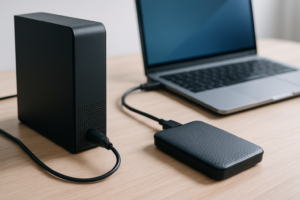
- External drives: Portable 2.5″ external drives are almost universally 5400 RPM. The lower power consumption is essential because these drives run off USB bus power, and the reduced vibration improves durability for drives that get carried around.
- Surveillance systems: Specialized drives like the WD Purple and Seagate SkyHawk typically run at 5400 to 5900 RPM. They’re optimized for constant sequential writes, and keeping temperatures low in enclosed DVR/NVR boxes is critical.
When to Choose 7200 RPM
The faster speed class still earns its place in several scenarios:
- Desktop secondary storage with frequent access: If you’re regularly loading projects, editing files, or accessing databases stored on the HDD, the extra throughput and lower latency of 7200 RPM will save you time every day.
- Game storage (if you haven’t moved to SSD yet): Game load times on a 7200 RPM drive are roughly 20 to 30% faster than on a 5400 RPM drive. It’s still much slower than an SSD, but the difference between “annoying” and “really annoying” is real. For those considering a hybrid approach, our article on using an SSD and HDD together in one PC explains how to get the best of both worlds.
- Video editing scratch disks: When working with multi-stream timelines that demand sustained throughput above 150 MB/s, a 7200 RPM drive provides meaningful headroom over its slower sibling.
- Direct-attached storage for workstations: Connected via SATA or SAS without a network bottleneck, the full speed advantage of 7200 RPM is realized.
The Seagate Barracuda line offers a solid balance of performance and value in the 7200 RPM consumer space, available in capacities from 1TB up to 8TB.

Seagate Barracuda 4TB 7200 RPM Internal Hard Drive
Reliable all-purpose 7200 RPM desktop drive with strong sequential throughput and wide capacity range.
The Elephant in the Room: Should You Just Buy an SSD?
I’d be doing you a disservice if I didn’t address this directly. For any workload where random access performance matters (booting, launching applications, general OS responsiveness), even the cheapest SATA SSD absolutely demolishes both 5400 and 7200 RPM hard drives. We’re talking about 50 to 100 times more IOPS and access latencies measured in microseconds instead of milliseconds.
If you’re choosing between a 5400 RPM and 7200 RPM drive for your boot device in 2026, the honest recommendation is: skip both and get an SSD. A budget SATA SSD will transform your computing experience in ways that no spindle speed increase ever could.
But hard drives aren’t going anywhere for bulk storage. An 8TB HDD still costs a fraction of an 8TB SSD, and for storing terabytes of video footage, backups, music libraries, and cold data, mechanical drives remain the economically rational choice. The 5400 vs 7200 RPM question is most relevant in this bulk storage context, where you’re choosing drives for secondary storage, NAS systems, or external enclosures.
Quick Comparison Summary
| Factor | 5400 RPM | 7200 RPM |
|---|---|---|
| Sequential Read Speed | 140 to 180 MB/s | 180 to 250 MB/s |
| Random 4K IOPS | 55 to 80 | 75 to 120 |
| Idle Noise | 20 to 23 dB(A) | 26 to 30 dB(A) |
| Power Draw (Active) | 3 to 5W | 6 to 9W |