Ssd Read Write Speed Vs Hdd: Which One Is Superior?
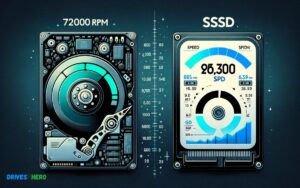
Solid State Drives (SSDs) have significantly faster read and write speeds compared to Hard Disk Drives (HDDs). SSDs typically offer read and write speeds ranging from 200 MB/s to 5500 MB/s, while most HDDs provide speeds between 80 MB/s and 160 MB/s.
Check out this helpful video on the topic:
When comparing SSDs and HDDs, the differences in speed are due to the underlying technology. SSDs use NAND-based flash memory with no moving parts, allowing for quicker data access and transfer.
HDDs rely on mechanical platters and a moving read/write head, which make them slower.
- SSDs:
- Faster boot times
- Quicker file transfers
- Better performance for gaming and high-end applications
- Silent operation
- HDDs:
- Slower data access
- More prone to physical damage due to moving parts
- Typically offer more storage space for less cost
For example:
- Loading an operating system or a large game is much faster on an SSD due to its ability to quickly read multiple files and fragments scattered across the drive.
Upgrading to an SSD from an HDD is one of the most effective ways to boost the performance and responsiveness of a computer system.
Key Takeaway
11 Features Of Ssd Read Write Speed Vs Hdd
| Feature | SSD (Solid State Drive) | HDD (Hard Disk Drive) |
|---|---|---|
| Average Read Speed | 500 MB/s to 3,500 MB/s (SATA III to NVMe) | 80 MB/s to 160 MB/s |
| Average Write Speed | 500 MB/s to 3,000 MB/s (SATA III to NVMe) | 80 MB/s to 160 MB/s |
| Access Time | 0.1 ms | 5 ms to 10 ms |
| Power Consumption | Lower; around 2-3 watts | Higher; 6-7 watts during active use |
| Heat Production | Minimal due to no moving parts | Can get warm; has moving parts |
| Noise Level | Silent | Audible clicks and spinning sounds |
| Durability | No moving parts, less prone to damage | Moving parts, more prone to damage |
| MTBF (Mean Time Between Failures) | 1.5 million to 2 million hours | 1 million to 1.5 million hours |
| Cost per GB | Higher, decreasing as technology matures | Lower, more cost-effective |
| Capacity | Up to 4TB for consumer models | Up to 20TB for consumer models |
| Form Factors | 2.5”, M.2, U.2, mSATA | 3.5″, 2.5″ |
Understanding SSD and HDD Technology
SSD technology delivers faster read-write speeds compared to HDDs, making it ideal for high-performance computing tasks. The SSD enhances data transfer and system boot-up times, boosting overall system efficiency and responsiveness.
Its advanced technology offers a significant upgrade over traditional HDDs, enhancing user experience and productivity.
Impact Of Read/write Speed On Performance
- The read/write speed of an SSD or HDD directly impacts the overall performance of a system.
- SSDs boast significantly faster read and write speeds compared to HDDs, which results in quicker data access, lower boot times, and improved overall system response.
- HDDs, on the other hand, have slower read and write speeds due to their physical nature, impacting the efficiency of tasks that rely on accessing and transferring large amounts of data.
Analyzing Read/write Speed Performance
When it comes to storage options for your computer, the debate between SSD (Solid State Drive) and HDD (Hard Disk Drive) has been ongoing for some time. One of the key factors that sets these two technologies apart is their read/write speed performance.
Benchmarking Metrics And Tools
Before comparing the read/write speed performance of SSDs and HDDs, it’s essential to understand the benchmarking metrics and tools used to measure their performance.
Benchmarking software such as CrystalDiskMark, AS SSD, and ATTO Disk Benchmark are commonly utilized to assess the read and write speeds of storage devices.
These tools provide metrics such as sequential read/write speeds, random read/write speeds, and input/output operations per second (IOPS) to evaluate the performance of SSDs and HDDs.
Real-world Application Scenarios
While benchmarking metrics offer valuable insights into the read/write speed performance of SSDs and HDDs, real-world application scenarios provide a practical understanding of how these storage devices perform in everyday use.
SSDs excel in tasks that require quick data access, such as loading applications, booting up the operating system, and transferring large files.
On the other hand, HDDs are suitable for storing large volumes of data, such as media files and archives, where read/write speed is not a critical factor.
Improving Read/write Speed
When it comes to storage devices, read/write speed is a crucial factor that directly impacts the performance and efficiency of a system.
The comparative analysis of SSD read/write speed vs. HDD clearly outlines the significant advantages of SSDs in terms of speed and responsiveness.
However, both SSDs and HDDs can benefit from optimization and enhancement techniques to improve their read/write speed.
Optimization Techniques For Ssd
SSDs leverage advanced technology to deliver lightning-fast read/write speeds. However, it’s essential to implement optimization techniques to further enhance their performance.
Here are some effective ways to optimize SSDs:
- Enable TRIM support to maintain consistent performance and extend SSD lifespan.
- Update firmware regularly to ensure compatibility and address any performance issues.
- Disable disk defragmentation, as SSDs do not benefit from this traditional HDD optimization technique.
- Utilize a high-performance file system, such as NTFS or exFAT, to maximize SSD efficiency.
Enhancing Hdd Performance
While HDDs may not match the read/write speed of SSDs, several strategies can be employed to improve their overall performance.
Enhancing HDD performance can be achieved through the following methods:
- Defragment the hard drive regularly to organize data for faster access and retrieval.
- Upgrade to a higher RPM (Revolutions Per Minute) hard drive for increased data transfer speeds.
- Allocate sufficient cache memory to optimize read/write operations and reduce latency.
- Utilize disk cleanup tools to remove unnecessary files and optimize disk space usage.
Future Trends
Emerging Technologies Impacting Speed
- The future of solid-state drives (SSDs) and hard disk drives (HDDs) lies in the continued evolution of emerging technologies impacting speed.
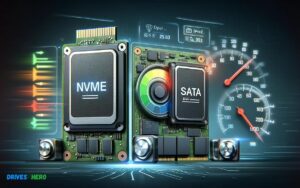
- One significant trend is the increasing development and adoption of Non-Volatile Memory Express (NVMe) technology.
- NVMe drives offer significantly faster read and write speeds compared to traditional SATA SSDs, making them more appealing for various applications, including high-performance computing, data centers, and consumer devices.
Another emerging technology is the utilization of 3D NAND flash memory, which allows for higher storage capacity and improved speed performance.
As 3D NAND technology matures and becomes more prevalent, it is expected to further enhance the read and write speeds of SSDs, offering users a faster and more efficient storage solution.
Market Adoption And Consumer Implications
- The growing market adoption of SSDs over HDDs reflects a clear trend toward faster storage solutions and a positive impact on consumer experiences.
- As SSD prices continue to decline and their performance improves, more consumers are expected to choose SSDs over HDDs for their computing needs, leading to a broader market shift toward faster storage technologies.
The implications for consumers are clear faster read and write speeds translate to quicker system boot times, reduced application load times, and overall improved user experiences.
With the ongoing evolution of SSD technology and its increasing market adoption, consumers can expect continued enhancements in speed, reliability, and affordability.
Conclusion
While SSDs have faster read-write speeds than HDDs, both have their own merits. Understanding your specific needs and considering factors like cost, capacity, and performance is crucial in choosing the right storage option for your requirements.
Whatever you choose, remember to keep your data safe and backed up.

Harold Williams is a senior writer and technical editor at Drives Hero with 20+ years of experience in IT administration. He specializes in storage systems, SSD reviews, and performance testing, bringing real-world insight to every guide.