How Ssd Helps in Laptop
Ssd helps in laptops by providing faster boot and load times, improved energy efficiency and better shock resistance. Upgrading from a traditional hard drive to an ssd can significantly enhance a laptop’s performance and lifespan.
As laptops become more critical in our daily lives, speed, durability, and dependability are essential factors to consider when purchasing a laptop. Solid state drives (ssds) are increasingly popular among laptop owners, and for a good reason. Unlike traditional hard drives that use spinning disks, ssds store data on flash memory chips, which significantly improves a laptop’s performance.
The faster boot and load times make multi-tasking and opening multiple applications much smoother. Additionally, ssds provide better energy efficiency, improved shock resistance, and better durability. This article will explain in detail how ssd helps in a laptop and discuss the benefits of upgrading from a traditional hard drive to an ssd.
Introduction To Ssd (Solid State Drive)
What Is An Ssd?
In simple terms, ssd or solid state drive is a modern data storage device that replaces the traditional hard disk drive used in laptops. Unlike an hdd, it has no physical moving parts and stores data on flash memory chips, making it faster, durable and efficient.
Key points:
- Ssds use nand-based flash memory to store data, which is faster and more reliable compared to the spinning disks on an hdd
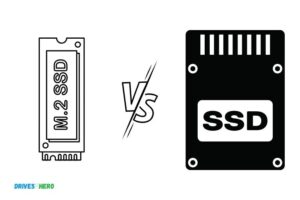
- They are available in various sizes and interfaces, including sata, pcie and m.2
- Ssds are more expensive than hdds but provide better performance and durability
How It Works?
An ssd works by storing data on interconnected flash memory chips, using an embedded processor called the controller to manage data storage and retrieval. The controller communicates with the motherboard using different interfaces like sata, pcie, or m. 2.
Key points:
- Ssds use cells to store data, which can be overwritten by the controller as per the data requirements
- There are two types of nand flash memory- slc and mlc, which differ in terms of price, durability, and endurance
- The lack of physical moving parts makes ssds immune to vibrations and shocks.
Benefits Of Using Ssd In Laptops
There are numerous benefits of using an ssd in laptops, including:
- Faster boot-up and load times, resulting in improved overall performance
- Reduced power consumption, resulting in longer battery life
- Durability and reliability, as ssds are less prone to physical damage and have a lower failure rate compared to hdds
- Noise-free operation, as there are no spinning disks or moving parts
- Improved data transfer rates, making them suitable for applications like video editing and gaming.
Ssds have revolutionized the way we perceive data storage in laptops. They are faster, more efficient, and durable, making them a worthwhile investment for anyone looking to upgrade their laptop’s storage.
Improved Performance And Speed
Many laptop users experience slow performance over time. As a result, they go for an upgrade hoping for improved speed and performance. Nowadays, most professionals recommend an ssd (solid state drive) upgrade. So, how does ssd help in the laptop’s performance, and what makes it better than an hdd (hard disk drive)?
How Ssds Improve Laptop Performance?
A solid state drive (ssd) acts as a storage device in laptops, much like a traditional hard disk drive (hdd). It uses flash memory chips to store and retrieve data and doesn’t contain any mechanical parts. This difference has a significant impact on how the ssd contributes to the laptop’s performance.
Impacts Of Hdd (Hard Disk Drives) On Laptop’S Performance
Hard disk drives (hdd) are the older storage devices on laptops, and they contain spinning disks, moving heads and various mechanical parts to read and write data. These moving parts, over time, slow down the laptop’s response time.
Here Are Some Of The Impacts Of Hdd On Laptop’S Performance:
- It takes time to locate data
- Data transfers slow down
- Boot time is slower
- The risk of disk failure is high
- It produces more heat and noise
- Battery life drains faster
Comparison Between Ssds And Hdds
Compared to hard drives, solid-state drives have several advantages that improve the laptop’s overall speed and performance.
Here Are The Main Differences Between Ssds And Hdds:
Speed And Response Time
- Ssd has faster boot time
- Applications launch and run much faster
- Files can be copied, saved or moved, much more quickly
Storage Capacity
- Ssds have smaller storage capacity than hdds
- However, users can still purchase higher capacity ssds, but it’s more expensive than buying an hdd with the same capacity.
Durability
- Ssds have no moving parts compared to hdds; therefore, are more durable compared to the latter.
Upgrading to an ssd instead of the traditional hdd is a wise choice. Ssds offer better speed, response time, durability, and reliability. While the cost may be a drawback, the benefits far outweigh the cost. An ssd upgrade is a smart investment for anyone looking to improve their laptop’s overall performance and speed.
Enhanced Data Reliability And Security
Ssds have revolutionized the way we store data on laptops, providing numerous advantages over the conventional hdds. One of the most significant benefits of ssds is the enhanced data reliability and security they offer, which makes them an ideal choice for storing important files.
Let’s dig deeper into this topic by exploring how ssds are reliable and secure for storing data.
How Ssds Are Reliable And Secure For Storing Data?
Ssds are designed to store data using flash memory, which is a non-volatile type of storage that can retain data even when power is disconnected. Some key ways that ssds ensure data reliability and security are:
- Durability: Unlike hdds, ssds have no moving parts, making them extremely durable and less likely to fail due to mechanical problems. This translates to a lower risk of data loss, which is essential for important documents and files.
- Data protection features: Ssds come with several features that protect data from corruption and other forms of damage. For example, advanced error correction techniques reduce the risk of data loss due to bit errors, while wear-leveling algorithms ensure that the flash memory cells are used equally over time, extending the life of the ssd.
- No fragmentation: Another significant advantage of ssds is that they do not get fragmented with use. This is because data can be written to any location on the drive, eliminating the need for the drive to search for free space before writing. This ensures faster access times and reduces the risk of data loss.
Risks Associated With Using Hdds
While hdds have been the dominant storage medium for many years, they have some significant disadvantages that make them less ideal for storing critical files. Some of the evident risks of using an hdd are:
- Failure rates: Hdds have a higher failure rate than ssds due to their mechanical parts, which makes them more susceptible to damage and wear. This means they are not as reliable as ssds for storing important data.
- Fragmentation: Over time, an hdd can get fragmented if files are frequently modified or deleted. This results in slower access times and a higher risk of data loss.
- Susceptibility to shock: Hdds can be easily damaged if dropped or subjected to a shock. This can cause damage to the internal components, leading to data loss.
Features Of Ssds That Ensure Data Security
Apart from being more reliable than hdds, ssds come with several features that ensure data security. Some of these include:
- Hardware encryption: Many modern ssds come with hardware encryption support, which encrypts data stored on the drive, making it inaccessible without the correct password or passkey. This ensures that even if the drive is stolen or lost, the data on it remains secure.
- Trim support: Trim is a feature that helps to optimize the read and write performance of an ssd over time. This ensures that the drive remains fast and responsive, reducing the risk of data loss due to slow performance.
- Secure erase function: This feature erases all data on the drive and resets it to its factory settings, making data recovery difficult or impossible. This ensures that sensitive data is completely erased from the drive before disposing of it or giving it to someone else.
Ssds are more reliable and secure than hdds for storing important data on laptops. They come with several features that ensure data protection, encryption, and security, making them an ideal choice for businesses and individuals who require fast and reliable access to their critical files.
Extended Battery Life And Energy Efficiency
How Ssds Are More Energy-Efficient Than Hdds?
Solid state drives (ssds) have caught the attention of laptop users due to their faster speed and reliability. But, did you know that ssds are also more energy-efficient than hard disk drives (hdds)? Here are some key points to note:
- Ssds consume less power than traditional hdds.
- The absence of rotating disks in ssds means that they require less electricity to operate compared to their counterparts.
- When your laptop’s hard drive is less power-hungry, the battery lasts longer, and you can work on your tasks for longer intervals.
Power Consumption Comparison Between Ssds And Hdds
Let’s take a moment to compare the power consumption of ssds and hdds.
Plain paragraph:
Traditional hard disk drives require more power as compared to their ssd counterparts, which need less power to operate. The reason is that hdds have physical moving components that require a motor to spin the disk platters. On top of that, they use additional power to move the actuator arm from one location to another.
That’s why working with an hdd compared to an ssd puts much more stress on your laptop’s battery life.
Bullet points:
- Hdds have physical moving components that require more power to operate.
- In contrast, ssds have no moving parts that consume power, making them a more power-efficient option.
- Your laptop’s battery drains quicker when using hdds for heavy tasks, as they require more power.
How Extended Battery Life Helps Laptop Users On The Go?
When you’re always on the move and have limited access to a power source, extended battery life is a must-have. Here are some key points to note:
Bullet points:
- With ssds’ lower power consumption, laptop batteries last longer than with traditional hdds.
- If you use your laptop primarily for word processing and browsing the web, ssds’ lower power consumption can give you an additional hour or two of battery life.
- If you’re still using an hdd, consider upgrading to an ssd to extend your laptop battery life and work without any interruptions.
Upgrading to an ssd is not only about speed and reliability. Ssds consume less power than traditional hdds, and they can extend your battery life, which is crucial for laptop users on the go. So, consider an ssd if you want to increase your laptop’s efficiency, speed, and battery life.
Frequently Asked Questions Of How Ssd Helps In Laptop
How Does An Ssd Improve Laptop Performance?
An ssd improves laptop performance by reducing boot and load times, increasing data transfer speed, and enhancing overall responsiveness.
Are All Laptops Compatible With Ssds?
Most modern laptops are compatible with ssds, but it’s important to check compatibility before purchasing one.
What Is The Difference Between Hdd And Ssd In Laptops?
The main difference between hdd and ssd in laptops is the storage technology. Hdds store data on magnetic disks, while ssds store data on flash memory chips. Ssds are faster, lighter, and more durable than hdds.
How Do I Install An Ssd In My Laptop?
To install an ssd in your laptop, you’ll need to back up your data, open the laptop case, remove the old hard drive, and install the new ssd. It’s recommended to seek professional help if you’re not comfortable doing it yourself.
Conclusion
Upgrading to ssd might just be the missing piece you need to complete your laptop. The benefits of ssd technology are numerous and far-reaching, including faster loading times, greater storage capacity, and improved battery life. With a modern laptop, an ssd could be the difference-maker that makes you more efficient and productive.
Investing in an ssd is a smart move, especially for individuals who use their laptops for work or school. It allows you to store and access your files quicker without experiencing any slowdowns or glitches. Furthermore, ssds are generally more durable and reliable than traditional hard drives, decreasing the likelihood of losing important files.
If you want to enhance your laptop performance and get the most out of it, upgrading to an ssd is a worthwhile investment.

Harold Williams is a senior writer and technical editor at Drives Hero with 20+ years of experience in IT administration. He specializes in storage systems, SSD reviews, and performance testing, bringing real-world insight to every guide.