What is M 2 2280 Ssd
M 2 2280 ssd is a form factor of solid-state drives that features a size of 22mm x 80mm. It uses a high-speed interface to connect to the motherboard and is commonly used in laptops and small form factor pcs.
Solid-state drives have come a long way in recent years, with new innovative designs, interfaces, and form factors. M 2 2280 is one of the most popular and widely used ssd form factors for modern laptops and desktops. They are small, fast, and efficient making them perfect for use in laptops and small form factor desktop builds.
M 2 2280 ssds are known for their high speeds, low latency, and reliable performance, making them a popular choice among gamers, video editors, and other professionals who rely on fast storage devices. In this article, we’ll take a closer look at m 2 2280 ssds and explore their features, benefits, and limitations.
What Is M.2 2280 Ssd And How It Works
Definition Of M.2 2280 Ssd
M. 2 2280 ssds are a type of solid-state drive that use the m. 2 form factor. M. 2 2280 refers to the size of the drive, which is 22mm wide and 80mm long. These drives are widely used in laptops and desktop computers because of their small size and high performance.
They are popular as they use a pcie interface, which provides faster read and write times compared to traditional sata ssds.
Form Factor And Size
The m. 2 2280 form factor has become the standard for ssds in recent years. It is a small form factor that can fit on a variety of motherboards, including laptops and desktops. The size of the m. 2 2280 ssd is 22mm wide and 80mm long, making it smaller than traditional 2.
5-inch ssds. Because of its size, it is an excellent choice for small form factor builds like cube and stx builds.
Connection Interfaces
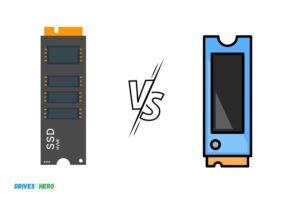
M. 2 2280 ssds are available in two different connection interfaces: sata and pcie. Sata drives are the older of the two, and they provide data transfer speeds of up to 6gb/s. Pcie drives, on the other hand, can provide much faster data transfers speeds—especially nvme drives.
Nvme drives use pcie 3. 0 and 4. 0 interfaces and offer read and write speeds of up to 7gb/s.
Differences Between Sata And Pcie
There are several key differences between sata and pcie. Here are some of the main differences:
Sata interfaces:
- Provides data transfer speeds of up to 6gb/s.
- Limited to 4 lanes of data transfer.
- Older and a more common interface for storage devices.
Pcie interfaces:
- Provides faster data transfer speeds compared to sata.
- Supports a higher number of lanes.
- More modern and used in high-speed devices like gpus and nvme ssds.
Pcie nvme ssds are faster than sata ssds, mainly because of the interface that they use. Nvme drives use a pcie interface and can offer read and write speeds of up to 7gb/s.
M. 2 2280 ssds are an excellent choice for anyone looking for high-speed performance in a small form factor. With faster read and write speeds compared to traditional sata ssds, m. 2 drives provide a significant boost to overall system performance.
Furthermore, nvme ssds take m. 2 2280 ssds to the next level, providing even faster data transfer speeds for improved productivity and better user experience.
Advantages Of M.2 2280 Ssd Over Traditional Hdd
Faster Read And Write Speeds
M. 2 2280 ssds have faster read and write speeds than traditional hdds. This means that your computer will boot up faster, applications will launch more quickly, and files will transfer at lightning speed. M. 2 2280 ssds can have read speeds of up to 3,500 mb/s and write speeds of up to 3,200 mb/s, while traditional hdds usually have read speeds of around 100 mb/s and write speeds of around 50-120 mb/s.
Better Performance And Efficiency
M. 2 2280 ssds are designed to improve your computer’s overall performance and efficiency. Because they have no moving parts, they generate less heat, which can help to prevent overheating and improve the lifespan of your computer. Additionally, m. 2 2280 ssds have faster data access times, which means that your computer can process information more quickly, resulting in a smoother and more responsive user experience.
Lighter And More Compact
M. 2 2280 ssds are significantly smaller and more lightweight than traditional hdds. They measure just 22mm wide and 80mm long, which makes them perfect for use in compact laptops and other portable devices. This smaller form factor also means that m.
2 2280 ssds take up less space inside your computer’s case, which can help to improve airflow and reduce the risk of overheating.
Quieter And Cooler
M. 2 2280 ssds are quieter and cooler than traditional hdds. Because they have no moving parts, they don’t generate the same amount of noise as hdds. In addition, m. 2 2280 ssds run cooler than hdds, which can help to prevent damage to other components inside your computer due to excessive heat.
Durable And Reliable
M. 2 2280 ssds are more durable and reliable than traditional hdds. Because they have no moving parts, they are less prone to mechanical failure, which is a common problem with traditional hdds. Additionally, m. 2 2280 ssds are less susceptible to damage from shocks and vibrations, which can help to prolong their lifespan and improve their reliability.
Cost-Effective
M. 2 2280 ssds are a cost-effective solution for those looking to upgrade their computer’s storage. While they can be more expensive than traditional hdds, they offer superior performance, efficiency, durability, and reliability. Additionally, the cost of m. 2 2280 ssds has come down significantly in recent years, making them a more viable option for budget-conscious consumers.
Key Features And Technical Specifications Of M.2 2280 Ssd
M. 2 2280 ssd is a compact, solid-state storage device, designed for modern computing devices. It is widely used in ultrabooks, laptops, tablets, and other small form-factor computing devices due to its high-performance capabilities and small footprint. We’ll dive deeper into the key features and technical specifications of m.
2 2280 ssds.
Storage Capacity And Type
M. 2 2280 ssds come in different capacities ranging from 128 gb to 2 tb. The most common types of m. 2 2280 ssds are sata and nvme ssds. Sata ssds are more affordable but typically offer lower speeds compared to nvme ssds.
Nvme ssds are faster, more efficient, and more expensive. Some m. 2 2280 ssds support both sata and nvme protocols, providing the best of both worlds.
Nand Flash Technology
The m. 2 2280 ssds use nand flash memory technology to store data. The two most common types of nand flash are slc (single-level cell) and mlc (multi-level cell). Slc is faster and more durable than mlc, but it is also more expensive.
Mlc is more affordable but not as durable.
Dram Cache
Many m. 2 2280 ssds have a dram cache that serves as a buffer between the processor and the ssd. This cache helps to speed up the read and write operations, as it can temporarily store frequently accessed data. The size of the dram cache varies from one ssd to another, with most caching between 512mb to 2gb.
Sequential And Random Read/Write Speeds
The sequential read/write speeds of m. 2 2280 ssds are usually advertised on the product specification sheet. The sequential read speed ranges from 500 mb/s to 3,500 mb/s, while the sequential write speed ranges from 300 mb/s to 3,300 mb/s.
The random read/write speeds are equally important, and they determine the ssd’s performance when interacting with small files. The random read speed lies between 10,000 iops to 300,000 iops, while the random write speed ranges from 15,000 iops to 450,000 iops.
Endurance And Tbw
Endurance and terabytes written (tbw) are critical factors to consider when buying an m. 2 2280 ssd. Endurance refers to the amount of data that an ssd can write before it starts to degrade. Tbw, on the other hand, refers to the total amount of data that an ssd can write before it reaches its write limit.
Both factors are measured in terabytes written (tbw), and they are specified by the manufacturer on the product specification sheet.
Power Consumption And Thermal Throttling
M. 2 2280 ssds have a low power consumption rate, making them ideal for laptops and other portable devices. However, some m. 2 2280 ssds tend to overheat during prolonged use, leading to thermal throttling. As a result, the ssd’s read and write speeds are reduced to prevent it from overheating.
Therefore, it is important to choose an m. 2 2280 ssd with a low power consumption rate to avoid thermal throttling.
Different Types Of M.2 2280 Ssd And Their Applications
Solid-state drives have revolutionized how data storage is done, different types of m. 2 2280 ssds are no exception. The m. 2 2280 ssds offer a perfect mix of speed, durability, and space-saving features, making them an ideal option for both laptops and desktops.
Here are the three primary types of m. 2 2280 ssds and how they are used:
Sata M.2 2280 Ssd
Sata m. 2 2280 ssds are the most common m. 2 ssds used in laptops and desktops. They are designed to connect to the sata interface on your computer’s motherboard. Sata m. 2 2280 ssds offer faster read/write speeds compared to the conventional hard disk drives, allowing faster data transfer and boot times.
They are suitable for:
- Consumer laptops and desktops
- Office computers
- Budget gaming computers
Nvme M.2 2280 Ssd
Nvme m. 2 2280 ssds are the speed demons in terms of m. 2 ssds. Nvme stands for non-volatile memory express, and it uses a much faster interface than sata, delivering great speeds. Nvme m. 2 2280 ssds are ideal for gaming rigs and workstations that need high read/write speeds.
They are best suited for:
- High-end gaming laptops
- Workstations
- Server applications
- Editing audio and video files
Pcie M.2 2280 Ssd
Pcie m. 2 2280 ssds use the pcie interface instead of the standard sata interface used by sata m. 2 ssds. Pcie offers faster speeds than sata, such that pcie m. 2 2280 ssds are an ideal option for newer laptops and desktops that support pcie.
Pcie m. 2 2280 ssds are perfect for:
- High-end consumer laptops and desktops
- Gaming laptops
- Workstations
- Enterprise servers
M.2 2280 Form Factors In Laptops And Desktops
In recent times, manufacturers are shrinking the size of laptops significantly, leaving little space for traditional hard disk drives. M. 2 2280 ssds are becoming popular owing to their space-saving features. Many laptops and desktops come with m. 2 2280 ssd slots with specific form factors.
M. 2 ssds come in three form factors:
- 2242: 22mm wide by 42mm long
- 2260: 22mm wide by 60mm long
- 2280: 22mm wide by 80mm long (most popular)
Use Cases And Recommendations
Choosing the ideal m. 2 2280 ssd for your computer depends on various factors, including your needs and budget. Here are some use cases and recommendations:
- For basic computing: Sata-based m.2 2280 ssds are a cost-effective option. Brands like samsung 860 evo, crucial mx500, etc., are reliable choices.
- For gaming/workstation: Nvme m.2 2280 ssds are the best option. The samsung 970 evo and western digital sn750 are popular ssds in this category.
- For enterprise servers: Pcie m.2 2280 ssds offer excellent speeds, reliability and are long-lasting. The intel optane 905p and samsung pm1725a are noteworthy mentions.
If you’re looking to upgrade your computer’s speed and performance, an m. 2 2280 ssd is a great option. Just make sure that you choose the right one based on your needs and budget.
Frequently Asked Questions Of What Is M 2 2280 Ssd
What Is M 2 2280 Ssd Used For?
M 2 2280 ssd is used for storage in laptops, desktops and servers.
How Fast Is M 2 2280 Ssd?
M 2 2280 ssd delivers faster boot-up, shutdown, and data transfer speeds than traditional hard drives.
What Does M 2 2280 Stand For?
M 2 2280 stands for form factor and size of the ssd: m 2 stands for the interface and 2280 stands for length and width in millimeters.
Is M 2 2280 Ssd Better Than A Sata Ssd?
M 2 2280 ssd is much faster than sata ssds because it uses nvme protocol and pcie interface, delivering better read-write speeds.
Conclusion
M 2 2280 ssd is a form factor that is quickly gaining popularity in the tech world. Its combination of high speed, capacity, and compact form factor is making it a preferred option for many computer manufacturers and users. The low power consumption and high read/write speeds of m 2 2280 ssd have made it a preferred choice for laptops and other mobile devices.
Whether you are building a new computer or upgrading your existing system, m 2 2280 ssd can provide you with the speed and performance that you need. With its small form factor and high speeds, it is a great addition to any system.
M 2 2280 ssd is a powerful and efficient storage solution that is becoming increasingly popular among tech enthusiasts. It offers a host of benefits over traditional storage solutions and is a must-have for anyone looking to boost their system’s performance.
So, if you are in the market for a new ssd, consider m 2 2280 ssd and enjoy the fast speed and performance it offers.

Harold Williams is a senior writer and technical editor at Drives Hero with 20+ years of experience in IT administration. He specializes in storage systems, SSD reviews, and performance testing, bringing real-world insight to every guide.