External SSD vs External HDD: When to Choose Which in 2026
Choosing between an external SSD and an external HDD used to be simple: if you wanted speed, you paid more for an SSD, and if you wanted storage space on a budget, you grabbed an HDD. In 2026, the calculus has shifted. SSD prices have dropped significantly over the past two years, and HDD manufacturers have pushed capacities to staggering heights. The right choice depends entirely on how you plan to use the drive, and a lot of people are making the wrong call.
I’ve tested dozens of external drives over the years, and I still recommend both SSDs and HDDs regularly, just to very different people. This guide breaks down the four factors that actually matter: speed, durability, price per terabyte, and real-world use cases. By the end, you’ll know exactly which type of drive belongs in your bag, on your desk, or in your backup rotation.
Speed: It’s Not Even Close
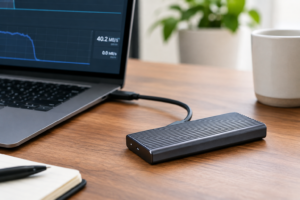
If raw performance is your priority, external SSDs win by a massive margin. A modern USB 3.2 Gen 2 external SSD like the Samsung T9 delivers sequential read speeds around 2,000 MB/s. Even more affordable options like the Crucial X9 Pro consistently hit 1,050 MB/s in real-world transfers.
Compare that to the best external HDDs, which top out around 150-200 MB/s on sequential reads. That’s roughly a 5x to 13x speed difference depending on which drives you’re comparing. For context, transferring a 50GB video project takes about 25 seconds on a fast external SSD and over four minutes on an external HDD.
Random read and write performance is where the gap gets even wider. SSDs handle thousands of small file operations per second, while HDDs struggle with this type of workload because the mechanical read head has to physically move to each file location. If you’re working with photo libraries, code repositories, or any project with lots of small files, an HDD will feel painfully slow.
For a deeper look at how these two storage technologies differ under the hood, our guide on SSD vs HDD in 2026 covers the technical differences in detail.
Durability: Why SSDs Are Built for the Road
External HDDs contain spinning platters and a moving read/write head. Drop one from desk height onto a hard floor, and there’s a real chance you’ll damage it. The mechanical components inside are precise, fragile, and unforgiving when subjected to shock or vibration. I’ve personally lost data this way, and the clicking sounds that follow a hard drop are something you don’t forget.
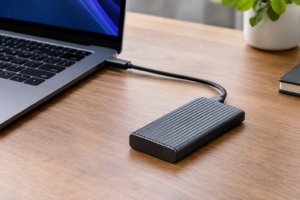
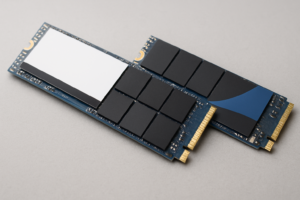
External SSDs have no moving parts. They use NAND flash memory chips soldered to a small circuit board, which makes them inherently more resistant to drops, bumps, and vibration. Many popular models like the SanDisk Extreme Pro Portable SSD V2 carry IP65 water and dust resistance ratings on top of their shock resistance.

SanDisk Extreme Pro Portable SSD V2
Excellent durability with IP65 rating, fast USB 3.2 Gen 2×2 speeds, and a compact design perfect for travel and fieldwork
Weight and size also play into the durability conversation. A 2TB external SSD typically weighs under 100 grams and fits in your pocket. A 2TB external HDD weighs three to four times as much and takes up considerably more space in a bag. If you travel frequently or work on location, our roundup of the best portable SSDs for travel in 2026 highlights the toughest options we’ve tested.
HDDs do have one durability advantage worth mentioning: long-term data retention. An unpowered SSD can theoretically lose data after extended periods without electricity (usually measured in years), while an HDD’s magnetic platters hold data indefinitely as long as the physical media isn’t damaged. For archival cold storage that sits on a shelf for years, this is a factor worth considering.
Price Per Terabyte: HDDs Still Win on Bulk Storage
This is where external HDDs maintain their strongest advantage. In 2026, the price per terabyte gap has narrowed compared to a few years ago, but it’s still significant, especially at higher capacities.
A 1TB external SSD and a 1TB external HDD aren’t as far apart as they used to be. But once you start looking at 4TB, 8TB, or larger capacities, the gap widens dramatically. You can buy a Seagate Expansion 8TB external HDD for a fraction of what an 8TB external SSD would cost. External SSDs above 4TB are still relatively rare and priced at a premium.
For most people buying 1TB or 2TB of external storage, the price difference between an SSD and an HDD is small enough that the SSD’s speed and durability advantages make it the better value overall. The crossover point where HDDs become the clearly smarter financial choice is around 4TB and above.
Here’s a rough comparison of the price-per-TB landscape in mid-2026:
- 1TB: SSDs are only slightly more expensive than HDDs. Go SSD.
- 2TB: SSDs cost more, but the premium is reasonable for most budgets. SSD is still recommended.
- 4TB: HDDs become significantly cheaper per terabyte. Choose based on your use case.
- 8TB and above: HDDs dominate on value. External SSDs at this capacity are a luxury purchase.
Keep an eye on seasonal sales if you want the best value. Our Black Friday SSD deals guide tracks the best discounts each year and flags which deals are genuinely worth grabbing.
Use Case Recommendations: Who Should Buy What
Rather than speaking in generalities, here are specific recommendations based on how you’ll actually use the drive.
Video Editors and Content Creators
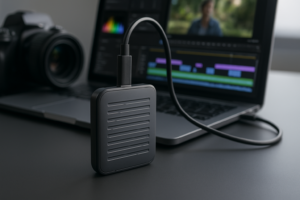
You need an external SSD, full stop. Editing 4K or 8K footage directly from an external HDD is an exercise in frustration. The random read speeds alone will bottleneck your timeline scrubbing, and rendering previews to a slow drive wastes hours of your time each week. The Samsung T9 2TB is an excellent choice for active projects. For archiving finished projects you won’t access often, a large external HDD is perfectly fine. Our best 4TB drives for video editing article includes speed test results to help you compare.

Samsung T9 2TB Portable SSD
Blazing fast 2,000 MB/s speeds make it ideal for editing 4K/8K video directly from the drive
Photographers
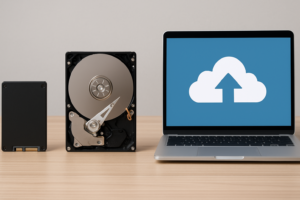
An external SSD is the better choice for your working library. Importing thousands of RAW files from a shoot is noticeably faster on an SSD, and programs like Lightroom and Capture One benefit from fast random read speeds when generating previews. A 1TB or 2TB SSD handles most photographers’ active libraries well. For your full archive going back years, pair it with a larger HDD or a NAS or cloud backup solution.
General Backup and File Storage
If you’re backing up documents, music, family photos, and other personal files, an external HDD gives you far more storage space for your money. A WD Elements 5TB provides plenty of room for most households, and the slower speeds don’t matter much for scheduled backups that run overnight or in the background.
Students and Remote Workers
Go with an external SSD in the 500GB to 1TB range. You probably carry it in a backpack that gets tossed around, and the smaller size and shock resistance of an SSD will save you from heartbreak. The Crucial X9 Pro 1TB offers excellent reliability at a competitive price point.
Gamers
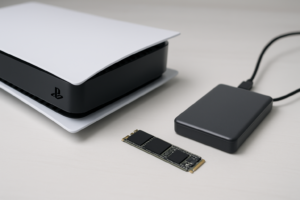
For expanding your game library on a console or PC, an external SSD dramatically cuts load times compared to an HDD. Most current-gen consoles require an SSD for playing newer titles directly from external storage. An external HDD still works for storing games you aren’t actively playing, then transferring them back to internal storage when needed. Our SATA vs NVMe real-world gaming test shows how much interface speed actually impacts gameplay.
Archival and Cold Storage
For data you’re storing long-term and rarely accessing, external HDDs remain the smart pick. The higher capacity options are more affordable, and HDDs retain data well when powered off for extended periods. Just make sure you have at least two copies of anything important, because all drives eventually fail.
Reliability and Lifespan: What the Data Says
Both SSDs and HDDs fail. The question is how and when. HDDs are more prone to sudden mechanical failure, particularly after physical impact. An SSD’s NAND flash memory degrades gradually with each write cycle, but modern controllers and wear-leveling algorithms have made this a non-issue for typical consumer workloads. Most people will replace their external SSD for capacity reasons long before the NAND wears out. For the full picture on flash memory endurance, check out our deep dive into SSD lifespan data.
External HDDs tend to last 3 to 5 years with regular use, though many survive much longer. Their biggest vulnerability is physical shock during operation. If the drive is running when it gets bumped or dropped, the read/write head can contact the spinning platter and cause permanent damage.
Regardless of which type you choose, always follow the 3-2-1 backup rule: three copies of your data, on two different types of media, with one stored offsite. A single external drive of either type should never be your only copy of important files.
Noise, Heat, and Power Consumption
These three factors rarely make it into external drive comparisons, but they matter more than you’d think in daily use.
External HDDs generate audible noise. You’ll hear the platters spinning, and you’ll hear the read/write head clicking during file access. In a quiet room, this can be genuinely distracting. External SSDs are completely silent because there are no mechanical components.
Heat is more of a concern with high-performance external SSDs, particularly NVMe-based models pushing speeds above 1,500 MB/s. Sustained transfers can cause thermal throttling on some models, temporarily reducing speeds until the drive cools. HDDs generate modest heat but rarely enough to affect performance.
Power consumption differs too. External SSDs draw less power than HDDs, which matters if you’re running the drive off a laptop’s USB port without external power. An HDD’s motor requires more energy to spin, and on a laptop running on battery, this translates to slightly shorter battery life.
My Overall Recommendation for 2026
For most people buying an external drive in 2026, a 1TB or 2TB external SSD is the right choice. The price gap has narrowed enough that the SSD’s advantages in speed, durability, size, and silence justify the modest premium at these capacities. The Samsung T7 and Crucial X9 Pro are two of the most reliable options available.

Crucial X9 Pro 1TB Portable SSD
Best overall value for most users, with strong speeds, solid build quality, and competitive pricing
External HDDs still make perfect sense when you need 4TB or more and speed isn’t critical. Bulk backups, media libraries, surveillance footage, and archival storage are all situations where an HDD’s capacity advantage matters more than an SSD’s speed advantage. The WD Elements and Seagate Expansion lines remain solid budget-friendly picks for high-capacity external storage.
And if you’re upgrading from an older external drive, don’t forget to securely wipe your old drive before selling or recycling it. Simply deleting files isn’t enough to protect your personal data.
Frequently Asked Questions
Can I use an external SSD as my primary backup drive?
Yes, and it’ll perform well in that role. Just remember that no single drive should be your only backup. Pair your external SSD with a second backup destination, whether that’s a cloud service, a NAS, or another external drive. The speed advantage of an SSD makes both scheduled and manual backups faster, which means you’re more likely to actually do them consistently.
Do external HDDs still make sense in 2026?
Absolutely. For large-capacity storage needs (4TB and above), external HDDs offer dramatically better value than SSDs. They’re also well-suited for stationary backup setups where the drive sits on a desk and doesn’t get moved around. If your primary concern is maximizing storage space per dollar, HDDs remain the practical choice.
How long can I store data on an unpowered external SSD?
JEDEC standards suggest consumer SSDs retain data for about one year without power at 30°C. In practice, most modern external SSDs hold data

James Kennedy is a writer and product researcher at Drives Hero with a background in IT administration and consulting. He has hands-on experience with storage, networking, and system performance, and regularly improves and optimizes his home networking setup.