Best External SSDs for Photographers and Videographers
When you’re standing in the field with a memory card full of 60MP RAW files or hours of 4K ProRes footage, the last thing you need is an external drive that chokes under sustained writes. Most SSD reviews test with small file transfers that barely scratch the surface. But photographers and videographers don’t move small files. You’re pushing tens or hundreds of gigabytes in a single session, and that’s where many popular external SSDs fall apart.
I’ve spent considerable time testing external SSDs specifically for creative workflows, focusing on the metrics that actually matter: sustained write speeds over long transfers, thermal throttling behavior, build quality for field use, and compatibility with common camera and editing systems. Here are the drives that genuinely hold up when your livelihood depends on them.
Why Sustained Write Speed Matters More Than Peak Speed
Every SSD manufacturer plasters their peak sequential read/write speeds on the box. You’ll see numbers like 2,000 MB/s read and 2,000 MB/s write. Those numbers are real, but only for the first few seconds of a transfer. Once the SSD’s onboard cache fills up, write speeds can plummet by 50% or more. This is called “falling off the SLC cache cliff,” and it’s the single biggest performance trap for creative professionals.
Think about what happens when you dump a 256GB CFexpress card full of 14-bit RAW files from a Sony A7R V or Canon R5. That transfer might take several minutes, and the drive needs to maintain high write speeds the entire time. A drive that advertises 1,050 MB/s but drops to 400 MB/s after 30 seconds isn’t really a 1,050 MB/s drive for your use case. If you’ve noticed your SSD slowing down over time, cache exhaustion during large writes is often the culprit.
For video workflows, sustained speed is even more critical. If you’re recording directly to an external SSD (common with cameras like the Blackmagic Pocket Cinema Camera 6K or Atomos recorders), any dip below the required bitrate means dropped frames. A 4K ProRes HQ stream requires roughly 110 MB/s of sustained write, and 6K RAW can demand 300 MB/s or more. Your drive needs to maintain those speeds without flinching, even in warm conditions on a sunny shoot.
Best Overall: Samsung T9 Portable SSD
The Samsung T9 is the drive I recommend most often to working photographers and videographers. It uses a USB 3.2 Gen 2×2 interface, delivering up to 2,000 MB/s sequential read and write. More importantly, its sustained write performance stays remarkably consistent even during large transfers, thanks to Samsung’s mature controller design and efficient thermal management.
The T9 features a rubberized exterior with a textured grip that feels genuinely rugged without being bulky. It carries an IP65 dust and water resistance rating and has been drop-tested to withstand falls up to 3 meters. For field work, this matters. I’ve seen too many drives slide off a folding table at a wedding reception or get jostled in a camera bag during a hike.
One important note: to hit those full 2,000 MB/s speeds, you need a host device with a USB 3.2 Gen 2×2 port. Many laptops, including current MacBooks, only support Gen 2 (10 Gbps), which caps you around 1,000 MB/s. That’s still excellent, but it’s worth knowing before you buy. The T9 comes in 1TB, 2TB, and 4TB capacities, and for most photographers, the 2TB hits the sweet spot between space and portability.

Samsung T9 Portable SSD 2TB
Best overall external SSD for creative pros, with consistent sustained write speeds up to 2,000 MB/s and IP65 rugged build
Best Rugged Field Drive: SanDisk Extreme Pro Portable SSD V2
The SanDisk Extreme Pro Portable SSD V2 has become something of an industry standard among outdoor and travel photographers, and for good reason. It delivers up to 2,000 MB/s reads and 2,000 MB/s writes over USB 3.2 Gen 2×2, with sustained write performance that holds steady through large file dumps.
What sets the Extreme Pro V2 apart is its build quality for harsh environments. It’s rated IP55 for water and dust resistance, features a forged aluminum core for heat dissipation, and includes a carabiner loop that’s actually useful (not a gimmick). The silicone shell absorbs shocks well, and the drive has been tested to withstand drops up to 2 meters. If you frequently shoot while traveling or work in dusty, wet, or extreme temperature conditions, this is the drive to get.
I’ve talked to several wildlife photographers who keep one of these clipped to their vest and have had no issues with sand, light rain, or the general abuse that comes with field work. The thermal performance is also worth mentioning. The aluminum core acts as a passive heatsink, so you’ll see less throttling during sustained writes in warm ambient temperatures compared to drives with plastic-only enclosures.
For those who want SanDisk reliability at a lower price point, the non-Pro SanDisk Extreme Portable SSD V2 offers 1,050 MB/s read/write. It’s perfectly adequate for RAW photo transfers, though video editors working with high-bitrate footage will want the Pro version.
Best for Video Editors on Mac: Samsung T7 Shield
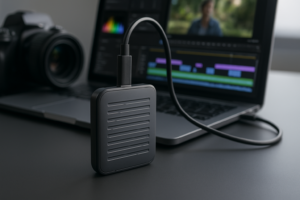
The Samsung T7 Shield occupies a compelling middle ground. It’s USB 3.2 Gen 2 (not Gen 2×2), so you’re looking at real-world speeds around 950 to 1,000 MB/s. That’s fast enough for editing 4K timelines directly off the drive in DaVinci Resolve or Premiere Pro, and it handles large RAW file imports without drama.
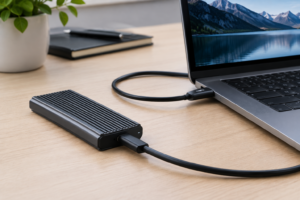
The “Shield” designation means Samsung wrapped this one in a rubber exterior with IP65 dust and water resistance and 3-meter drop protection. It’s notably compact, fitting easily in a jacket pocket. For Mac users specifically, the T7 Shield works flawlessly with Thunderbolt/USB-C ports and comes pre-formatted in exFAT, so it’s ready to use on both Mac and PC out of the box. If you’re looking for more about connecting an external SSD to your MacBook Pro, we’ve got a dedicated guide for that.
Where the T7 Shield particularly shines is sustained write consistency for its price tier. While it won’t match the T9’s raw throughput, it maintains its rated speeds remarkably well through large transfers. The 2TB model gives you enough room for a full day of shooting 4K video, and the 4TB version is available for multi-day projects or archival use.

Samsung T7 Shield 2TB
Excellent mid-range rugged SSD with consistent 1,000 MB/s performance and IP65 protection, ideal for Mac-based video editing workflows
Best for High-End Video Production: LaCie Rugged SSD Pro
If you’re working with 6K or 8K RAW footage, recording to external media via Atomos or Blackmagic recorders, or editing multi-camera timelines with ProRes 4444, you need Thunderbolt 3 speeds. The LaCie Rugged SSD Pro is built precisely for this scenario.
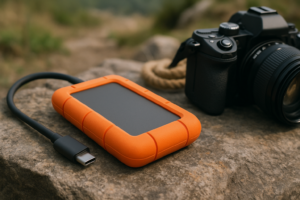
With a Thunderbolt 3 connection, the Rugged SSD Pro delivers up to 2,800 MB/s reads and 2,400 MB/s writes. Sustained write speeds remain consistently high because the NVMe drive inside has a substantial cache buffer designed for professional video workloads. The iconic orange bumper isn’t just for looks. It provides 3-meter drop resistance, 2-ton crush resistance, and IP67 dust/water protection. This is genuinely the toughest external SSD you can buy.
The main limitation is that the Thunderbolt 3 interface means it’s primarily a Mac-centric drive (though it works on PCs with Thunderbolt 3/4 ports). It’s also a premium product with pricing to match. But for professional videographers who bill clients for their work, the reliability and speed are worth the investment. If you’re also editing large 4K and 6K video projects, you’ll appreciate how it eliminates the storage bottleneck entirely.
Best Budget Pick: Crucial X10 Pro
Not every photographer needs to spend top dollar on storage. The Crucial X10 Pro offers impressive performance at a more accessible price point, making it an excellent entry into high-speed external storage for photographers still building their kit.
The X10 Pro delivers up to 2,100 MB/s reads and 2,000 MB/s writes over USB 3.2 Gen 2×2. Its sustained write performance is solid, though it does show a slightly steeper drop-off than the Samsung T9 after the cache is exhausted during very long continuous writes (think 200GB+). For most photo workflows, you’ll never notice this. For video, it handles 4K ProRes recording without issues.
Build quality is good but not exceptional. It has an anodized aluminum unibody with IP55 water and dust resistance and drop protection up to 7.5 feet. It’s lighter than both the Samsung T9 and SanDisk Extreme Pro, which is a nice bonus for travel photographers watching every ounce in their bag. If you’re comparing this against budget internal drives repurposed in enclosures, check our guide to budget SSDs for more context on what you’re getting with a purpose-built portable drive versus a DIY solution.
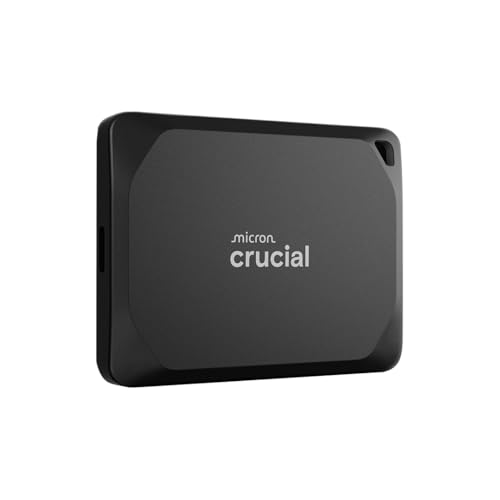
Crucial X10 Pro Portable SSD 2TB
Strong sustained write speeds and IP55 protection at a more budget-friendly price point than Samsung or SanDisk flagships
What to Look For: A Quick Buying Guide
Interface and Real-World Speed
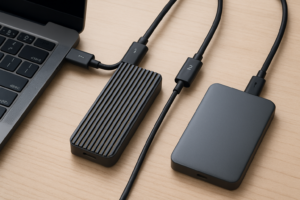
USB 3.2 Gen 2 (10 Gbps) caps out around 1,000 MB/s in practice. USB 3.2 Gen 2×2 (20 Gbps) doubles that to roughly 2,000 MB/s. Thunderbolt 3/4 can push beyond 2,800 MB/s. Before buying a fast drive, confirm your laptop or workstation actually supports the interface. A Gen 2×2 drive plugged into a Gen 2 port will still work, but you’ll only get Gen 2 speeds.
Capacity Recommendations by Workflow
- Portrait and event photography (RAW): 1TB handles a full day of shooting with room to spare. 2TB if you don’t offload frequently.
- Landscape and travel photography: 2TB gives you enough buffer for multi-week trips without needing to offload to the cloud.
- 4K video production: 2TB minimum. 4TB preferred if you shoot ProRes or high-bitrate codecs.
- 6K/8K RAW video: 4TB, and honestly, you’ll want multiple drives rotating through your workflow.
Ruggedness Ratings Explained
IP ratings follow a two-digit system. The first digit is dust protection (6 means fully dust-tight), and the second is water protection (5 means protected against water jets, 7 means submersible). For field use, IP65 is the minimum I’d recommend. If you regularly shoot near water, springs, or in heavy rain, IP67 is worth the upgrade.
File System Considerations
Most external SSDs ship formatted as exFAT, which works on both Mac and Windows. If you exclusively use Mac, reformatting to APFS gives you slightly better performance and native Time Machine support. Windows users who also need Linux compatibility should stick with exFAT. And if you’re planning to repurpose or sell an old drive, make sure to securely wipe it first to protect your client data and personal files.
Protecting Your Files Beyond the Drive
An external SSD is just one piece of your data safety strategy. Every working creative should follow the 3-2-1 backup rule: three copies of your data, on two different types of media, with one copy stored offsite. Your external SSD serves as your working copy and transport medium. Pair it with a NAS at your studio for local archival and a cloud backup service for offsite redundancy. We’ve done a detailed cost comparison of cloud backup versus local NAS that can help you decide on the right balance for your budget.
Also remember that SSDs, while far more reliable than spinning hard drives for portable use, do have finite write endurance. For most photographers and videographers, modern TLC NAND drives will last many years before approaching their rated TBW (terabytes written) limits. But if you want to understand the longevity data in more detail, our analysis of SSD lifespan covers what the real-world numbers look like.
Frequently Asked Questions
Can I edit video directly off an external SSD, or do I need to copy files to my internal drive first?
Yes, you can absolutely edit directly from a quality external SSD. With USB 3.2 Gen 2 or faster, you’ll get enough bandwidth to scrub through 4K timelines smoothly in Premiere Pro, Final Cut Pro, or DaVinci Resolve. For 6K/8K workflows, a Thunderbolt 3 connection is strongly recommended. The key is sustained read speed, not just peak speed, so choose

James Kennedy is a writer and product researcher at Drives Hero with a background in IT administration and consulting. He has hands-on experience with storage, networking, and system performance, and regularly improves and optimizes his home networking setup.