Best Portable SSDs for Backing Up Drone Footage in the Field
You’ve just finished a golden hour shoot with your DJI Mavic 3 Pro, and the SD card is packed with 4K footage. You’re miles from your editing station, there’s dust blowing across the field, and you need to free up that card for tomorrow’s sunrise flight. This is exactly where a rugged portable SSD earns its keep.
Backing up drone footage on location isn’t optional anymore. SD cards fail, get lost, and fill up fast, especially when you’re shooting in high bitrate codecs like Apple ProRes or H.265. A portable SSD gives you a reliable second copy of irreplaceable footage before you ever get home. But not every portable SSD is built for fieldwork. You need something tough, fast, and compact enough to toss in your drone bag without a second thought.
What to Look for in a Field-Ready Portable SSD
Before we get into specific drives, let’s talk about the features that actually matter when you’re offloading drone footage outdoors.
Transfer speed is the big one. A single flight on a DJI Mavic 3 Pro shooting in 5.1K can easily produce 20-40 GB of footage. Multiply that across a full day of flying, and you might be dealing with 200+ GB. USB 3.2 Gen 2 speeds (up to 1,050 MB/s) will let you offload a 64 GB SD card in about a minute. USB 3.2 Gen 2×2 drives push that even further, up to 2,000 MB/s. If you’re curious about the differences between SSD technologies, our SSD vs HDD comparison guide breaks down why solid-state storage is essential for video workflows.
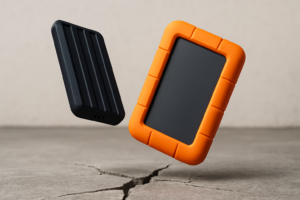
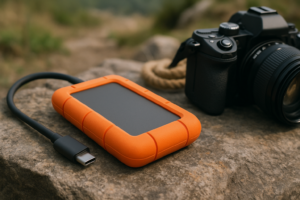
Durability matters more than you think. You’re going to drop this thing on rocks, expose it to sand and moisture, and shove it into a packed bag next to batteries and propellers. Look for IP ratings (IP65 or higher means dust-tight and water-resistant), MIL-STD-810H drop resistance, and a rubberized or aluminum shell.
Capacity depends on how many days you shoot between offloads. For most drone pilots, 1 TB is the sweet spot. It holds roughly 5-7 hours of 4K/60fps footage (depending on codec and bitrate), which covers a multi-day shoot comfortably. If you regularly shoot in ProRes or do extended mapping projects, consider 2 TB. For help choosing the right capacity, check out our guide on 1 TB vs 2 TB SSDs.
Top Portable SSDs for Drone Footage in the Field
Samsung T7 Shield (1 TB / 2 TB)
The Samsung T7 Shield is the drive I recommend most often for drone pilots. It’s rated IP65 for dust and water resistance, handles drops up to 9.8 feet onto hard floors, and delivers sequential read speeds up to 1,050 MB/s over USB 3.2 Gen 2. The rubber outer shell adds grip without adding much bulk.
At roughly 98 grams, it barely registers in your bag. It also runs cooler than the standard T7 thanks to its heat-dissipating design, which matters when you’re transferring large files in direct sunlight. Samsung’s hardware encryption is a nice bonus if you’re working with client footage.

Samsung T7 Shield 1TB Portable SSD
Our top pick for drone pilots: IP65-rated, 1,050 MB/s reads, and a rubberized shell that survives field abuse
SanDisk Extreme Pro Portable SSD V2 (1 TB / 2 TB / 4 TB)
SanDisk’s Extreme Pro V2 is the other heavy hitter in this category. It matches the T7 Shield’s 1,050 MB/s read speeds and adds IP55 dust/water resistance with a forged aluminum core and silicone shell. The built-in carabiner loop is a small detail that drone pilots love, since you can clip it to your bag or belt loop for quick access between flights.
One advantage over the Samsung is the 4 TB option. If you shoot multi-day commercial projects or use drones for photogrammetry and mapping, that extra capacity can be a lifesaver. The drive also includes a 5-year limited warranty, which speaks to SanDisk’s confidence in its build quality. If you’re a Mac user, we’ve covered how to get the most from SanDisk Extreme SSDs with MacBook Pro.
Crucial X10 Pro (1 TB / 2 TB / 4 TB)
The Crucial X10 Pro is worth a serious look if raw speed is your priority. With USB 3.2 Gen 2×2 support, it delivers up to 2,100 MB/s read and 2,000 MB/s write speeds. That’s roughly double what the Samsung and SanDisk offer. Offloading a 128 GB SD card takes around a minute, compared to two minutes on a Gen 2 drive.
It’s IP55-rated, drop-resistant up to 7.5 feet, and weighs just 39 grams, making it one of the lightest options available. The catch is that you’ll need a device with a USB 3.2 Gen 2×2 port to hit those peak speeds. Most laptops still top out at Gen 2, which limits the X10 Pro to around 1,050 MB/s. If your laptop supports the faster standard, though, this drive is seriously impressive.
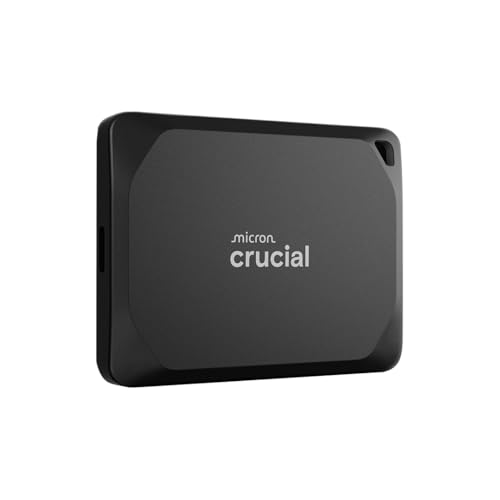
Crucial X10 Pro 2TB Portable SSD
Fastest option on this list with 2,100 MB/s reads, perfect if your laptop supports USB 3.2 Gen 2×2
LaCie Rugged SSD Pro (1 TB / 2 TB / 4 TB)
LaCie has built its reputation on drives that survive abuse, and the Rugged SSD Pro is their flagship portable. It uses a Thunderbolt 3 connection for speeds up to 2,800 MB/s, which is the fastest option on this list by a wide margin. The iconic orange rubber bumper provides drop protection up to 9.8 feet, and it’s rated IP67 for dust and water submersion.
This drive is designed for professional video workflows, and it shows. The Thunderbolt 3 interface means it works beautifully with MacBook Pros and other Thunderbolt-equipped machines. The downside is that Thunderbolt compatibility is more limited than USB-C, and this is a premium product priced accordingly. For professionals who can’t afford to lose a single frame, it’s the best option available.
WD_BLACK P40 Game Drive SSD (500 GB / 1 TB / 2 TB)
This one might seem like an odd pick since it’s marketed as a gaming drive, but hear me out. The WD_BLACK P40 offers USB 3.2 Gen 2 speeds (2,000 MB/s reads), a compact metal shell, and shock resistance built into a surprisingly small form factor. It’s not IP-rated for dust or water, so it’s less ideal for truly harsh conditions. But if you’re working in relatively dry environments and want fast transfer speeds in a pocket-sized package, it performs well.
Skip the RGB lighting feature (yes, it has one) and focus on the drive’s performance, which is genuinely strong for the price point.
Field Workflow Tips for Drone Footage Backup
Having a great drive is only half the equation. Your backup workflow matters just as much.
- Always keep the original SD card as a second copy until your footage is safely on your main editing storage or backed up to a NAS at home. A portable SSD is your first backup, not your only one.
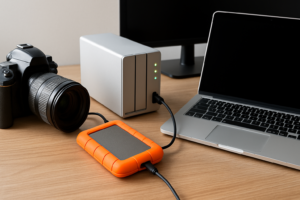
- Use a USB-C hub with an SD card reader if your laptop doesn’t have a built-in slot. A direct SD-to-SSD copy through your laptop is the most reliable method.
- Label your folders by date, location, and flight number. It takes seconds in the field and saves hours of confusion later. Something like 2026-07-15_BridgeSurvey_Flight03 keeps things organized.
- Verify your files after copying. A quick spot-check by opening a few clips in VLC confirms your data transferred correctly. Some pilots use checksum tools for added confidence.
- Carry two portable SSDs on multi-day shoots. Redundancy is cheap compared to losing footage. If one drive fails, you still have the SD cards and a second backup drive.
Once you’re back at your home base, transferring everything to a NAS gives you long-term protection and easy access for editing. Our guide on setting up automated backups to a NAS can help you build a reliable system for archiving your drone footage.
Our Top Pick
For most drone pilots, the Samsung T7 Shield hits the best balance of speed, durability, size, and value. It’s tough enough for dusty landing zones and sandy beaches, fast enough to offload a full SD card during a battery swap, and light enough that you’ll forget it’s in your bag.
If you need maximum speed and have a compatible laptop, the Crucial X10 Pro is the upgrade pick. And for professionals on high-budget productions where reliability is non-negotiable, the LaCie Rugged SSD Pro justifies its premium positioning.
Over time, keep an eye on your SSD’s health, especially if you’re putting it through frequent large transfers in varying temperatures. Our article on why SSDs slow down over time explains how to maintain peak performance and extend your drive’s lifespan.
Frequently Asked Questions
Can I back up drone footage directly to a portable SSD without a laptop?
Some dedicated devices like the Gnarbox 2.0 and the Western Digital My Passport Wireless SSD allow direct SD card-to-SSD backup without a laptop. However, these are specialized products that come at a premium. Most drone pilots prefer using a lightweight laptop or tablet as the bridge between their SD card and portable SSD, since it also lets them preview footage in the field.
How much SSD storage do I need for a full day of drone shooting?
It depends heavily on your camera settings. A DJI Mavic 3 Pro shooting 4K/60fps in H.265 generates roughly 150-200 MB per minute of flight. Over a full day with 6-8 flights (about 25 minutes each), that’s around 30-40 GB. If you’re shooting in 5.1K or Apple ProRes, expect 80-120 GB per day. A 1 TB drive comfortably handles a week of standard 4K shooting.
Is a portable HDD a viable alternative for backing up drone footage?
Portable HDDs are cheaper

James Kennedy is a writer and product researcher at Drives Hero with a background in IT administration and consulting. He has hands-on experience with storage, networking, and system performance, and regularly improves and optimizes his home networking setup.