TLC vs QLC vs MLC NAND Explained: Which SSD Should You Actually Buy?
You’re shopping for an SSD and you keep running into these cryptic acronyms: SLC, MLC, TLC, QLC. The spec sheets throw them around like everyone knows what they mean, but most people don’t, and the differences actually matter more than you’d think. The type of NAND flash inside your SSD affects how fast it writes data, how long it’ll last, and how much you’ll pay for it.
This guide breaks down exactly what each NAND type means in plain English, explains the real-world trade-offs, and gives you specific buying recommendations based on what you’re actually doing with your drive. No engineering degree required.
What Is NAND Flash, and Why Do Cells Matter?
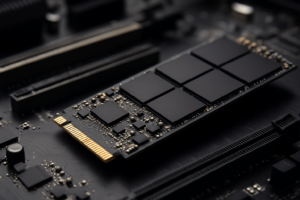
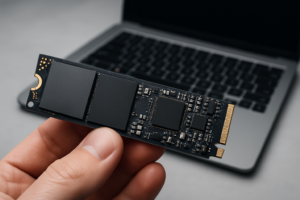
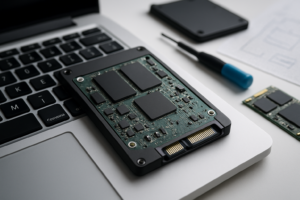
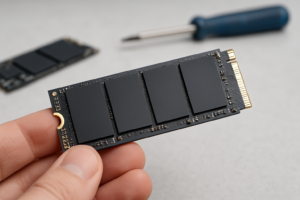
Every SSD stores data on tiny memory cells made from NAND flash. Think of each cell like a small container. The question is: how many bits of data do you cram into each container?
SLC (Single-Level Cell) stores 1 bit per cell. MLC (Multi-Level Cell) stores 2 bits per cell. TLC (Triple-Level Cell) stores 3 bits per cell. QLC (Quad-Level Cell) stores 4 bits per cell. There’s even PLC (Penta-Level Cell) on the horizon with 5 bits, though it’s not widely available yet.
Here’s the important part: packing more bits into each cell makes the drive cheaper to manufacture and increases storage density, but it also makes each cell slower to read/write and reduces how many times it can be rewritten before wearing out. Every additional bit per cell roughly doubles the voltage levels the controller needs to differentiate between, which is why accuracy, speed, and endurance all take a hit as you move from SLC to QLC.
SLC: The Gold Standard You Can’t Afford
SLC NAND is the fastest and most durable type of flash memory. With only one bit per cell, the controller has an easy job distinguishing between two voltage states: 0 or 1. This simplicity translates to incredible write speeds, extremely low latency, and endurance ratings that can exceed 100,000 program/erase (P/E) cycles per cell.
The downside? SLC drives are prohibitively expensive for consumer use. You’ll find them in enterprise and industrial applications where reliability is non-negotiable, like data center caching or embedded systems in medical devices. A 1TB SLC drive would cost many times what a comparable TLC drive costs, which is why you won’t see them on Amazon’s best-seller list.
For the vast majority of buyers, SLC is irrelevant to your purchasing decision. But it’s worth understanding because modern SSDs use a trick called SLC caching, where a portion of TLC or QLC cells temporarily operate in single-bit mode to boost burst write speeds. We’ll get to why that matters shortly.
MLC: The Enthusiast’s Choice (Mostly Extinct in Consumer Drives)
MLC stores two bits per cell, giving it four voltage states to manage. It offers a solid balance of performance and endurance, typically rated for 3,000 to 10,000 P/E cycles. Write speeds are noticeably slower than SLC but significantly faster than TLC or QLC, especially during sustained writes.
A few years ago, MLC was the gold standard for enthusiast and professional SSDs. The Samsung 860 PRO was one of the last popular consumer MLC drives, and it earned a reputation for exceptional endurance. Some older enterprise NVMe drives also used MLC NAND.
Today, true MLC consumer drives are nearly impossible to find new. Manufacturers have moved on to TLC because the cost-per-gigabyte advantage is too significant to ignore. You might still find MLC in certain enterprise SSDs, but if you’re building a regular PC or upgrading a laptop, TLC is effectively your “premium” tier now. If you’re curious about how SSD longevity works in general, our breakdown of SSD lifespan and how long drives really last covers the data in depth.
TLC: The Sweet Spot for Most People
TLC NAND stores three bits per cell across eight voltage states. It’s the dominant technology in today’s consumer SSDs, and for good reason: it delivers a genuinely excellent mix of performance, endurance, and affordability.
Modern TLC drives typically carry endurance ratings of 1,000 to 3,000 P/E cycles per cell. That might sound low compared to MLC, but the way manufacturers calculate TBW (Terabytes Written) ratings tells the real story. A good 1TB TLC NVMe drive is usually rated for 600 TBW or more. For a typical user writing 30 to 50 GB per day, that’s decades of use before the NAND wears out.
Performance is where TLC shines relative to its cost. Top-tier TLC NVMe drives like the Samsung 990 PRO and the WD_BLACK SN850X hit sequential read speeds above 7,000 MB/s on PCIe Gen 4. Even budget TLC drives deliver impressive numbers thanks to mature controllers and optimized firmware.

Samsung 990 PRO 2TB NVMe SSD
Top-tier TLC drive with outstanding sustained write performance and 1,200 TBW endurance rating
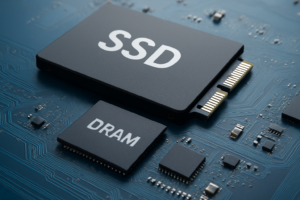
If you’ve read our Samsung 990 PRO vs WD_BLACK SN850X comparison, you know both of these are TLC drives, and both are excellent. The key differentiator between TLC drives isn’t the NAND type itself but the controller, DRAM cache, and firmware tuning.
The SLC Cache Trick
Almost every modern TLC (and QLC) drive uses an SLC write cache. The controller treats a portion of the NAND cells as if they’re single-bit SLC, which dramatically speeds up burst writes. When you copy a 10 GB file, the drive writes it at blistering speeds into the SLC cache first, then slowly moves it to the regular TLC cells in the background.
The problem comes when you exhaust that cache. Transferring a massive file, like a 200 GB video project, will eventually fill the SLC buffer, and then write speeds can drop significantly, sometimes by 50% or more. This is one of the main reasons your SSD might slow down over time, especially as the drive fills up and the available SLC cache shrinks.
QLC: Maximum Capacity, Minimum Cost
QLC NAND packs four bits into each cell, requiring the controller to distinguish between 16 different voltage levels. This is genuinely impressive from an engineering standpoint, but the trade-offs are real.
Endurance drops to roughly 100 to 1,000 P/E cycles per cell. A typical 1TB QLC drive might be rated for 200 to 400 TBW, roughly half what a comparable TLC drive offers. Write speeds after the SLC cache is exhausted can be dramatically slower, sometimes falling below SATA SSD levels on certain QLC drives.
The upside is density and cost. QLC drives pack more storage into less physical space, and they’re the most affordable SSDs per gigabyte. The Samsung 870 QVO and the Crucial P3 Plus are popular QLC options that make 2TB and 4TB capacities genuinely accessible.

Samsung 870 QVO 2TB SATA SSD
Affordable QLC option ideal for mass storage where you don’t need maximum write endurance
QLC gets a bad reputation in enthusiast forums, and some of it is deserved. But for specific use cases, QLC makes perfect sense. Game libraries, media archives, documents, and general storage all involve far more reading than writing. If your workload is 90% reads, you’ll barely notice the difference between QLC and TLC in daily use.
Side-by-Side Comparison: TLC vs QLC vs MLC
| Feature | MLC | TLC | QLC |
|---|---|---|---|
| Bits per Cell | 2 | 3 | 4 |
| P/E Cycles | 3,000–10,000 | 1,000–3,000 | 100–1,000 |
| Sustained Write Speed | Excellent | Very Good | Moderate (drops after cache) |
| Cost per GB | High (rare) | Mid-range | Budget-friendly |
| Best For | Enterprise/legacy | General/prosumer | Mass storage/gaming |
Buying Recommendations: Match the NAND to Your Workload
Your ideal SSD depends entirely on what you’re doing with it. Here’s my honest take on who should buy what.
For Gaming and Everyday Use: TLC (First Choice) or QLC (Budget Option)
Games involve lots of sequential reads and relatively few writes. A TLC NVMe drive is ideal here because it’ll load games fast, handle OS duties without breaking a sweat, and last for years. The WD_BLACK SN770 is a fantastic mid-range pick that punches above its weight. For a deeper look at whether NVMe actually helps gaming performance, check our SATA vs NVMe gaming performance tests.
If you have a massive Steam library and just need raw capacity, a QLC drive as a secondary game storage drive works perfectly. Just don’t use QLC as your primary OS drive if you can avoid it.
For Video Editing and Content Creation: TLC Only
Video editing involves writing enormous files constantly. 4K and 8K workflows can burn through hundreds of gigabytes per session. You need strong sustained write speeds and higher endurance, which means TLC is a must. A high-end drive like the Samsung 990 PRO or the SK hynix Platinum P41 will handle these workloads well.

SK hynix Platinum P41 2TB NVMe SSD
Exceptional sustained write performance makes this a top pick for video editors and content creators
If you’re building a dedicated editing workstation, consider pairing a fast TLC NVMe drive for your active projects with a larger capacity drive or NAS for archival storage. Our guide on cloud backup vs local NAS can help you figure out the best archival strategy.
For a Boot Drive or OS Drive: TLC
Your operating system drive handles constant small writes: swap files, temp caches, system logs, updates. TLC handles this workload comfortably for years. Even a budget-friendly TLC NVMe like the Kingston NV2 is a solid OS drive. If you’re still deciding between form factors, our James Kennedy is a writer and product researcher at Drives Hero with a background in IT administration and consulting. He has hands-on experience with storage, networking, and system performance, and regularly improves and optimizes his home networking setup.