What Is DirectStorage and Does It Matter for Gaming?
You’ve probably seen “DirectStorage” mentioned in game system requirements, GPU marketing slides, or hardware forums. It sounds important, and it is. But separating the real technical benefits from the hype isn’t easy, especially when every hardware maker is using it as a bullet point to sell you something.
DirectStorage is a Windows API that fundamentally changes how game assets travel from your SSD to your GPU. It’s designed to eliminate a decades-old bottleneck in how PCs load data, and when it works properly, the results are genuinely impressive. But the story is more nuanced than “buy an NVMe SSD and your games will be faster.” Let’s break down what DirectStorage actually does, what you need to take advantage of it, and whether it’s worth upgrading your hardware for right now.
The Old Way: Why Traditional Asset Loading Is a Bottleneck
To understand why DirectStorage matters, you need to understand what it’s replacing. In the traditional Windows storage stack (Win32 API), loading a game texture or 3D model follows a convoluted path. Data reads from the SSD, moves into system RAM, gets handed to the CPU for decompression, and then finally transfers to GPU VRAM where the game actually needs it.
This process involves multiple layers of abstraction and thousands of small I/O requests. The CPU acts as a middleman, managing every single data transfer and decompressing assets one batch at a time. For an open-world game that streams gigabytes of world data as you move through it, this creates a serious traffic jam. Your NVMe SSD might be capable of reading at 7,000 MB/s, but the CPU becomes the chokepoint, burning cycles on data shuffling instead of physics, AI, or game logic.
Think of it like a mail room where every package has to be opened, inspected, and repacked by a single clerk before it can be delivered. Even if the delivery trucks are incredibly fast, that one clerk limits the throughput of the entire system. If you’ve ever wondered why your SSD doesn’t always feel as fast as its specs suggest, this legacy I/O pipeline is a big part of the answer.
How DirectStorage Actually Works
DirectStorage flips the script on this entire process. Instead of routing everything through the CPU, it creates a much shorter path from your NVMe SSD directly to the GPU. The API batches thousands of tiny I/O requests into large, efficient queues and submits them with minimal CPU involvement.
The most significant feature is GPU decompression. Rather than the CPU painstakingly decompressing game assets (textures, meshes, audio), DirectStorage offloads this work to the GPU, which is massively parallel and tailor-made for this kind of bulk data processing. A modern GPU can decompress data roughly 10 to 100 times faster than a CPU handling the same workload.
DirectStorage 1.0 vs 1.1 vs 1.2
Not all versions of DirectStorage are created equal, and this is where confusion often creeps in:
- DirectStorage 1.0 introduced the batched I/O queue system, reducing CPU overhead for storage requests. It didn’t include GPU decompression, so the CPU still handled that part.
- DirectStorage 1.1 added GPU decompression using GDeflate, a compression format that GPUs can natively decompress. This is where the real performance leap happens.
- DirectStorage 1.2 brought additional improvements including enhanced memory management and broader compression format support, further reducing CPU load during asset streaming.
If a game only uses DirectStorage 1.0, you’ll see modest improvements in CPU utilization but likely won’t notice dramatic loading time reductions. The big gains come with 1.1 and later, where GPU decompression enters the picture.
Hardware Requirements: What You Actually Need
DirectStorage has specific hardware and software requirements, and not all of them are obvious.
Operating System
You need Windows 11 for the full DirectStorage experience, including GPU decompression. Windows 10 offers partial support (the batched I/O improvements), but Microsoft has made it clear that Windows 11 is the target platform. If you’re still on Windows 10 for gaming, this is one of the stronger reasons to consider upgrading.
Storage Drive
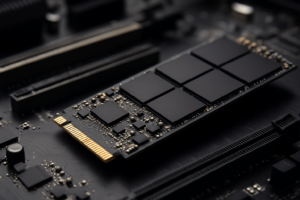
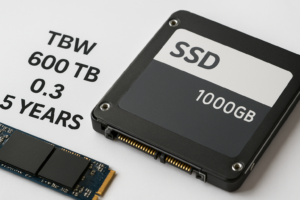
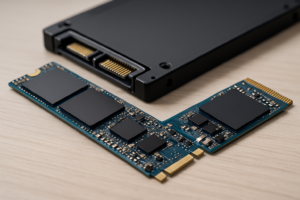
An NVMe SSD is required. SATA SSDs won’t work with DirectStorage because they connect through the AHCI protocol, not NVMe. You need a drive connected via the M.2 slot using the NVMe protocol. If you’re unsure about the differences between these form factors, our M.2 vs 2.5-inch SSD comparison guide explains what to look for.
A PCIe Gen 3 NVMe SSD will work, but a PCIe Gen 4 NVMe drive is the sweet spot right now. Gen 4 drives offer sequential read speeds around 5,000 to 7,000 MB/s, which gives DirectStorage plenty of bandwidth to work with. Gen 5 drives exist but are pricier, run hotter, and don’t provide a proportional gaming benefit yet since no current games saturate Gen 4 bandwidth through DirectStorage.
For a Gen 4 drive that balances performance and value, the Samsung 990 Pro remains one of the best options. It consistently delivers top-tier random read performance, which matters more for game asset loading than raw sequential speed. If you want to dig deeper into how it stacks up, we’ve done a detailed comparison between the Samsung 990 Pro and WD_BLACK SN850X.

Samsung 990 Pro 2TB NVMe SSD
Top-tier Gen 4 NVMe with excellent random read speeds, ideal for DirectStorage gaming workloads
Graphics Card
For GPU decompression, you’ll need a DirectX 12 Ultimate compatible GPU. In practical terms, this means:
- NVIDIA: GeForce RTX 2000 series or newer (RTX 3000 and 4000 series offer the best GPU decompression performance)
- AMD: Radeon RX 6000 series or newer (RDNA 2 and RDNA 3 architectures)
- Intel: Arc A-series GPUs support DirectStorage as well
If you’re running a GTX 1000 series or older AMD card, DirectStorage’s GPU decompression won’t be available to you even if the game supports it.
CPU
Ironically, the CPU matters less with DirectStorage since the whole point is to reduce CPU involvement. Any modern quad-core processor from the last five years will be fine. The CPU still manages the I/O queue submissions, but that workload is minimal compared to the old decompression duties.
Which Games Support DirectStorage Right Now?
This is where enthusiasm meets reality. As of mid-2025, the list of games actually shipping with DirectStorage support is still relatively short. Adoption has been slower than many expected when Microsoft first announced the technology.
Games with confirmed DirectStorage support include:
- Forspoken (the first PC game to ship with DirectStorage)
- Ratchet & Clank: Rift Apart (PC port, one of the best showcases)
- Final Fantasy XVI (PC version)
- Star Wars Outlaws
- Indiana Jones and the Great Circle
- Stalker 2: Heart of Chornobyl
Ratchet & Clank: Rift Apart is the most compelling example. The game’s dimension-hopping mechanic requires loading entirely new environments in under two seconds. On PS5, this was possible because of Sony’s custom I/O hardware. On PC, DirectStorage with GPU decompression achieves similar results, loading massive world chunks almost instantly on a fast NVMe drive.
More titles from major studios are expected to adopt DirectStorage throughout 2025 and 2026, especially as Unreal Engine 5 and Unity integrate better native support. But for the average gamer’s library right now, most titles are still using the traditional Win32 storage stack.
Real-World Performance: Does It Actually Make a Difference?
When DirectStorage works as intended, the results are measurable. In benchmarks and supported titles, you can expect:
- Loading times: 40-60% reduction in initial load times compared to Win32 I/O on the same NVMe SSD
- CPU utilization: Significant drop in CPU usage during asset streaming, freeing cores for gameplay processing
- Texture pop-in: Noticeably reduced or eliminated in open-world games, since assets stream in faster
- Stuttering: Less shader compilation stutter when combined with proper asset pre-loading
Microsoft’s own tech demo showed a scene loading 2.36 GB of assets. Using the legacy Win32 API, this took around 2.36 seconds with significant CPU load. With DirectStorage 1.1 and GPU decompression, the same scene loaded in approximately 0.8 seconds with nearly zero CPU overhead.
However, for games that don’t support DirectStorage, having an NVMe SSD versus a SATA SSD produces much smaller differences in load times. Our real-world testing of SATA vs NVMe SSDs for gaming showed that in legacy games, the gap is often just a few seconds. DirectStorage is what finally makes NVMe’s raw speed advantage truly visible in gaming workloads.
Should You Upgrade Your Hardware for DirectStorage?
Here’s my honest take: don’t upgrade solely for DirectStorage right now, but factor it into your next build.
If you’re building a new PC or upgrading your storage drive anyway, absolutely go with a Gen 4 NVMe SSD. The price difference between a quality SATA SSD and a Gen 4 NVMe has narrowed significantly, and you’ll be ready for DirectStorage as more games adopt it. The WD_BLACK SN850X is another excellent Gen 4 option, especially for gaming-focused builds, with strong sustained read performance.

WD_BLACK SN850X 2TB NVMe SSD
Consistently fast gaming SSD with optional heatsink, excellent for DirectStorage-compatible builds
If you already have a Gen 3 NVMe SSD, you’re still in good shape. Gen 3 drives work with DirectStorage, and while they’re slower than Gen 4, the GPU decompression benefits still apply. You won’t need to replace a Gen 3 drive just for this feature.
If you’re sitting on a SATA SSD or (yikes) still running games off a mechanical hard drive, upgrading to any NVMe SSD is one of the best quality-of-life improvements you can make. Even without DirectStorage, the jump from SATA to NVMe improves your overall system responsiveness. If you want to understand those differences more broadly, our comparison of SSDs versus HDDs in 2026 covers the full picture.
What About PCIe Gen 5 SSDs?
Gen 5 NVMe drives like the Crucial T705 and Samsung 990 EVO Plus offer sequential speeds above 12,000 MB/s. Impressive on paper, but for gaming with DirectStorage, you won’t see meaningful gains over a Gen 4 drive today. No current game pushes enough data through the pipeline to saturate Gen 4 bandwidth. Gen 5 drives also tend to run hotter and consume more power. Unless you do heavy content creation work alongside gaming, save the premium and stick with Gen 4 for now.
DirectStorage and the Console Connection
DirectStorage didn’t appear in a vacuum. Sony’s PlayStation 5 shipped with a custom I/O complex that could load data from its SSD at around 5.5 GB/s with hardware decompression built into the chip. This let PS5 games stream world data in ways that simply weren’t possible on PC at launch, because PCs were still stuck with the old Win32 storage stack.
Microsoft’s Xbox Series X has a similar feature called the Xbox Velocity Architecture. DirectStorage is essentially the PC version of this technology, bringing the same concepts to Windows gaming. As more games are developed with console hardware in mind and then ported to PC, DirectStorage becomes increasingly important to match the asset streaming capabilities that console gamers already experience.
This also explains why adoption has been gradual. Games designed primarily for last-gen consoles (PS4/Xbox One) don’t have asset streaming pipelines built to take advantage of fast SSD I/O. It’s the native PS5/Xbox Series X titles, and their PC ports, that show the biggest DirectStorage improvements.
How to Check if DirectStorage Is Working on Your PC
Windows 11 includes a DirectStorage diagnostic you can access through the Xbox Game Bar (Win + G) under Settings > Gaming Features. It’ll tell you whether your hardware meets the requirements and if the DirectStorage runtime is installed.
You can also check individual games. Most titles that support DirectStorage will mention it in their settings menus or technical options. In Ratchet & Clank: Rift Apart, for example, you’ll see a DirectStorage toggle in the graphics settings. Enabling it with a compatible NVMe SSD and GPU activates GPU decompression.
Keep your GPU drivers updated. Both NVIDIA and AMD have rolled out driver updates specifically to improve DirectStorage and GPU decompression performance. Running outdated drivers can mean the feature either doesn’t activate or performs below its potential.

Sabrent Rocket 4 Plus 2TB NVMe SSD
Strong Gen 4 alternative with competitive performance and a budget-friendlier price point for gaming builds
Frequently Asked Questions
Can I use DirectStorage with a SATA SSD?
No. DirectStorage requires an NVMe SSD because it relies on the NVMe protocol for efficient, low-

James Kennedy is a writer and product researcher at Drives Hero with a background in IT administration and consulting. He has hands-on experience with storage, networking, and system performance, and regularly improves and optimizes his home networking setup.