How to Find a Good SSD Deal Without Buying an Outdated Drive
SSD prices have been dropping steadily, and every week there’s a new “limited time” deal begging you to click “Add to Cart.” But a cheap SSD isn’t automatically a good SSD. Some of those bargain-bin drives use outdated controllers, old NAND flash technology, or come from brands that might not honor their warranty. You could save a few bucks today and end up with a drive that’s slower than what your system deserves, or worse, one that dies within a year.
This guide will show you exactly what to check before pulling the trigger on any SSD deal. You’ll learn how to tell a genuinely good discount from a clearance sale on yesterday’s tech, so every dollar you spend actually gets you modern, reliable storage.
Step 1: Check the Generation and Interface
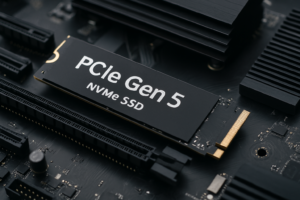
The single biggest factor that determines an SSD’s speed ceiling is its interface. And this is where many “deals” fall apart. A drive might be marketed as an NVMe SSD, but if it’s a PCIe Gen 3 model, it tops out around 3,500 MB/s. A Gen 4 drive can reach 7,000 MB/s, and Gen 5 pushes past 12,000 MB/s. If you’re building or upgrading a system from the last couple of years, your motherboard almost certainly supports Gen 4. Buying a Gen 3 drive on sale means you’re leaving performance on the table.
Here’s how to check quickly: look at the product listing for “PCIe Gen 3,” “PCIe Gen 4,” or “PCIe Gen 5.” If the listing only says “NVMe” without specifying, dig into the spec sheet or look up the controller chip (more on that next). You should also confirm your motherboard’s M.2 slot supports the generation you’re buying. If you’re unfamiliar with the physical differences between drive types, our M.2 vs 2.5-inch SSD form factor comparison covers everything you need to know.
A Gen 3 drive on a deep discount can still make sense for secondary storage, a NAS build, or an older laptop. But for your primary boot drive in 2026, Gen 4 should be the minimum you target.
Step 2: Identify the Controller
The controller is the brain of the SSD. It manages how data is read, written, cached, and maintained. Two drives can use identical NAND flash and still perform completely differently because of their controllers.
For Gen 4 NVMe drives, the controllers you want to see include the Phison E18, Samsung Elpis (used in the 980 PRO and 990 PRO), and the Silicon Motion SM2264. Budget-friendly but still solid options include the Phison E21T and Silicon Motion SM2267XT, which are DRAMless designs that rely on Host Memory Buffer (HMB) technology. They perform well for everyday use, though sustained write speeds can dip under heavy workloads.
What you want to avoid are older controllers like the Phison E12 or Silicon Motion SM2262EN. These were great in 2020, but they’re Gen 3 parts being used in drives that sometimes get repackaged as “new” products. If a deal seems unusually generous, look up the controller and see when it launched. A five-year-old controller in a brand-new box is not a deal.
The Samsung 990 PRO remains one of the best Gen 4 controllers on the market, and we’ve covered it extensively in our Samsung 990 PRO review. If you spot it discounted, it’s almost always worth grabbing.

Samsung 990 PRO 2TB NVMe SSD
Top-tier Gen 4 performance with the Samsung Elpis controller, excellent for boot drives and heavy workloads.
Step 3: Understand the NAND Type
NAND flash is where your data physically lives, and not all NAND is created equal. There are four main types you’ll encounter:
- SLC (Single-Level Cell): One bit per cell. Fastest and most durable, but almost never found in consumer drives due to cost.
- MLC (Multi-Level Cell): Two bits per cell. Still fast and durable, but mostly phased out of new consumer products.
- TLC (Triple-Level Cell): Three bits per cell. The sweet spot for most consumers. Great balance of speed, endurance, and value.
- QLC (Quad-Level Cell): Four bits per cell. Higher capacity at lower cost, but noticeably slower sustained writes and lower endurance ratings.
Most of the heavily discounted SSDs you’ll find are QLC drives. And QLC isn’t inherently bad. For a secondary storage drive, a media library, or a laptop where you mostly read files, QLC works fine. But if you’re using the drive as your OS boot drive with frequent writes, or for video editing and large file transfers, you want TLC.
The WD_BLACK SN850X uses TLC NAND and competes directly with Samsung’s best. For a deeper comparison between these two, check out our Samsung 990 PRO vs WD_BLACK SN850X showdown.
Drives like the Crucial P3 Plus use QLC NAND but offer large capacities at attractive prices. They’re solid for storage-heavy users who don’t need peak write speeds. Just know what you’re getting.

WD_BLACK SN850X 2TB NVMe SSD
TLC NAND with excellent sustained performance, a strong alternative to Samsung’s flagship drives.
Step 4: Verify the Warranty and TBW Rating
A short warranty is one of the clearest red flags on a discounted SSD. Most reputable drives come with a 5-year warranty. If you see a 3-year or (worse) 1-year warranty, the manufacturer isn’t confident in the drive’s longevity, and neither should you be.
Alongside the warranty length, check the TBW (Terabytes Written) rating. This tells you how much data can be written to the drive over its lifetime before the manufacturer considers it past its rated endurance. A good 1TB TLC drive typically carries a TBW rating of 600 or higher. QLC drives tend to land around 200-400 TBW for the same capacity. For most home users, even the lower figure is plenty for years of use, but professionals who move large files daily should pay attention. We explored this topic in detail in our SSD lifespan data analysis, which shows how long drives actually last in real-world conditions.
Also keep in mind that SSD performance can degrade over time as the drive fills up and cells wear. If you’re noticing your current drive isn’t as fast as it used to be, our guide on why your SSD slows down and how to fix it has practical solutions.
Step 5: Know Where to Actually Find Good Deals
Not every sale is advertised on the front page of Amazon. Some of the best SSD pricing shows up during quieter periods between major sale events. But if you want to time your purchase, seasonal sales like Prime Day and Black Friday consistently offer the deepest discounts on current-generation drives. We maintain a regularly updated guide on Black Friday SSD deals worth buying and which to skip, which applies year-round as a framework for evaluating any deal.
A few quick tips for finding legitimate deals:
- Use price tracking tools. CamelCamelCamel and Keepa show you historical pricing on Amazon, so you’ll know if a “50% off” claim is genuine or inflated.
- Compare across retailers. Amazon, Best Buy, B&H Photo, and Newegg often price-match each other, but not always at the same time.
- Watch for new model releases. When a manufacturer launches a new generation (like Samsung moving from the 990 PRO to the next line), the previous gen gets discounted heavily. These are often the best deals because the “old” model is still excellent.
- Avoid no-name brands. A drive from a manufacturer you’ve never heard of with a too-good-to-be-true capacity is almost always using recycled or low-grade NAND. Stick with Samsung, Western Digital, Crucial/Micron, SK Hynix, Kingston, and Sabrent for proven reliability.
The SK Hynix Platinum P41 is a drive that frequently drops to very competitive pricing and delivers Gen 4 speeds with a 176-layer TLC NAND setup. It’s one of the most power-efficient NVMe drives available, making it especially good for laptops.

SK Hynix Platinum P41 1TB NVMe SSD
Excellent power efficiency and Gen 4 performance with 176-layer TLC NAND, ideal for laptops and ultrabooks.
A Quick Checklist Before You Buy
Before clicking “Buy,” run through this quick mental checklist:
- Interface: Is it PCIe Gen 4 or newer? (Gen 3 only if you have a specific reason.)
- Controller: Is it a current-generation chip, or something from 2019-2020?
- NAND type: TLC for primary/boot drives, QLC only if you understand the trade-offs.
- Warranty: 5 years minimum from the manufacturer.
- TBW: At least 300 TBW for a 1TB drive, ideally 600+.
- Price history: Is this actually a discount, or the normal price dressed up with a strikethrough?
If a drive checks all six boxes, you’ve found a genuinely good deal. If it fails on two or more, keep looking.
Frequently Asked Questions
Is a Gen 3 NVMe SSD still worth buying in 2026?
It depends on your

James Kennedy is a writer and product researcher at Drives Hero with a background in IT administration and consulting. He has hands-on experience with storage, networking, and system performance, and regularly improves and optimizes his home networking setup.