What is a Laptop Ssd
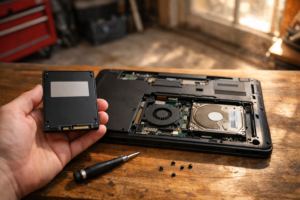
A laptop ssd is a type of solid-state drive designed for use in laptops. It’s a storage device that replaces the traditional, mechanical hard disk drive (hdd) found in most laptops.
Laptop ssds are a relatively new technology that has taken the computing world by storm. Unlike traditional hdds, which use spinning magnetic disks to store data, ssds use nand flash memory chips. This results in significantly faster read and write speeds, lower power consumption, and a longer lifespan.
Laptop ssds are available in a range of sizes and capacities, typically ranging from 128gb to 2tb. They can be used as the sole storage device in a laptop or as a secondary drive for additional storage capacity. In this article, we’ll take a closer look at what a laptop ssd is, how it works, and why it might be a good option for your laptop.
Understanding Laptop Ssds
Definition Of Laptop Ssds
Solid state drives or ssds are data storage devices that use nand-based flash memory to store information. They do not have any moving parts, unlike traditional hard disk drives or hdds. They use integrated circuits to store data, which makes them faster, durable, and power-efficient.
A laptop ssd, therefore, is a non-volatile storage device that is used in laptops to store operating systems, files, programs, and other data.
Differences Between Laptop Ssds And Hdds
There are several differences between laptop ssds and hard disk drives or hdds, including:
- Speed: Laptop ssds are faster than hdds in reading and writing data.
- Noise: Laptop ssds do not produce any sound as they do not have moving parts, unlike hdds that make noise due to their spinning disk.
- Heat: Laptop ssds generate lesser heat than hdds because they consume less power.
- Space: Laptop ssds are compact and have smaller form factors than hdds.
- Durability: Laptop ssds are more durable than hdds as they do not have any mechanical parts that can get damaged from shock or impact.
Advantages Of Laptop Ssds Over Hard Disk Drives
There are many benefits of using a laptop ssd over a traditional hard disk drive, such as:
- Speed: Laptop ssds are faster than hdds, which makes them ideal for running multiple applications and programs.
- Reliability: Laptop ssds are more reliable than hdds as they do not have any moving parts that can get damaged.
- Durability: Laptop ssds are more durable than hdds as they are shock-resistant and can withstand external forces.
- Energy efficiency: Laptop ssds consume less power than hdds, which results in longer battery life.
- Noise-free operation: Laptop ssds do not produce any noise or vibration, which makes them ideal for quiet environments.
- Faster bootup and shutdown: Laptop ssds have faster booting and shutdown times than hdds, which saves time and increases productivity.
Laptop ssds offer several benefits over traditional hard disk drives, including faster performance, durability, reliability, energy efficiency, and noise-free operation. As laptop ssds continue to become more affordable, it is expected that they will eventually replace hdds as the default storage option in laptops.
How Do Laptop Ssds Work?
Basics Of How Laptop Ssds Work
A solid-state drive (ssd) in a laptop works like a flash drive, containing no moving parts, as opposed to a hard drive. As a result, it’s less likely to fail due to physical damage. Here are a few basics regarding how laptop ssds work.
- An ssd is made up of nand flash memory chips and a controller chip. The controller manages the flow of data to and from the nand memory.
- The ssd controller aids in reading and writing data quickly by distributing data, leveling wear patterns, and erasing data without overwriting and slowing down the drive.
- The ssd’s read and write speeds are faster than a typical hard disk drive, allowing it to boot up quickly and launch applications faster.
Nand Flash Memory
Nand flash memory is responsible for storing data in an ssd. It’s a non-volatile type of memory, which means that data remains stored even when power is not being supplied to the computer. Here are a few points about nand flash memory to keep in mind:
- Nand flash memory stores information using a series of memory cells that can be switched on or off, similar to a light switch.
- The data is divided into pages that are further organized into blocks, which are the fundamental structures of nand flash memory chips.
- Erasing existing data in nand flash memory is a slow process compared to writing new data, which necessitates the use of wear leveling algorithms to prevent the same cells from being rewritten repeatedly and wearing out prematurely.
Controller Unit
The controller unit is like a traffic cop directing read and write operations between the computer and the ssd, ensuring that data is delivered as quickly as possible. Controllers have intelligent algorithms to optimize each operation. Here are a few things to consider when it comes to controller unit:
- The controller promotes the flow of data between the ssd and computer components, such as processors and memory, to speed up system performance.
- The controller also assists in safeguarding data by using sophisticated analytics to identify data errors that might arise over time and then correcting them.
- Finally, the controller unit allows for the use of sophisticated data encryption algorithms to ensure data privacy while the laptop is in motion.
Types Of Laptop Ssds
Solid state drives (ssds) are rapidly replacing hard disk drives (hdds) as the primary data storage option for laptops. They are faster, more reliable, and have no moving parts. Ssds come in three main types: sata, pcie, and m. 2.
Let’s look at each type in detail.
Sata Ssds
Serial advanced technology attachment (sata) is the most common interface for ssds. It uses the same cables and connectors as hard drives, making it easy to upgrade. Here are the key points to consider when buying a sata ssd:
- Sata iii is the latest version, which offers a maximum speed of 6 gb/s.
- Sata ssds are available in various capacities, ranging from 128gb to 4tb.
- They are compatible with almost all laptops that have a sata interface.
- Sata ssds are cheaper than pcie or m.2 ssds, making them a budget-friendly option.
Pcie Ssds
Peripheral component interconnect express (pcie) is the fastest interface for ssds. It connects directly to the motherboard, rather than through the slower sata interface. Here are the key points to consider when buying a pcie ssd:
- Pcie ssds offer faster data transfer speed than sata ssds, with a maximum speed of 60gb/s.
- Pcie ssds are available in various sizes, ranging from 128gb to 2tb.
- They are more expensive than sata ssds, making them a premium option.
- Pcie ssds require a laptop that has a pcie interface, which is not available in all laptops.
M.2 Ssds
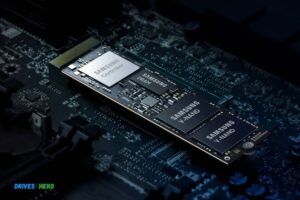
M. 2 is a newer ssd form factor that uses the pcie interface. It is compact and fits directly into the motherboard, making it ideal for thin and light laptops. Here are the key points to consider when buying an m.
2 ssd:
- M.2 ssds offer high data transfer speed, with a maximum speed of 32gb/s.
- They are available in various sizes and capacities, ranging from 128gb to 4tb.
- M.2 ssds are more expensive than sata ssds but less expensive than pcie ssds.
- They require a laptop that has an m.2 slot, which is not available in all laptops.
When buying an ssd for your laptop, consider what interface your laptop supports and your budget. If you are upgrading from an hdd, an ssd will make a significant difference in speed and performance.
Factors To Consider When Choosing A Laptop Ssd
Solid-state drives (ssds) provide a significant performance boost over traditional hard disk drives (hdds). As a result, they are becoming more prevalent in laptops. However, with ssd technology evolving so quickly, choosing the right ssd for your laptop can be a challenge.
Here are some factors to consider to help you make an informed decision.
Price Range
Ssds can cost significantly more than traditional hdds, but the price has dropped over the years as adoption has increased. The price range for ssds varies, with cheaper options available for those with smaller capacity needs. It’s essential to find a balance between performance and price to ensure that you get the most out of your investment.
Capacity
The capacity of an ssd can significantly impact its longevity. Smaller ssds may not have enough space for your operating system and applications, leading to slower performance or the need to upgrade sooner. On the other hand, larger ssds have a higher chance of failure due to their increased complexity.
Choose an ssd with enough capacity to meet your needs, but not so large that it’s unnecessarily risky.
Read And Write Speeds
The read and write speeds of an ssd are arguably the most important factor to consider. Faster read and write speeds result in faster boot times, application launches, and system responsiveness. Make sure to check the advertised read and write speeds before purchasing an ssd.
They can make or break the overall performance of your laptop.
Endurance And Durability
Ssds have a limited number of write cycles before they begin to degrade. Therefore, it’s vital to choose an ssd that can withstand regular use without losing the performance benefits that you expect. Look for ssds rated at least 70-80 terabytes written (tbw) or higher, which should provide years of reliable performance.
Additionally, consider the durability of the ssd. A good ssd should be resistant to shock and vibration, protecting your data against accidental drops or impacts.
Compatibility With Your Laptop
Finally, it’s essential to ensure that the ssd you choose is compatible with your laptop. Most laptops use either the sata or m. 2 interface for ssds. Check your laptop’s specifications to determine which interface you need. Additionally, ensure that your laptop’s bios is up to date before installation to ensure compatibility and maximize performance.
Choosing a laptop ssd can be a challenging task, but considering these factors will help you make an informed decision. Always choose an ssd that balances affordability, capacity, and performance to get the most out of your investment.
Frequently Asked Questions On What Is A Laptop Ssd
What Is A Laptop Ssd?
An ssd is a solid state drive that is used to store data in a laptop.
How Is An Ssd Better Than An Hdd?
Ssds are faster, smaller, lightweight, and consume less power than hdds.
What Are The Benefits Of An Ssd In A Laptop?
An ssd can boost your laptop’s performance, improve battery life, and enhance durability.
How Much Storage Does A Typical Laptop Ssd Have?
Laptop ssds come in various storage sizes such as 128gb, 256gb, 512gb, and even 1tb.
Conclusion
To conclude, an ssd is an incredible piece of hardware that can greatly enhance the overall performance of your laptop. Unlike traditional hard drives, ssds use flash storage technology that provides faster load times and shorter boot-up time. The use of an ssd can also extend your laptop’s battery life, and as a result, the device becomes more efficient.
Additionally, their compact design, low power consumption and faster processing make them suitable for people who need to work on the go. Users can benefit due to the faster read/write speeds that ssds offer, allowing for quicker access and transfer of files.
Now that you understand what a laptop ssd is, it is important to look into the various specifications before making a decision. Overall, investing in an ssd is worth the cost if you are looking to upgrade your laptop’s performance, speed and efficiency.

Harold Williams is a senior writer and technical editor at Drives Hero with 20+ years of experience in IT administration. He specializes in storage systems, SSD reviews, and performance testing, bringing real-world insight to every guide.