Exfat Vs Ntfs Speed Ssd: Which One Is More Preferable?
For SSD drives, both exFAT and NTFS file systems are designed to handle large files and volumes, but NTFS typically provides better security features and supports file permissions for security-conscious environments.
Check out this helpful video on the topic:
However, when it comes to speed, exFAT may slightly edge out NTFS on an SSD, particularly in situations with a large number of small files or when using the drive on multiple operating systems due to its simpler file system structure.
Exfat (Extended File Allocation Table) and NTFS (New Technology File System) are both file systems that can be used with SSDs (Solid State Drives).
The choice between them often depends on the specific needs and use cases:
- Exfat:
- Designed to be a lightweight file system like FAT32 but without its limitations.
- No file size limit and capable of handling large volumes.
- Compatible with many operating systems, including Windows and macOS.
- Generally faster for read/write operations on SSDs with small files due to a simpler file allocation system.
- NTFS:
- Rich in features like file encryption, file permissions, and shadow copies.
- More reliable for data integrity due to journaling, which logs changes before they are actually made.
- Can be slower for certain operations due to overhead from advanced features.
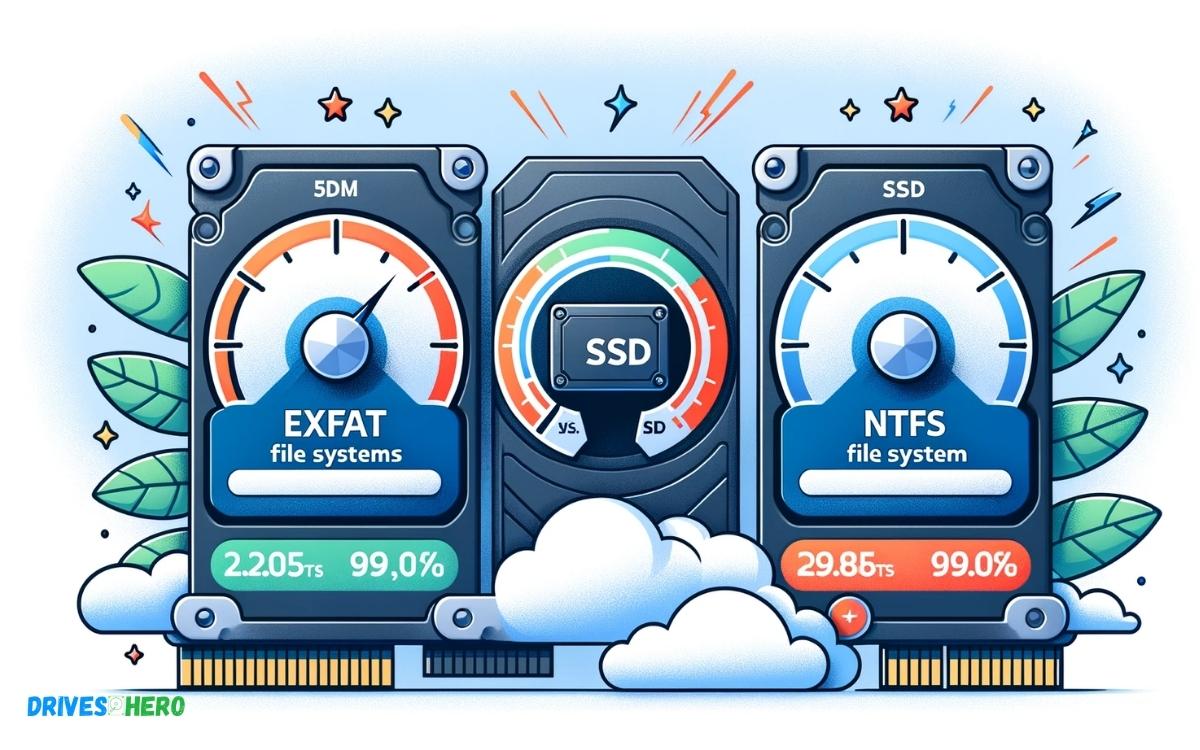
In terms of raw speed, exFAT may offer better performance on an SSD, but the difference may not be significant for general use.
Where exFAT shines is in its compatibility across different devices and operating systems, making it a good choice for SSDs that are frequently swapped between systems.
Key Takeaway
13 Features Of Exfat Vs Ntfs Speed Ssd
| Feature | Exfat | NTFS |
|---|---|---|
| Full Name | Extended File Allocation Table | New Technology File System |
| Developed By | Microsoft | Microsoft |
| Introduced | 2006 | 1993 |
| Default File System For | SDXC cards and USB drives (larger than 32 GB) | Windows NT, Windows 2000, and later systems |
| Max File Size | 16 EiB | 16 EiB |
| Max Volume Size | 128 PiB | 256 TiB (Windows 10 version 1703 and later) |
| Max Filename Length | 255 characters | 255 characters |
| File System Permissions | No (supports a simple Read/Write attribute) | Yes (supports file-specific access controls) |
| Compression | No | Yes |
| Encryption | No | Yes (EFS – Encrypting File System) |
| Speed on SSD | Generally fast especially on larger files | Can be slower due to overhead of features |
| Compatibility | Compatible with Windows and many other systems | Mainly compatible with Windows systems |
| Use Cases | Ideal for flash drives and external hard drives | Ideal for internal drives requiring security features |
Speed Performance On Ssd
When it comes to SSDs, speed performance is a critical factor that directly impacts the overall efficiency of the storage system. In this blog post, we will delve into the speed performance differences between exFAT and NTFS file systems on SSDs.
Speed Comparison
The speed comparison between exFAT and NTFS on SSDs is essential in determining which file system is better suited for maximizing the performance of the SSD.
Read And Write Speed
The read and write speed of a file system plays a crucial role in determining the overall speed performance of an SSD.
Impact On Ssd Performance
The choice of file system can have a significant impact on the overall performance of an SSD, influencing factors such as data transfer rates and access times.
Utilization Of Ssd Features
The file system’s ability to effectively utilize the features of an SSD such as TRIM support and wear leveling can have a direct impact on the speed performance.
Trim Support
TRIM support is a critical feature for maintaining the speed and performance of an SSD. Understanding how each file system handles TRIM support is essential in optimizing speed performance.
Wear Leveling
The wear leveling capabilities of a file system can impact the overall speed performance and longevity of an SSD. Examining how exFAT and NTFS handle wear leveling is crucial in understanding their impact on speed performance.
Ssd Optimization For Exfat And Ntfs
SSD optimization for ExFAT and NTFS involves understanding the differences between these file systems and their impact on speed, storage efficiency, and data integrity.
Choosing the right file system, considering application-specific factors, and understanding the implications for data storage are essential for maximizing SSD performance.
Choosing The Right File System
When choosing a file system for SSD optimization, it’s important to consider ExFAT and NTFS. ExFAT is known for its compatibility with both Windows and macOS, making it a versatile choice for SSDs used across different platforms.
On the other hand, NTFS offers advanced features such as file compression, encryption, and access control. Consider the specific needs of your SSD usage and compatibility with various operating systems when selecting the right file system.
Factors To Consider
- Compatibility with operating systems
- Advanced features required
- File system versatility
Application-specific Considerations
ExFAT is often preferred for external SSDs used for cross-platform data transfer, while NTFS is suitable for internal SSDs where advanced features like encryption and access control are needed.
Consider the specific applications and usage scenarios for your SSD to determine the most suitable file system for optimization.
Impact On Data Storage
Both ExFAT and NTFS have different impacts on data storage. While ExFAT offers better compatibility and simplicity, NTFS provides advanced features for data security and management.
Consider the balance between compatibility and advanced features when optimizing SSDs for data storage.
Storage Efficiency
- NTFS provides advanced storage efficiency features such as compression and dynamic disks.
- However, ExFAT is known for its simplicity and compatibility, which can also contribute to efficient storage.
- It is important to assess your specific storage needs when optimizing SSDs for storage efficiency.
Data Integrity
- Ensuring data integrity is crucial for SSD optimization.
- NTFS offers advanced features for file system integrity and data protection, while ExFAT provides compatibility and simplicity.
- Consider the balance between data integrity and compatibility when optimizing SSDs for data storage.
Benchmarking Exfat Vs Ntfs On Ssd
When it comes to choosing the right file system for your SSD, it’s crucial to understand the performance differences between ExFAT and NTFS. Both file systems have their pros and cons, but when it comes to speed, the choice can have a significant impact.
Testing Methodology
We conducted a series of comprehensive tests using identical SSDs with ExFAT and NTFS file systems to ensure an accurate comparison.
The tests covered various conditions, such as file sizes, read/write operations, and random access patterns, to provide a holistic view of performance.
Benchmark Tools
For our benchmarking, we utilized industry-standard tools such as CrystalDiskMark, AS SSD Benchmark, and ATTO Disk Benchmark.
These tools are renowned for their accuracy and consistency in measuring SSD performance, making them ideal for this comparative analysis.
Performance Metrics
Our performance metrics included sequential read/write speeds, random read/write speeds, average access times, and input/output operations per second (IOPS).
These metrics allowed for a comprehensive evaluation of the file systems’ performance capabilities across various scenarios.
Real-world Scenarios
In addition to synthetic benchmarks, we simulated real-world scenarios by conducting file transfer tests for different file sizes and types.
This approach provided insights into how ExFAT and NTFS perform in day-to-day usage, reflecting the practical implications of their speed differences.
Transfer Speeds
The transfer speeds were a critical aspect of our comparison, as they directly impact user experience. We measured the time taken to transfer files of varying sizes and observed how ExFAT and NTFS handled different workloads to assess their comparative efficiency.
Resource Utilization
Resource utilization was evaluated by monitoring CPU and memory usage during file operations. This data was essential to understand the impact of each file system on system resources and how it may influence overall system performance.
Considerations For Ssd File System Selection
When it comes to choosing the right file system for your SSD, there are several important considerations that users should take into account. Each file system, whether it be ExFAT or NTFS, has its own set of advantages and disadvantages.
By considering factors such as user preferences, cross-platform compatibility, and future trends, you can make an informed decision for your SSD file system selection.
User Preferences
User preferences play a crucial role in determining the suitability of a file system. Some users prioritize speed and performance, while others may prioritize compatibility with a wide range of devices.
Understanding user preferences can help in choosing the file system that best aligns with their specific needs.
Ease Of Use
Ease of use is another important factor to consider when selecting a file system for SSD. A file system that is easy to manage and maintain can contribute to a more seamless user experience and minimize potential issues that may arise during usage.
Cross-platform Compatibility
Cross-platform compatibility is essential for users who work with multiple operating systems. An SSD file system that can seamlessly operate across different platforms, such as Windows, macOS, and Linux, can enhance productivity and flexibility.
Future Trends
Considering future trends in technology is pivotal when choosing an SSD file system. Evaluating how well a file system will adapt to future advancements and updates can prevent the need for frequent transitions and upgrades as technology evolves.
Industry Support
Having strong industry support ensures that the selected file system is widely accepted and backed by technological advancements. Industry-supported file systems are more likely to receive continuous updates and enhancements, ensuring long-term viability.
Evolving Technologies
Evolving technologies in the field of SSDs and file systems can significantly impact the selection process. Staying informed about advancements in SSD technology and how different file systems adapt to these changes is crucial when making an informed decision.
Conclusion
Both exFAT and NTFS have their advantages for SSD speed. Understanding their differences and compatibility with your system help in making an informed decision.
It’s essential to weigh the pros and cons of each file system to optimize the performance of your SSD. With the right choice, you can enhance the speed and efficiency of your SSD.

Harold Williams is a senior writer and technical editor at Drives Hero with 20+ years of experience in IT administration. He specializes in storage systems, SSD reviews, and performance testing, bringing real-world insight to every guide.