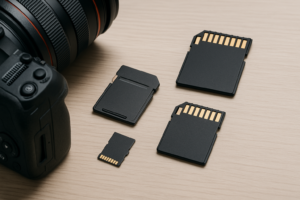
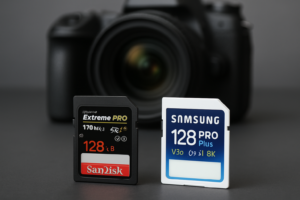
How to Spot and Avoid Fake SD Cards
You found an incredible deal on a 1TB microSD card online. The listing looks legitimate, the brand name is right, and the price is just low enough to feel like a steal. You pop it into your phone or camera, and it seems to work fine at first. Then files start corrupting. Photos vanish. Videos won’t play. You’ve just been burned by a fake SD card, and you’re far from alone.
Counterfeit SD cards and microSD cards are one of the most common tech scams on the internet. Some estimates suggest that a significant percentage of flash storage sold through third-party marketplace sellers is counterfeit or misrepresented. These fakes use modified firmware to report a much larger capacity than they actually have, meaning your data silently overwrites itself once the real (tiny) storage fills up. The good news is that spotting fakes isn’t difficult once you know what to look for, and a few simple habits will keep you from ever getting scammed again.
Why Fake SD Cards Are So Common
SD cards are small, cheap to manufacture, and incredibly easy to counterfeit. A scammer can buy low-quality 8GB or 16GB NAND flash chips in bulk, solder them onto PCBs, and then modify the card’s firmware controller to report itself as 128GB, 256GB, or even 1TB. The card’s packaging gets printed to mimic well-known brands like SanDisk, Samsung, or Kingston. To the untrained eye, the product looks identical to the real thing.
The economics make this scam wildly profitable. A scammer pays pennies for garbage-tier flash memory, packages it to look like a premium product, and sells it at a fraction of the genuine price. Buyers think they’re getting a deal. By the time they realize the card is fake, it’s often too late to file a claim, and the seller has disappeared or set up shop under a new name.
This problem is especially rampant on third-party marketplace listings, auction sites, and overseas sellers with no accountability. Even major platforms like Amazon can have counterfeit products mixed into their inventory through commingled warehouse stock, where third-party sellers’ items get pooled with genuine products.
Red Flags: How to Spot a Fake Before You Buy
The best time to catch a fake is before you hand over your money. Here are the warning signs to watch for.
Pricing That Seems Too Good
If a 512GB microSD card from a name brand is selling for a fraction of what every other retailer charges, treat that as a massive red flag. Genuine flash memory has a baseline manufacturing cost that doesn’t vary wildly between retailers. Check the current pricing on the brand’s official website or a major authorized retailer. If the deal you’ve found is dramatically cheaper, it’s almost certainly counterfeit.
Suspicious Seller Profiles
Look at the seller’s history. A brand-new account with zero feedback selling high-demand electronics is a classic scam setup. Even sellers with decent ratings can be suspect if their review history seems artificial (hundreds of five-star reviews with generic one-line comments, for example). On Amazon, always check whether the product is “Sold by and shipped from Amazon” versus a random third-party seller.
Packaging and Labeling Errors
Counterfeit packaging often has subtle (and sometimes not-so-subtle) errors. Look for misspelled brand names, blurry logos, incorrect font styles, wrong color shades, and missing regulatory markings. SanDisk cards, for instance, should have a consistent font and specific color of red on their packaging. Fakes often get these details slightly wrong. If the card arrives without a retail package or in a plain plastic bag, that’s another serious warning sign.
Capacity Claims That Don’t Exist
Some scammers don’t even bother with plausible numbers. If you see a “2TB microSD card” for sale and no major brand currently manufactures a 2TB microSD card at that time, you know it’s fake immediately. Always verify the maximum capacities currently available from the brand in question before buying.
How to Test an SD Card You Already Own
Maybe you’ve already bought a card and want to verify it. Or maybe you found an old card in a drawer and aren’t sure if it’s legitimate. Testing is easy, and you should do it with every new SD card before trusting it with important data. This is especially critical if you’re using SD cards for video editing or photography where losing files means losing irreplaceable work.
H2testw (Windows)
H2testw is the gold standard for verifying flash storage capacity. This free utility, developed by the German tech magazine c’t, writes data to every sector of the card and then reads it back to verify. If the card reports 256GB but can only actually store 16GB, H2testw will catch it.
To use it, download H2testw (it’s free and widely available), select your SD card as the target drive, and choose “Write + Verify.” The tool will fill the entire card with test data and then read every byte back. For a genuine 256GB card, this process takes a while, sometimes a few hours. If the card is fake, you’ll see errors once the actual storage capacity is exceeded. The results clearly show how much real, usable space the card has.
One important note: H2testw writes data to the card during testing, so back up anything on the card first. The test is effectively a full write and read cycle.
F3 (Mac and Linux)
If you’re on macOS or Linux, F3 (Fight Flash Fraud) does exactly the same thing as H2testw. It’s an open-source command-line tool with two components: f3write (which fills the card with test files) and f3read (which verifies them). There’s also f3probe, which can test a card’s real capacity much faster by using a different detection method, though the full write/read test is more thorough.
For Mac users who prefer a graphical interface, F3X provides a simple drag-and-drop window for running the same tests.
FakeFlashTest and Other Tools
FakeFlashTest is another Windows option that works similarly to H2testw but with a slightly different interface. ChipGenius can also be useful for identifying the actual flash controller chip inside the card, which can reveal whether the internals match what the label claims.
Quick Speed Test as a First Check
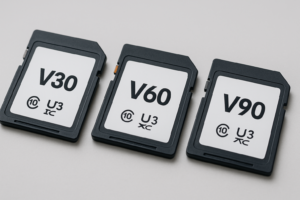
Before running a full capacity verification (which can take hours on large cards), a quick speed test can serve as an initial sanity check. Use CrystalDiskMark on Windows or Blackmagic Disk Speed Test on Mac. If a card labeled as UHS-I U3 (which should deliver minimum 30MB/s sequential write speeds) is only hitting 5MB/s, something is very wrong. Fake cards almost always have dramatically slower speeds than what the label claims, because they use the cheapest possible NAND flash. If you notice unusual slowdowns on any storage device, testing and verification should be your first step.
What Happens When You Use a Fake Card
Understanding why fake cards are dangerous (beyond just wasting money) helps explain why testing matters so much. A fake 256GB card that actually has 16GB of real NAND flash will appear to work normally for the first 16GB of data you write. Your operating system, camera, or phone has no way of knowing the card is lying about its capacity.
Once you exceed 16GB, the card starts overwriting previously stored data. Your files appear in the file system, and their names and folder structures look normal, but the actual data behind them has been destroyed. You might not discover this until weeks or months later when you try to open a photo, play a video, or access a document. By then, the data is unrecoverable. Even professional data recovery methods can’t retrieve data that’s been physically overwritten on the NAND chips.
Fake cards also tend to fail much earlier than genuine ones because they use the lowest-quality flash memory available. Expect corrupted file systems, cards that suddenly become read-only, and complete failures within months of regular use.
Where to Buy Genuine SD Cards
The single most effective way to avoid fake SD cards is to buy from the right places. Here’s a ranked list of your safest options.
1. Directly from the Manufacturer
SanDisk (Western Digital), Samsung, and Kingston all sell cards directly through their own websites. You’ll pay full retail, but you’re guaranteed to get a genuine product with a valid warranty.
2. Authorized Retailers
Best Buy, B&H Photo, Adorama, and Micro Center are authorized dealers for major memory brands. Their supply chains are controlled, and counterfeit products are essentially nonexistent through these channels.
3. Amazon (With Caution)
Amazon can be safe if you buy items that are “Sold by and shipped from Amazon.com” or “Sold by [Brand Name] and shipped by Amazon.” Avoid third-party sellers, even those with “Fulfilled by Amazon” tags, because Amazon’s commingled inventory system means a third-party seller’s fake products can end up in the same bin as genuine stock.
When buying on Amazon, stick to well-known brands. A SanDisk Extreme Pro microSD purchased directly through SanDisk’s Amazon storefront is a much safer bet than a random third-party listing.

SanDisk Extreme Pro microSD 256GB
One of the most counterfeited cards on the market, so buying from a verified seller is essential for getting the genuine article with V30 speeds.
4. Avoid Auction Sites and Unknown Online Shops
eBay, Wish, Temu, AliExpress, and similar platforms are hotbeds for counterfeit flash storage. While legitimate sellers do exist on these platforms, the risk-to-reward ratio simply isn’t worth it for something as critical as data storage. Saving a few bucks isn’t worth losing irreplaceable files.
Recommended Genuine SD Cards Worth Buying
If you’re in the market for a reliable microSD card, these are the brands and models with strong track records for quality and performance. All of them are also frequently counterfeited, which is exactly why you should buy from authorized sources.
The Samsung EVO Select line offers excellent reliability and read/write speeds for everyday use in phones, tablets, and cameras. Samsung’s quality control is consistently strong, and the EVO Select is typically Amazon-exclusive, which makes verification a bit easier since there’s a clear supply chain.
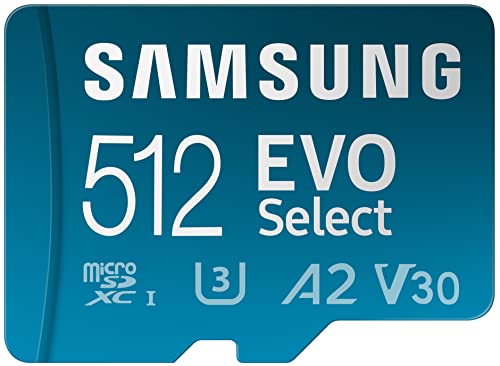
Samsung EVO Select microSD 512GB
Excellent all-around microSD for phones and cameras with consistent performance and Samsung’s strong warranty support.
For high-performance needs like 4K video recording or burst photography, the SanDisk Extreme series delivers V30-rated write speeds and solid durability. If you’re doing a lot of field work with action cameras or drones, this is the card most professionals reach for.
The Kingston Canvas Go! Plus is another solid option, particularly for those who want a reliable card from a brand that’s been making memory products for decades.
For your primary storage needs beyond SD cards, consider pairing your portable setup with a quality portable SSD for travel, which gives you both speed and higher capacity for offloading your SD card in the field.
Best Practices for Ongoing Protection
Even after buying from a trusted source, build these habits into your routine to protect your data.
- Test every new card before use. Run H2testw or F3 on every SD card you buy, even from reputable sources. It takes a few hours, but catching a fake before you load it with vacation photos or client work is worth the wait.
- Keep your receipts. If a card turns out to be fake, you’ll need proof of purchase to file a claim or dispute the charge. Screenshot the listing, save the order confirmation, and keep everything until you’ve verified the card.
- Register your product warranty. SanDisk, Samsung, and other brands offer warranty registration. A fake card won’t have a valid serial number, so the registration process itself becomes another verification step.
- Back up your SD card regularly. Even genuine cards can fail. If you’re storing important data, make sure you have a backup. Cloud backup and local NAS solutions both work well as secondary copies of data that lives on SD cards.
- Don’t buy from social media ads. Those Instagram and Facebook ads offering “1TB microSD for 90% off” are almost universally scams. Full stop.
What to Do If You’ve Been Scammed
If you’ve already purchased a fake SD card, here’s your action plan:
- Stop using the card immediately. Any data beyond the card’s real capacity is already corrupted or will be soon.
- Document everything. Run H2testw or F3 and screenshot the results showing the real versus reported capacity. Take photos of the packaging and card.
- File for a refund. Contact the platform where you bought it. Amazon, eBay, and PayPal all have buyer protection programs that typically side with the buyer in counterfeit cases.
- Report the seller. File a counterfeit product report with the platform. This helps get the seller removed and protects future buyers.
- If you paid by credit card, you can dispute the charge as a fraudulent transaction if the seller refuses to cooperate.
Once you’ve dealt with the fake, consider properly disposing of or securely wiping the card before discarding it, since even a small-capacity fake card may contain data you don’t want floating around in a landfill.

SanDisk Extreme Pro microSD 512GB A2
The top-tier option for demanding use cases like 4K video and app storage, with A2 app performance ratings and a lifetime limited warranty.
Frequently Asked Questions
Can a fake SD card damage my device?
A fake SD card is unlikely to physically damage your phone, camera, or computer. The danger is entirely to your data. Because fake cards overwrite existing files once the real storage fills up, you risk losing photos, videos, documents, and anything else stored on the card. In rare cases, an extremely cheaply made counterfeit with poor electrical components could cause read errors or system instability, but actual hardware damage is uncommon.

James Kennedy is a writer and product researcher at Drives Hero with a background in IT administration and consulting. He has hands-on experience with storage, networking, and system performance, and regularly improves and optimizes his home networking setup.