What Is NVMe and Why Is It Faster Than SATA?
If you’ve shopped for an SSD recently, you’ve probably noticed two main types: SATA and NVMe. They’re both solid-state drives with no moving parts, but the speed difference between them is enormous. We’re talking about NVMe drives that can be five to seven times faster than their SATA counterparts. But what actually makes NVMe so much quicker? It’s not just about the hardware. The real story is about the protocol, the connection to your computer, and how data requests are handled behind the scenes.
This guide will break down exactly what NVMe is, why it leaves SATA in the dust, and whether upgrading to NVMe actually matters for what you do on your computer every day.
What Is NVMe, Exactly?
NVMe stands for Non-Volatile Memory Express. It’s a communication protocol, meaning it’s a set of rules that determines how your SSD talks to your CPU and the rest of your system. NVMe was designed from the ground up specifically for flash-based storage. This is a crucial distinction because SATA (Serial ATA) and its underlying AHCI protocol were originally designed for spinning hard drives back in the early 2000s.
Think of it this way: SATA is like a two-lane road built for horse-drawn carriages that now has sports cars trying to use it. NVMe is a modern highway built specifically for those sports cars. The flash memory chips inside SATA and NVMe SSDs are often very similar. The difference is in how quickly data can travel between those chips and your processor.
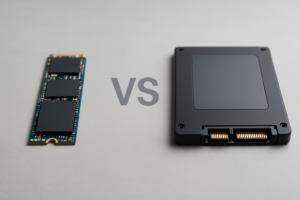
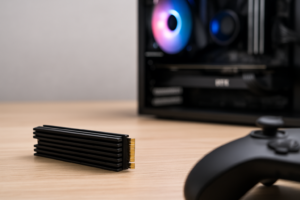
NVMe drives typically connect to your motherboard through an M.2 slot or a PCIe expansion slot, using PCIe (Peripheral Component Interconnect Express) lanes instead of the SATA bus. If you’re curious about the physical differences between these form factors, our M.2 vs 2.5-inch SSD comparison guide covers that topic in detail.
The Queue Depth Advantage: Where NVMe Really Pulls Ahead
This is where things get interesting, and it’s the single biggest technical reason NVMe is faster than SATA. It all comes down to queue depth and parallelism.
The AHCI protocol (which SATA SSDs use) supports one command queue with a maximum depth of 32 commands. Imagine a single checkout line at a grocery store that can only hold 32 people. No matter how fast the cashier works, there’s a bottleneck at that single line.
NVMe supports up to 65,535 individual queues, each capable of holding 65,536 commands. That’s essentially millions of operations that can be lined up and processed simultaneously. Instead of one checkout line, you have tens of thousands of them, each handling its own stream of requests.
For everyday use like booting your PC or opening a browser, you won’t max out either protocol. But when your system is handling dozens of tasks at once (think video editing, database operations, running virtual machines, or even just heavy multitasking), NVMe’s massive queue depth prevents bottlenecks that would choke a SATA drive.
Real-World Speed Differences: SATA vs NVMe
Let’s put some actual numbers on this. Here’s how the two protocols compare in measurable performance:
- SATA III maximum bandwidth: 600 MB/s (theoretical). Real-world SATA SSDs top out around 550 MB/s for sequential reads.
- NVMe Gen 3 drives: Typically reach 3,000 to 3,500 MB/s for sequential reads.
- NVMe Gen 4 drives: Push 5,000 to 7,000 MB/s for sequential reads.
- NVMe Gen 5 drives: The newest generation, hitting 10,000 MB/s and beyond.
A good SATA SSD like the Samsung 870 EVO will deliver around 530-560 MB/s in sequential read tests. A popular NVMe Gen 4 drive like the Samsung 990 Pro hits roughly 7,450 MB/s. That’s over 13 times faster in sequential reads.

Samsung 990 Pro 1TB NVMe SSD
One of the fastest Gen 4 NVMe drives available, ideal for demanding workloads and gaming
But sequential speed isn’t the whole story. For most users, random read/write performance (measured in IOPS, or Input/Output Operations Per Second) matters more because it reflects how quickly your drive handles the small, scattered files that make up everyday computing tasks. A typical SATA SSD delivers around 90,000-100,000 random read IOPS. Top NVMe Gen 4 drives deliver over 1,000,000 IOPS. That’s a 10x improvement in the type of operations your computer performs most often.
We’ve tested SATA vs NVMe drives head-to-head for gaming loads specifically. You can check out our gaming performance comparison between SATA and NVMe SSDs for those results.
When Does NVMe Actually Matter?
Here’s where I’ll be honest with you: not everyone will notice the difference between a SATA SSD and an NVMe SSD in daily use. If you mostly browse the web, write documents, and watch videos, a SATA SSD already feels lightning-fast compared to a hard drive. Our SSD vs HDD comparison goes deeper into that upgrade path if you’re still running a spinning drive.
NVMe makes a noticeable, tangible difference in these scenarios:
- Large file transfers: Moving 50GB+ video files, game installs, or disk images. A transfer that takes 90 seconds on SATA can finish in under 15 seconds on NVMe Gen 4.
- Video editing and 3D rendering: Timeline scrubbing through 4K or 8K footage becomes smoother when your drive can feed data to your editing software fast enough.
- Software development: Compiling large projects and running multiple containers or VMs benefits significantly from NVMe’s parallelism.
- Game load times: Modern games with DirectStorage support can load assets directly from NVMe drives to the GPU, cutting load times dramatically.
- Boot times: While both SATA and NVMe SSDs boot Windows in seconds, NVMe shaves off a few more, typically booting in 8-12 seconds compared to 15-20 on SATA.
If your workload involves heavy multitasking or large files, NVMe is well worth the upgrade. For lighter use, a quality SATA SSD still provides an excellent experience, and our best budget SSDs guide covers great options in both categories.
Recommended NVMe Drives Worth Considering
The NVMe market has matured significantly, and there are excellent options at every level. For most people building or upgrading a PC, a Gen 4 NVMe drive offers the best balance of performance and value right now. Gen 5 drives are faster on paper, but they run hotter, cost more, and the real-world benefits are still minimal for typical users.
The WD_BLACK SN850X is my go-to recommendation for a high-performance Gen 4 drive. It delivers consistent speeds, runs relatively cool, and has proven reliability. For a deeper comparison between two top contenders, check out our Samsung 990 Pro vs WD_BLACK SN850X showdown.

WD_BLACK SN850X 1TB NVMe SSD
Excellent Gen 4 all-rounder with strong sustained write speeds and a solid heatsink option
If you want to spend less and still get a massive upgrade from SATA, the WD Blue SN580 offers Gen 4 speeds at a budget-friendly price. It won’t match the SN850X in sustained workloads, but for everyday use and gaming, it’s more than enough.
Once you’ve picked a drive, installing it is a quick process. Our guide to installing an NVMe SSD in 15 minutes walks you through every step.
Frequently Asked Questions
Can I use an NVMe SSD if my motherboard only has a SATA port?
Not directly. NVMe drives require either an M.2 slot that supports NVMe (keyed as M-key with PCIe lanes) or a PCIe expansion card adapter. Some older M.2 slots only support SATA-based M.2 drives, so check your motherboard’s manual or spec sheet before buying. If your board truly only has SATA ports, you’ll be limited to 2.5-inch SATA SSDs, which are still a huge upgrade from a hard drive.
Will an NVMe SSD make my computer boot faster than a SATA SSD?
Yes, but the difference is smaller than you might expect. Most SATA SSDs boot Windows in roughly 15-20 seconds, while NVMe drives typically do it in 8-12 seconds. You’ll notice a bigger performance gap during tasks like large file copies, application launches, and multitasking. Keep in mind that SSDs can lose some of their speed over time, and our guide on why your SSD slows down and how to fix it explains what causes that and how to prevent it.
Is NVMe Gen 5 worth it over Gen 4 right now?
For most people, no. Gen 5 drives like the Crucial T700 can hit sequential read speeds above 12,000 MB/s, but they also generate more heat (often requiring a heatsink), draw more power, and cost noticeably more than Gen 4 alternatives. Unless you’re doing professional-grade video production or working with extremely large datasets, a Gen 4 NVMe drive delivers more than enough speed for current games, applications, and operating systems. Gen 5 will

James Kennedy is a writer and product researcher at Drives Hero with a background in IT administration and consulting. He has hands-on experience with storage, networking, and system performance, and regularly improves and optimizes his home networking setup.