Best Bang-for-the-Buck NVMe Drives Right Now
NVMe drives have gotten fast enough that the real differences between most models won’t show up in everyday use. What will show up is how much you paid. If you’re building a new PC, upgrading a laptop, or just tired of running out of space, you want the best performance you can get without overspending. This list focuses on exactly that: drives where the speed-per-dollar ratio is genuinely excellent.
I update this list regularly as street prices shift, new models drop, and older favorites go out of stock. Bookmark it and come back whenever you’re shopping. And if you’re still wondering whether an NVMe is worth it over a traditional SATA SSD, our real-world NVMe vs SATA gaming performance tests should clear that up quickly.
Best Overall Value: WD Black SN770
The WD Black SN770 continues to be one of the most impressive value propositions in the NVMe space. It’s a PCIe Gen 4 drive that hits sequential read speeds around 5,150 MB/s and write speeds around 4,900 MB/s. Those numbers compete with drives that cost significantly more.
It doesn’t have a DRAM cache, which sounds like a dealbreaker but genuinely isn’t for most users. Western Digital’s controller and HMB (Host Memory Buffer) implementation are mature enough that you won’t notice a difference during normal desktop use, gaming, or even moderate content creation workloads. The SN770 runs cool, uses minimal power (great for laptops), and has a solid 5-year warranty.
For the 1TB and 2TB capacities, it’s tough to beat. If you need help with the physical installation, our step-by-step NVMe installation guide walks you through the entire process in about 15 minutes.

WD Black SN770 1TB NVMe SSD
Top pick for most buyers: fast Gen 4 speeds, excellent efficiency, and consistently competitive pricing.
Best Budget Pick: Silicon Power UD90 / Teamgroup MP44L
When you want Gen 4 speeds and your budget is tight, two drives stand out. The Silicon Power UD90 and the Teamgroup MP44L both deliver sequential reads above 5,000 MB/s for remarkably little money.
Neither drive has DRAM, and neither will win sustained write benchmarks against premium options. But for a boot drive, a gaming library, or general productivity, they perform well above their price class. The MP44L edges ahead slightly in random read/write performance, while the UD90 tends to run a bit cooler. Honestly, you can’t go wrong with either one.
These are also great options if you’re looking to add a second NVMe for extra storage. If you’re curious about pairing an SSD with a larger HDD in the same system, we’ve got a guide on using an SSD and HDD together that covers the best configurations.

Teamgroup MP44L 1TB NVMe SSD
Exceptional Gen 4 performance at a budget-friendly price point, perfect for secondary drives or budget builds.
Best for Power Users: Samsung 990 EVO Plus
Samsung’s naming conventions are confusing, so let me be specific. The Samsung 990 EVO Plus is a hybrid Gen 4×4 / Gen 5×2 drive, meaning it can take advantage of Gen 5 motherboard slots while remaining backward compatible with Gen 4. Sequential reads hit around 7,250 MB/s on a Gen 5 slot.
What makes this a value pick (and not just a premium drive) is that Samsung has priced it aggressively to compete with mid-range Gen 4 options. You’re getting Gen 5 adjacent performance without paying the Gen 5 tax. It also includes Samsung Magician software, which is genuinely useful for drive health monitoring and firmware updates.
If you want the full flagship Gen 4 experience without stepping up to Gen 5, the Samsung 990 Pro is still excellent. We published a detailed Samsung 990 Pro review if you want the deep dive on that model.
Best High-Capacity Value: Crucial T500
Once you move into 2TB and 4TB territory, the price differences between drives become significant. The Crucial T500 stands out here. It’s a proper Gen 4 drive with DRAM cache, Micron’s 232-layer NAND, and speeds up to 7,400 MB/s sequential read.
The T500 is especially compelling at 2TB, where it often undercuts the Samsung 990 Pro and WD Black SN850X while matching or beating them in most real-world benchmarks. Sustained write performance is strong too, making it a good pick for video editors or anyone regularly moving large files.
Crucial also offers a version with a pre-installed heatsink if your motherboard doesn’t include one, though most modern boards do. Check current pricing on Amazon for both variants, because the heatsink version is sometimes barely more expensive.

Crucial T500 2TB NVMe SSD
Best value at 2TB: DRAM cache, top-tier Gen 4 speeds, and typically priced below competing flagships.
Honorable Mentions
A few more drives worth keeping on your radar:
- WD Blue SN580 — A step below the SN770 in speed but also cheaper. Solid choice for a laptop upgrade where you don’t need peak performance.
- Kingston NV2 — Very affordable Gen 4 drive. The catch is that Kingston uses different controller and NAND combinations across production runs, so performance can vary. Fine for general use, but not ideal if consistency matters to you.
- Sabrent Rocket 4 Plus — A mature Gen 4 drive that frequently drops to competitive pricing. Strong sustained write performance thanks to its DRAM cache.
- WD Black SN850X — Still one of the fastest Gen 4 drives available. When it goes on sale, the value proposition is hard to ignore. Keep an eye on our Black Friday SSD deals roundup for the best seasonal pricing.
What to Look for When Shopping
A few practical tips to keep in mind as you compare options:
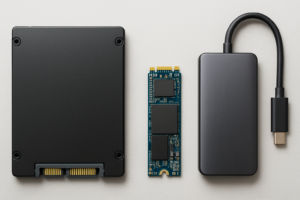
Check your motherboard’s interface. If your system only supports Gen 3, buying a Gen 4 drive won’t hurt anything (they’re backward compatible), but you won’t get the full speed. Make sure you’re not overpaying for bandwidth you can’t use. Our M.2 vs 2.5-inch SSD comparison guide can help you figure out which form factors your system supports.
DRAM vs DRAMless matters less than it used to. Modern DRAMless drives using HMB technology (like the SN770) perform well for typical consumer workloads. If you’re running database-heavy server tasks or constant write-intensive work, DRAM still helps. For gaming and everyday use, save the money.
Buy more capacity than you think you need. NVMe drives perform better when they’re not full, and modern games and applications keep getting larger. A 1TB drive is the minimum I’d recommend for a primary drive in 2026. If your budget allows, 2TB gives you much more breathing room. We break down the capacity decision in detail in our 1TB vs 2TB SSD comparison.
Don’t ignore endurance ratings. TBW (terabytes written) tells you how much data you can write to a drive over its lifetime. Most consumers will never come close to hitting these limits, but if you’re doing heavy video editing or running a scratch disk, it’s worth comparing. For more on drive longevity, check our data-backed analysis of SSD lifespan.
Frequently Asked Questions
Is Gen 5 NVMe worth buying right now?
For most people, not yet. Gen 5 drives are significantly more expensive, they run hot (often requiring chunky heatsinks), and real-world performance gains over fast Gen 4 drives are minimal outside of very specific professional workloads. The Samsung 990 EVO Plus is an interesting middle ground if you want some Gen 5 capability without the full premium. In a year or two, Gen 5 pricing should come down to the point where it makes more sense.
Do I need a heatsink for my NVMe SSD?
It depends on your workload and your case airflow. For gaming and general desktop use, most modern NVMe drives will stay within safe temperature ranges without a dedicated heatsink, especially if your motherboard has a built-in M.2 shield (most do these days). If you’re doing sustained file transfers, video rendering, or your case has poor airflow, a heatsink can prevent thermal throttling. Many motherboards include M.2 heatsinks, so check before buying one separately.
Should I wait for prices to drop further before buying?
James Kennedy is a writer and product researcher at Drives Hero with a background in IT administration and consulting. He has hands-on experience with storage, networking, and system performance, and regularly improves and optimizes his home networking setup.

James Kennedy is a writer and product researcher at Drives Hero with a background in IT administration and consulting. He has hands-on experience with storage, networking, and system performance, and regularly improves and optimizes his home networking setup.