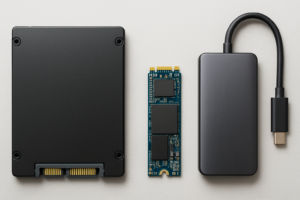
Samsung 990 Pro 4TB vs Cheaper 8TB Alternatives: Worth It?
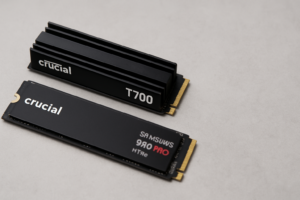
The Samsung 990 Pro 4TB is one of the fastest consumer NVMe drives you can buy. But when some cheaper drives offer double the capacity at 8TB, you have to ask yourself: do you really need all that speed, or would you rather have all that space? I’ve been thinking about this trade-off a lot lately, and the answer depends more on your workload than you might expect.
Let’s break down when premium speed actually matters and when you’re better off grabbing a bigger, more affordable drive instead.
Samsung 990 Pro 4TB: What You’re Paying For
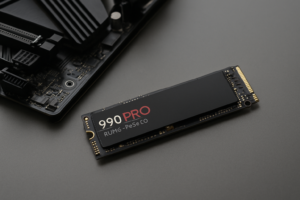
The Samsung 990 Pro delivers sequential reads up to 7,450 MB/s and sequential writes up to 6,900 MB/s on PCIe Gen 4. It’s consistently one of the top performers in random 4K read/write benchmarks too, which is where you actually feel the difference in everyday use. Samsung’s V-NAND and Elpis controller are proven, and the drive comes with a generous 2,400 TBW endurance rating at 4TB.
If you’ve read our Samsung NVMe Gen4 990 Pro review, you already know this drive punches at the top of its class. It also handles sustained writes better than most competitors, with less thermal throttling thanks to nickel-coated controller architecture. For creative professionals working with 4K/8K video timelines, large game libraries, or database workloads, that sustained performance is genuinely noticeable.

Samsung 990 Pro 4TB NVMe SSD
Top-tier Gen 4 speed with excellent sustained write performance and 2,400 TBW endurance.
Cheaper 8TB Alternatives: More Space, Fewer Thrills
On the other side, drives like the Sabrent Rocket 4 Plus 8TB, TeamGroup T-Force Z540 8TB, and Crucial T500 4TB (which can be paired for capacity) offer significantly more storage per dollar. The Sabrent Rocket 4 Plus 8TB, for example, still delivers solid sequential speeds around 7,000 MB/s. You’re not exactly crawling.
Where these drives typically fall behind is in sustained write performance and random I/O. After filling the SLC cache, many budget-friendly 8TB drives drop to 2,000-3,000 MB/s or lower. For large file transfers and video editing scratch disks, that slowdown adds up. If you want to understand why this happens and how to manage it, our guide on why your SSD slows down over time covers the mechanics in detail.

Sabrent Rocket 4 Plus 8TB NVMe
Double the capacity of the 990 Pro with competitive sequential speeds for storage-heavy users.
For general gaming, bulk media storage, and everyday desktop use, you won’t notice the difference between a 990 Pro and a mid-tier 8TB drive. Games load within fractions of a second of each other, and Windows boot times are virtually identical across any modern NVMe drive. Our real-world NVMe gaming performance tests confirm that even the jump from SATA to NVMe is marginal in most titles.
Which Should You Pick?
Here’s my honest take. Choose the Samsung 990 Pro 4TB if:
- You edit 4K/8K video or work with large RAW photo libraries
- You run virtual machines, databases, or development environments with heavy random I/O
- Sustained write speeds matter more than raw capacity for your workflow
- You want Samsung’s proven firmware reliability and five-year warranty
Choose a cheaper 8TB alternative if:
- You’re a gamer with a massive library and tired of uninstalling titles
- You primarily store and access media files rather than editing them in real time
- Capacity per dollar is your top priority
- You plan to use the drive for local backups alongside a NAS setup
If you’re choosing between one 4TB premium drive and one 8TB budget drive for a single M.2 slot, capacity usually wins for most people. The performance gap only matters under sustained professional workloads. For everyone else, having twice the usable space will improve your daily experience far more than a few hundred extra MB/s you’ll rarely tap into.
And if you’re still weighing capacity decisions at lower tiers, the same logic applies: buy the most space you can reasonably afford, then prioritize speed only when your workflow demands it.
Frequently Asked Questions
Will a cheaper 8TB NVMe bottleneck my gaming PC?
No. Modern games don’t saturate even mid-tier NVMe bandwidth. A budget 8TB drive with 5,000-7,000 MB/s sequential reads will deliver virtually the same load times as the Samsung 990 Pro. The differences only show up in sustained sequential write benchmarks and heavy random I/O tasks, which most games don’t produce.
Is the Samsung 990 Pro 4TB worth it over two cheaper 2TB drives in RAID 0?
Running two cheaper 2TB NVMe drives in RAID 0 can match or exceed the 990 Pro’s sequential speeds, but you’ll need two M.2 slots and you double your risk of data loss. A single 990 Pro is simpler, more reliable, and uses less power. RAID 0 makes more sense in NAS or workstation builds where you have the slots to spare and a solid backup strategy in place.
This article contains affiliate links. We may earn a small commission at no extra cost to you.

James Kennedy is a writer and product researcher at Drives Hero with a background in IT administration and consulting. He has hands-on experience with storage, networking, and system performance, and regularly improves and optimizes his home networking setup.