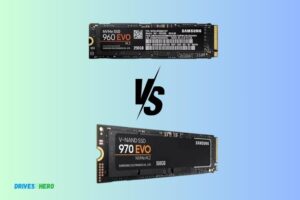
Nvme Ssd Vs Sas Ssd
When comparing NVMe SSDs with SAS SSDs, the NVMe SSDs are significantly faster and more efficient.
While SAS SSDs have been industry-standard for years, the emergence of NVMe SSDs, with their high-speed parallelism and low latency, has changed the game.
NVMe (Non-Volatile Memory Express) is a communications interface and driver that defines a command set and feature set for PCIe-based SSDs.
NVMe SSDs connect directly to the CPU via the PCIe bus, which means they bypass traditional storage controller bottlenecks, resulting in improved speed and performance.
On the other hand, SAS (Serial Attached SCSI) SSDs are known for their reliability and are widely used in enterprise environments.
They connect through the SAS controller, which can cause some latency and slowdowns compared to NVMe SSDs.
In conclusion, NVMe SSDs with their superior speed and efficiency are more suitable for high-performance computing, gaming, and applications where speed and performance are
8 Differences Between Nvme SSD And Sas SSD
| Feature | NVMe SSD | SAS SSD |
|---|---|---|
| Interface | PCIe | SAS |
| Speed | Up to 3500 MB/s | Up to 12Gb/s |
| Latency | Lower latency due to its simplified data path | Higher latency |
| Maximum Capacity | Up to 16TB | Up to 60TB |
| Power Consumption | Lower compared to SAS SSD | Higher compared to NVMe SSD |
| Cost | Pricier than SAS SSD | Cheaper than NVMe SSD |
| Form Factor | U.2, M.2, and AIC | 2.5 or 3.5 inches |
| Use Case | High performance computing and server applications | Traditional storage arrays and server applications |
Key Takeaway
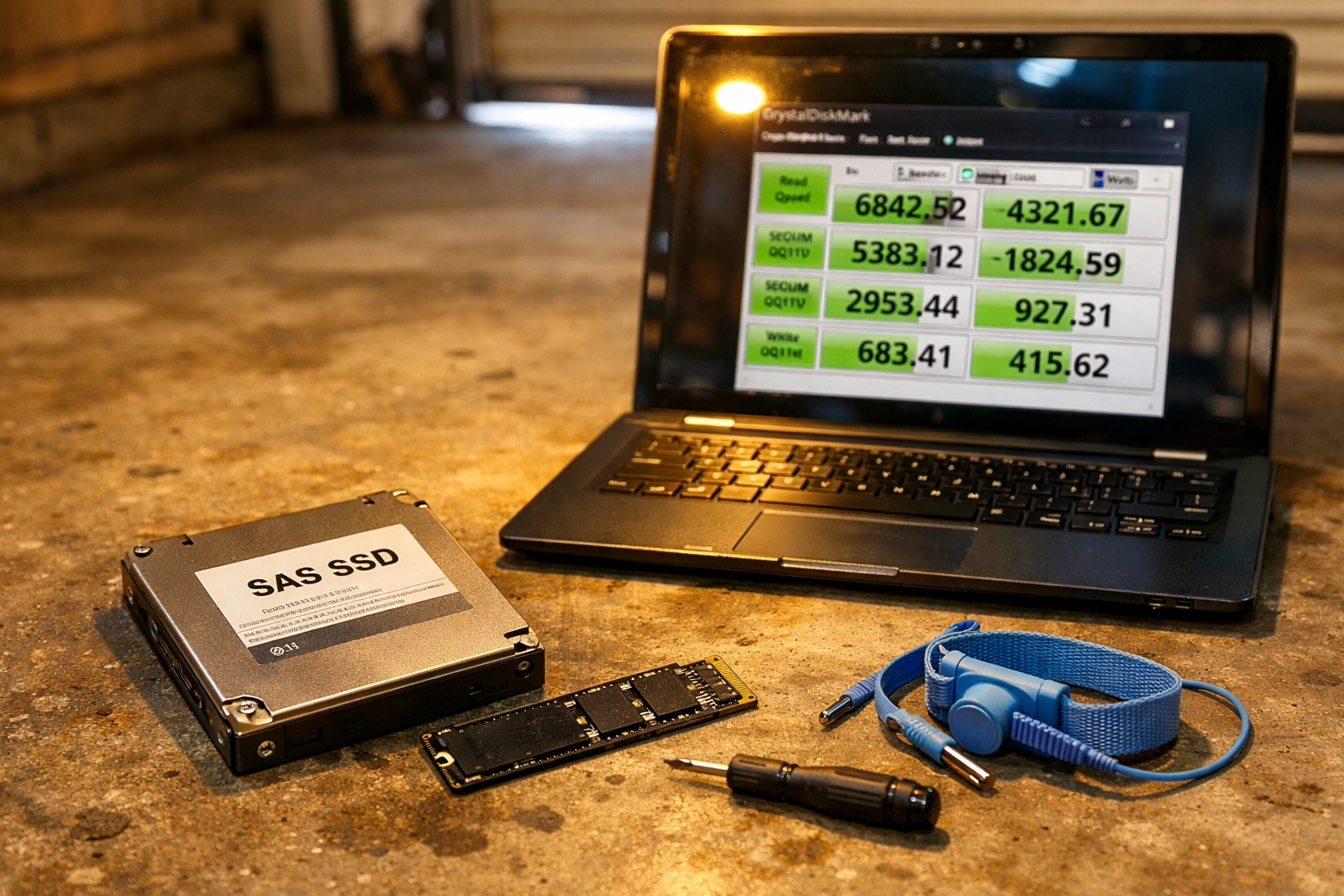
Five Facts About: Nvme SSD and SAS SSD
Understanding Nvme Ssd And Sas Ssd
Nvme SSD and SAS SSD are two different types of solid-state drives used in computer storage. Nvme SSDs offer faster speeds and lower latency, making them ideal for high-performance applications, while SAS SSDs are known for their reliability and scalability.
Understanding the differences between the two can help you choose the right SSD for your specific needs.
Nvme Ssd and Sas Ssd are both types of solid-state drives (Ssds) commonly used in the world of data storage.
While they serve the same purpose, they have distinct characteristics that set them apart. In this section, we will delve deeper into each type, discussing their key features and benefits.
What Are Nvme Ssd And Sas Ssd?
Nvme Ssd:
- Nvme stands for Non-Volatile Memory Express, which is a communication protocol designed specifically for solid-state drives.
- It utilizes the PCIe (Peripheral Component Interconnect Express) interface, allowing for faster data transfer speeds.
- Nvme Ssds offer incredibly low latency, which means they can access and retrieve data much quicker than other storage options.
- With its parallel processing capability, Nvme can handle multiple input/output operations simultaneously, making it ideal for high-performance computing and demanding workloads.
Sas Ssd:
- Sas stands for Serial Attached SCSI (Small Computer System Interface), which is an interface used for connecting storage devices to a computer system.
- Sas Ssds are known for their reliability and endurance, making them suitable for enterprise-level storage solutions.
- They are designed to handle heavy workloads and are commonly used in environments that require excellent data integrity and fault-tolerance.
- Sas Ssds offer good performance, high data transfer rates, and support for a wide range of storage capacities.
Key Features And Benefits Of Nvme Ssd
- Faster Transfer Speeds: Nvme Ssds can achieve significantly higher read and write speeds compared to traditional hard drives or even other types of Ssds. This allows for swift data access, resulting in faster boot times, application load times, and overall system responsiveness.
- Low Latency: The ultra-low latency of Nvme Ssds ensures minimal delays when retrieving data, making them ideal for tasks that require rapid access to large amounts of information, such as gaming, 3D rendering, and video editing.
- Improved Power Efficiency: Nvme Ssds consume less power than their Sas counterparts, contributing to better energy efficiency and prolonged battery life for devices like laptops and mobile devices.
- Compact Form Factor: Nvme Ssds are generally smaller and lighter than Sas Ssds, making them suitable for space-constrained systems like ultrabooks and compact desktop builds.
- Future-Proof Technology: With ongoing advancements in Nvme technology, these Ssds are well-positioned for even faster speeds and increased capacities in the future.
Key Features And Benefits Of Sas Ssd
- Enterprise-Grade Reliability: Sas Ssds are built with a focus on reliability, providing enterprise-level durability and fault-tolerance. They are designed to handle the demanding workloads of data centers and server environments.
- Data Integrity: Sas Ssds offer features like error correction and detection mechanisms, ensuring the integrity of stored data. This is crucial in mission-critical applications that require highly reliable storage.
- Wide Compatibility: Sas Ssds can be easily integrated into existing Sas infrastructure, enabling seamless integration with servers, storage arrays, and other Sas-based systems.
- Excellent Endurance: With robust build quality and advanced wear-leveling algorithms, Sas Ssds are built to handle heavy workloads, making them suitable for write-intensive applications like databases and content delivery networks (CDNs).
- Scalability: Sas Ssds offer a wide range of storage capacities, allowing for scalable storage solutions that can accommodate the growing needs of businesses and enterprises.
Nvme Ssds boast high-speed performance, low latency, and compact form factors, making them ideal for consumer applications.
On the other hand, Sas Ssds excel in reliability, data integrity, and endurance, making them a preferred choice for enterprise-level storage solutions.
Performance And Speed Comparison
The performance and speed of NVMe SSDs compared to SAS SSDs is a much-debated topic. NVMe SSDs provide a significant boost in speed, with faster data transfer rates and lower latency, making them the preferred choice for high-performance computing and data-intensive applications.
On the other hand, SAS SSDs offer a more cost-effective solution for traditional storage needs without compromising on reliability and durability.
Ultimately, the choice between NVMe and SAS SSDs depends on the specific requirements of your application.
Speed Benchmarks: Nvme Ssd Vs Sas Ssd
When it comes to performance and speed, comparing NVMe SSDs and SAS SSDs is essential.
Let’s take a closer look at the speed benchmarks to understand the key differences between these two storage options:
NVMe SSDs:
- Lightning-fast read and write speeds: NVMe SSDs utilize the PCIe interface, enabling them to offer exceptional performance. With read and write speeds reaching up to 3500MB/s, NVMe SSDs ensure rapid data transfer and retrieval.
- Reduced latency: Thanks to its direct connection to the CPU, NVMe SSDs minimize latency and improve overall system responsiveness.
- Enhanced multitasking capabilities: NVMe SSDs handle multiple IO operations simultaneously, resulting in smoother multitasking experiences.
SAS SSDs:
- Competitive speed performance: SAS SSDs, while not as fast as NVMe SSDs, still deliver impressive speeds of up to 1200MB/s. This makes them a suitable option in environments where slight speed differences are not crucial.
- Reliable and durable: SAS SSDs are known for their reliability and durability, making them ideal for enterprise applications that require consistent performance over extended periods.
- Seamless compatibility: SAS SSDs maintain backward compatibility with traditional SAS infrastructure, allowing for effortless integration into existing systems.
Response Time Analysis: Nvme Ssd Vs Sas Ssd
The response time analysis sheds light on how NVMe SSDs and SAS SSDs perform when it comes to latency and response speed:
NVMe SSDs:
- Ultra-low latency: The direct connection of NVMe SSDs to the CPU significantly reduces response times, delivering near-instantaneous data access and retrieval.
- Quick application responsiveness: With NVMe SSDs, applications load swiftly, allowing for enhanced productivity and a seamless user experience.
- Ideal for resource-intensive tasks: The exceptional response times of NVMe SSDs make them perfect for workloads that require rapid data processing, such as virtualization and big data analytics.
SAS SSDs:
- Reliable response times: While not as low as NVMe SSDs, SAS SSDs still offer consistent response times, ensuring predictable performance in enterprise environments.
- Stable latency under heavy workloads: SAS SSDs maintain steady latency levels even during intensive workloads, resulting in smooth operations without significant performance fluctuations.
- Suitable for a range of applications: SAS SSDs excel in enterprise applications and databases that prioritize stability, reliability, and consistent performance.
Iops Comparison: Nvme Ssd Vs Sas Ssd
IOPS (Input/Output Operations Per Second) is an essential metric to consider when comparing NVMe SSDs and SAS SSDs:
NVMe SSDs:
- High IOPS performance: NVMe SSDs outshine SAS SSDs in terms of IOPS, enabling a significantly larger number of simultaneous read and write operations.
- Accelerated data processing: The superior IOPS capabilities of NVMe SSDs make them invaluable in scenarios where speed and throughput are paramount, such as gaming, video editing, and server applications.
- Excellent for heavy workloads: NVMe SSDs handle resource-intensive workloads with ease, ensuring smooth performance even under demanding conditions.
SAS SSDs:
- Adequate IOPS for enterprise applications: While not as high as NVMe SSDs, SAS SSDs still offer respectable IOPS performance, making them suitable for a wide range of enterprise applications.
- Reliable and consistent operations: SAS SSDs deliver consistent IOPS, maintaining stability in environments that require predictable and steady performance.
- Ideal for database applications: SAS SSDs excel in database applications where data integrity, reliability, and data consistency are vital factors.
Overall, NVMe SSDs provide unparalleled speed, low latency, and exceptional IOPS performance, making them a top choice for applications demanding lightning-fast data processing.
However, SAS SSDs offer competitive speeds, reliability, and compatibility with traditional SAS infrastructure, making them a reliable option for enterprise environments.
Reliability And Durability Evaluation
Reliability and durability evaluations reveal the stark differences between NVMe SSD and SAS SSD. The performance, lifespan, and stability of NVMe SSD make it a superior choice compared to its SAS counterpart.
When it comes to comparing NVMe SSDs and SAS SSDs, it’s crucial to assess their reliability and durability.
Let’s delve into two key factors: endurance and lifespan, as well as error correction and data integrity. Additionally, we’ll explore the impact of workload and temperature on these drives’ reliability.
Endurance And Lifespan: Nvme Ssd Vs Sas Ssd
Durability is a primary concern when selecting an SSD.
Here are key points to consider when comparing NVMe SSD and SAS SSD endurance and lifespan:
- NVMe SSDs offer exceptional endurance due to their advanced NAND flash memory technology. These drives are designed to handle intensive workloads and frequent data transfers without sacrificing performance.
- SAS SSDs also have notable endurance characteristics, making them suitable for enterprise applications. They perform well under demanding workloads, providing a high level of reliability.
- Both NVMe SSDs and SAS SSDs come with endurance ratings, indicating the total amount of data that can be written to the drive over its lifespan. It’s crucial to consider these ratings based on your specific needs and workload requirements.
Error Correction And Data Integrity: Nvme Ssd Vs Sas Ssd
To ensure accurate and reliable data storage, error correction and data integrity are vital features of SSDs.
Here’s how NVMe SSDs and SAS SSDs compare in this aspect:
- NVMe SSDs employ advanced error correction mechanisms, such as Low-Density Parity Check (LDPC) codes, to detect and correct errors during data transmission. This results in higher data integrity and reduced chances of data corruption.
- SAS SSDs also incorporate error correction techniques, including cyclic redundancy check (CRC), to maintain data integrity. These drives offer robust protection against errors and ensure the safety of stored information.
- Both NVMe SSDs and SAS SSDs prioritize data reliability through sophisticated error correction mechanisms, providing peace of mind when it comes to the safety of your valuable data.
Impact Of Workload And Temperature On Reliability
The workload and operating temperature can significantly impact the reliability of SSDs.
Here are key considerations regarding this aspect:
- NVMe SSDs excel in handling heavy workloads, making them ideal for applications requiring fast data access and high processing speeds. These drives reliably manage strenuous operations, such as data analytics and virtualization.
- SAS SSDs are also designed to handle demanding workloads effectively. They are commonly used in enterprise storage environments that require consistent performance and reliability.
- Temperature is an important factor that affects SSD reliability. NVMe SSDs, with their efficient heat dissipation capabilities, can maintain optimal operating temperatures even under heavy workloads. SAS SSDs, known for their robust design, are also capable of operating within a wide temperature range without compromising reliability.
Both NVMe SSDs and SAS SSDs possess high reliability and durability features. NVMe SSDs offer exceptional endurance and leverage advanced error correction mechanisms, ensuring optimal data integrity.
On the other hand, SAS SSDs are known for their reliability under demanding workloads and resistance to varying operating temperatures.
Understanding your specific requirements and workload characteristics will help you make an informed decision between these two SSD types.
Scalability And Compatibility Analysis
Scalability and compatibility analysis between NVMe SSD and SAS SSD showcases their differences in terms of performance, speed, and storage capacity.
NVMe SSD sets a new benchmark for faster data transfer rates and optimal scalability, while SAS SSD remains a reliable and compatible option for traditional storage needs.
Choose wisely based on your specific requirements.
The scalability and compatibility of NVMe SSDs and SAS SSDs are crucial factors to consider when choosing the right storage solution for your needs.
Let’s take a look at how these two technologies stack up in terms of scalability options, compatibility with different systems and interfaces, as well as interoperability considerations.
Scalability Options And Limitations: Nvme Ssd Vs Sas Ssd
NVMe SSD:
- Highly scalable with the ability to connect multiple SSDs to a single system
- Supports parallel processing, allowing for faster data transfer rates
- Can accommodate high workloads and demanding applications
- Provides increased throughput and reduced latency
SAS SSD:
- Allows for daisy-chaining of drives, enabling easy expansion of storage capacity
- Supports multi-pathing, providing redundancy and fault tolerance
- Suitable for enterprise storage environments requiring high reliability and availability
- Offers a balance between performance and scalability
Compatibility With Different Systems And Interfaces
NVMe SSD:
- Requires systems with NVMe support, limiting compatibility to newer hardware
- Uses PCIe (Peripheral Component Interconnect Express) interface for high-speed data transfer
- Compatible with modern operating systems such as Windows 10 and Linux distributions
- Some older systems and software may not have NVMe compatibility
SAS SSD:
- Compatible with a wide range of systems, including both newer and older hardware
- Utilizes SAS (Serial Attached SCSI) interface for data transfer
- Supports legacy systems and software with SAS connectivity
- Offers flexibility in connecting to different servers, workstations, and storage arrays
Interoperability Considerations: Nvme Ssd Vs Sas Ssd
NVMe SSD:
- Interoperable with NVMe-enabled systems, ensuring seamless integration
- Supports data sharing and data mobility across different NVMe devices
- Enhances interoperability between storage, compute, and networking components
- Enables efficient communication between NVMe drives and NVMe storage controllers
SAS SSD:
- Interoperability with SAS-enabled systems, promoting compatibility across various platforms
- Facilitates interoperability between SAS drives, SAS controllers, and SAS expanders
- Allows for integration with existing SAS infrastructures, ensuring smooth transitions
- Provides interoperability assurances in enterprise storage environments
Both NVMe SSDs and SAS SSDs offer unique scalability and compatibility features that cater to different storage requirements. Consider factors such as system compatibility, interface support, and scalability options when selecting the right SSD technology for your specific needs.
Use Cases And Recommendations
When comparing use cases and making recommendations, it’s important to consider the differences between NVMe SSDs and SAS SSDs.
These two storage technologies offer distinct advantages and understanding their strengths can help optimize your system’s performance.
Best Use Cases For Nvme Ssd:
- Gaming and multimedia editing: Nvme SSDs offer blazing-fast read and write speeds, making them ideal for gamers and multimedia professionals who need quick access to large files, such as game installations, high-resolution videos, and graphics.
- Database and server applications: Nvme SSDs excel in handling intense workloads, making them perfect for database servers and applications that require rapid data processing and retrieval.
- Virtualization: Nvme SSDs’ high performance and low latency make them a great choice for virtual environments, enabling speedy boot times, efficient virtual machine management, and seamless multi-tasking.
Best Use Cases For Sas Ssd:
- Enterprise storage: Sas SSDs are commonly used in enterprise storage systems where reliability, data integrity, and consistent performance are crucial. They are ideal for mission-critical workloads and enterprise applications requiring high input/output operations per second (IOPS).
- Data centers: Sas SSDs’ high endurance and reliability make them well-suited for data center environments, where data protection and consistent performance are vital for uninterrupted operations.
- High-capacity storage: Sas SSDs also come in larger capacities, making them suitable for applications that require massive storage, such as video surveillance, archiving, and data backup.
Factors To Consider When Choosing Between Nvme Ssd And Sas Ssd:
- Performance requirements: Consider the specific performance needs of your applications and workloads. If you require ultra-fast data access and low latency, Nvme SSDs are the better choice. But if you prioritize consistency, reliability, and endurance, Sas SSDs may be a more suitable option.
- Compatibility: Verify the compatibility of your system with the respective SSD interfaces. Nvme SSDs use the NVMe protocol and require an NVMe-enabled motherboard or PCIe adapter, while Sas SSDs connect via the SAS interface and often require specific controllers.
- Budget: Nvme SSDs are generally more expensive than Sas SSDs. Assess your budget constraints and determine if the higher speed and performance offered by Nvme SSDs justify the extra cost for your use case. If not, Sas SSDs can provide a more cost-effective solution.
- Scalability: Consider your future storage needs and growth potential. Nvme SSDs’ scalability is limited by the PCIe lanes available on your system, while Sas SSDs can support a greater number of drives via SAS expanders.
- Reliability and endurance requirements: If your applications demand high levels of reliability and endurance, especially in write-intensive scenarios, Sas SSDs’ robustness can be advantageous.
Remember, thoroughly evaluating the specific use cases, performance requirements, compatibility, budget, scalability, and reliability needs can help you make an informed decision between Nvme SSDs and Sas SSDs for your storage solution.
Cost And Affordability Comparison
In the comparison between NVMe SSD and SAS SSD, the cost and affordability play a significant role. Both options differ in terms of pricing, with NVMe SSD generally being more expensive due to its higher performance capabilities. However, SAS SSDs offer a more budget-friendly choice without compromising on reliability.
When it comes to selecting the right storage solution for your enterprise, cost is always a significant consideration. Let’s dive into the cost and affordability comparison between NVMe SSD and SAS SSD.
Price Differences: Nvme Ssd Vs Sas Ssd
When looking at the price differences between NVMe SSD and SAS SSD, several factors contribute to the variation.
Here are the key points to consider:
- Flash Memory Technology: NVMe SSDs utilize the latest flash memory technology, which tends to be more expensive compared to the older technology used in SAS SSDs.
- Performance: NVMe SSDs offer superior performance compared to SAS SSDs. With higher speeds and lower latency, NVMe SSDs are priced higher due to the increased demand for their advanced capabilities.
- Hardware Requirements: The hardware requirements for NVMe SSDs are more specialized compared to SAS SSDs. This adds to the cost as the infrastructure needs to be upgraded or replaced to support NVMe technology.
- Manufacturers: The price variation between NVMe SSD and SAS SSD can also be attributed to different manufacturers and their pricing strategies. Some manufacturers might offer more competitive prices for NVMe SSDs compared to others.
Cost Of Ownership Analysis: Nvme Ssd Vs Sas Ssd
Analyzing the cost of ownership is crucial before investing in any storage solution.
Here are a few factors to consider when comparing the cost of ownership between NVMe SSD and SAS SSD:
TCO Considerations:
Total Cost of Ownership (TCO) is not just limited to the upfront cost of the SSD. It includes factors like maintenance, power consumption, and potential upgrade requirements. NVMe SSDs tend to consume more power compared to SAS SSDs, which can impact long-term costs.
Scalability:
Depending on your business needs, the scalability of the storage solution is a crucial factor to consider.
While NVMe SSDs offer higher performance, they might not be as cost-effective when it comes to scaling to larger capacities compared to SAS SSDs.
Use Case:
Different scenarios require different storage solutions. Assessing your specific use case is essential to identify the optimal balance between cost and performance.
If your workload demands high performance and low latency, investing in NVMe SSDs might be justified despite the higher cost.
While NVMe SSDs generally come with a higher price tag compared to SAS SSDs, their advanced performance and benefits can outweigh the cost considerations in certain scenarios.
It is important to carefully analyze your requirements and budget constraints to make an informed decision that aligns with your organization’s needs.
Final Verdict: Which One Is Right For Your Needs?
Make an informed decision on whether to go for Nvme SSD or SAS SSD. Consider your specific needs and determine which one ticks all the boxes for your requirements. Choose wisely for optimal performance and storage solutions.
Summarizing The Key Differences And Similarities:
NVMe SSD:
- Faster speed: NVMe SSDs offer significantly higher data transfer speeds compared to SAS SSDs, making them a preferred choice for high-performance applications.
- Lower latency: The NVMe protocol reduces the latency of data access, resulting in quicker response times for read and write operations.
- PCIe interface: NVMe SSDs utilize the PCIe interface, allowing for faster communication between the storage device and the computer.
- Ideal for intense workloads: Due to their impressive speed and performance, NVMe SSDs are well-suited for demanding tasks, such as gaming, content creation, and data-intensive applications.
SAS SSD:
- Reliable and durable: SAS SSDs are known for their reliability and endurance, making them suitable for enterprise-grade applications that require consistent performance over a long period.
- Wider compatibility: SAS SSDs are compatible with both SAS and SATA environments, providing flexibility for integration into existing systems.
- Enterprise-focused features: SAS SSDs often come with features like power loss protection, data integrity checks, and enhanced error correction, making them an ideal choice for critical enterprise workloads.
- Cost-effective option: While not as fast as NVMe SSDs, SAS SSDs still offer commendable performance at a more affordable price point, making them a practical choice for many business applications.
Practical Considerations For Decision-Making:
Compatibility:
Consider the compatibility requirements of your system and choose accordingly. If your system supports NVMe and you require high-performance and low latency, NVMe SSD is the way to go.
However, if you need wider compatibility with existing infrastructure, SAS SSD might be a better choice.
Workload intensity:
Evaluate the intensity of your workload and determine the level of performance and speed required. If your workload involves heavy data processing, real-time analytics, or applications that demand high input/output operations, NVMe SSDs will provide the best performance.
On the other hand, for more standard enterprise applications that don’t require extreme speed, SAS SSDs can offer a cost-effective and reliable solution.
Budget:
Consider your budget and weigh it against your performance requirements. NVMe SSDs tend to be more expensive than SAS SSDs, so if budget constraints are a concern, SAS SSDs may be a more affordable option that still provides reliable performance.
Conclusion Based On Specific Use Cases:
NVMe SSD:
- Best for gaming enthusiasts, content creators, and professionals requiring high-speed data transfer and low latency.
- Suitable for applications involving intense workloads, real-time analytics, and data-intensive operations.
- Ideal for systems that support NVMe and require top-tier performance.
SAS SSD:
- Ideal for enterprise applications, servers, and business environments.
- Provides reliable and durable performance with enterprise-focused features.
- Offers wider compatibility with existing SAS and SATA systems and is more budget-friendly compared to NVMe SSDs.
Making the right choice between NVMe SSD and SAS SSD depends on your specific needs and priorities.
Consider the factors mentioned above to determine which option best suits your requirements in terms of performance, compatibility, and budget.
FAQ About Nvme Ssd Vs Sas Ssd
What is the difference between NVMe SSDs and SAS SSDs?
NVMe SSDs utilize the PCIe bus to communicate with the system, while SAS SSDs use the traditional SAS bus. NVMe SSDs offer faster read/write speeds, lower latency, and increased bandwidth than SAS SSDs.
What type of applications are best suited for NVMe SSDs?
NVMe SSDs are ideal for applications that require high speed access to large amounts of data such as big data analytics, virtualization, transactional databases, and gaming.
What are the benefits of SAS SSDs?
SAS SSDs offer lower cost per GB as compared to NVMe SSDs, making them more cost-effective for applications that require larger amounts of storage. SAS SSDs also offer higher random IO performance than SATA SSDs.
Are there any compatibility issues between NVMe SSDs and SAS SSDs?
Generally, there are no compatibility issues between NVMe SSDs and SAS SSDs as they use different types of buses to communicate with the system. However, it is important to check the compatibility of the NVMe and SAS SSDs with
Conclusion
The comparison between NVMe SSD and SAS SSD has shown that both storage technologies offer significant advantages in different scenarios.
NVMe SSDs excel in terms of speed and latency, making them an ideal choice for applications that require high-performance data access, such as gaming and database management.
On the other hand, SAS SSDs are known for their reliability and endurance, making them a preferred option for enterprise-level storage solutions.
Ultimately, the choice between NVMe and SAS SSD depends on the specific needs of the user or organization.
It is important to consider factors such as budget, workload requirements, and future scalability when making a decision. Additionally, it is advisable to consult with experts or seek professional advice to ensure the chosen storage technology aligns with your overall infrastructure and goals.
Both NVMe SSD and SAS SSD have their unique strengths, catering to different needs. Understanding these differences and evaluating your requirements will help you make an informed decision when choosing between the two.
Bonus About The Topic: Nvme Ssd Vs Sas Ssd
Understanding Nvme Ssd And Sas Ssd
Nvme SSD and SAS SSD are two different types of storage drives with varying features. Nvme SSDs offer faster data transfer rates and lower latency compared to SAS SSDs, making them ideal for high-performance applications and systems that require quick access to data.
SAS SSDs, on the other hand, provide higher capacity options and better compatibility with existing infrastructures.
Understanding the differences between these two technologies can help you choose the right storage solution for your specific needs.
When it comes to choosing the right SSD for your storage needs, understanding the differences between Nvme SSD and SAS SSD is crucial.
Both types offer impressive speed and performance, but they have their unique features and use cases.
Let’s delve into the definitions, key features, and performance differences of each to help you make an informed decision.
Definition And Features Of Nvme Ssd:
- Nvme (Non-Volatile Memory Express) SSDs are built with a new protocol specifically designed for solid-state drives, allowing for faster data transfer rates and lower latency.
Key features of Nvme SSD include:
- Remarkable read and write speeds: Nvme SSDs leverage the PCIe interface to deliver incredibly high data transfer rates, resulting in significantly faster performance compared to traditional SSDs.
- Enhanced parallelism: Nvme SSDs can process multiple requests simultaneously, enabling improved multitasking capabilities and reduced latency.
- Reduced power consumption: With Nvme’s optimized command set and advanced power management features, these SSDs consume less power, making them more energy-efficient.
- Increased scalability: Nvme SSDs are built to handle massive amounts of data and are commonly used in high-demand applications such as data centers and enterprise-level storage systems.
Definition And Features Of Sas Ssd:
SAS (Serial Attached SCSI) SSDs utilize the SAS interface, which is a popular choice for storage devices in enterprise-level environments.
Key features of SAS SSD include:
- Reliability and endurance: SAS SSDs are known for their durability and high endurance, making them suitable for mission-critical applications that require constant and reliable operation.
- Strong data protection: SAS SSDs offer advanced error detection and correction mechanisms, ensuring data integrity during read and write operations.
- Hot-swappable capability: SAS SSDs can be easily replaced or removed without shutting down the system, allowing for convenient maintenance and upgrading.
- Wide compatibility: SAS SSDs are compatible with both SAS and SATA interfaces, providing flexibility in storage configuration options.
Performance Differences Between Nvme Ssd And Sas Ssd:
Nvme SSD:
- Exceptional speed: Nvme SSDs offer significantly faster performance compared to SAS SSDs, with read and write speeds reaching well over 3000 MB/s. This makes them ideal for applications that require quick data access, such as gaming and content creation.
- Low latency: The advanced architecture of Nvme SSDs reduces latency, resulting in reduced response times and improved overall system performance.
- Higher cost: Due to their advanced technology and superior performance, Nvme SSDs tend to be more expensive than SAS SSDs.
SAS SSD:
- Strong reliability: SAS SSDs are designed to handle intensive workloads and deliver consistent performance, making them suitable for critical business operations that cannot afford downtime.
- Broad compatibility: SAS SSDs can seamlessly connect to both SAS and SATA controllers, offering compatibility with a wide range of storage devices.
- Lower cost: SAS SSDs are generally more cost-effective than Nvme SSDs, making them a practical choice for applications that prioritize reliability over sheer speed.
When choosing between Nvme SSD and SAS SSD, consider your specific storage requirements, performance needs, and budget constraints.
Nvme SSDs excel in speed and performance, while SAS SSDs prioritize reliability and compatibility. Assess your priorities and make an informed decision based on your unique circumstances.
Pros And Cons Of Nvme Ssd
Nvme SSDs offer faster data transfer speeds and improved performance compared to SAS SSDs. However, they are generally more expensive and have lower storage capacities. Ultimately, the choice between Nvme and SAS SSDs depends on individual needs and budget.
Advantages Of Nvme Ssd Over Traditional Storage Options:
Lightning-fast Speed:
Nvme Ssd (Non-Volatile Memory Express Solid State Drive) takes data transfer to a whole new level. With its direct connection to the PCIe bus, it can achieve mind-boggling speeds, outperforming traditional SATA-based SSDs by a significant margin.
Its blistering read and write speeds can greatly enhance your overall system performance, ensuring speedy application launches and reduced load times.
Low Latency:
One of the major advantages of Nvme Ssd is its exceptionally low latency. By eliminating the bottlenecks present in traditional storage options, Nvme Ssd can access your data with unparalleled speed and efficiency.
This allows for near-instantaneous response times, making it ideal for demanding applications like gaming and multimedia editing.
Enhanced Endurance:
Nvme Ssd offers better endurance compared to its traditional counterparts. It employs advanced wear-leveling algorithms and advanced error correction mechanisms, optimizing the lifespan of your drive.
This means you can rely on your Nvme Ssd for heavy workloads without worrying about premature failures.
Compact Form Factor:
Nvme Ssd is designed in a compact form factor, making it perfect for today’s sleek and slim devices. Its small size allows for easy integration into laptops, ultrabooks, and other portable devices without sacrificing storage capacity.
Power Efficiency:
Nvme Ssds consume significantly less power compared to traditional storage options, allowing for longer battery life in laptops and other portable devices.
This energy efficiency is important for users who are always on the go and heavily rely on their devices.
Limitations And Drawbacks Of Nvme Ssd:
Compatibility Concerns:
Nvme Ssds may face compatibility issues with older systems that lack the necessary NVMe support. This means that upgrading to an Nvme Ssd might require a motherboard with NVMe support or the installation of additional drivers.
Higher Cost:
Nvme Ssds tend to be pricier than traditional storage options due to their advanced technology and superior performance.
The faster speeds and improved performance come at a higher cost, which may be a deterrent for budget-conscious users.
Limited Storage Capacity:
Although Nvme Ssds are available in different capacities, they tend to have lower storage capacities compared to traditional storage options.
If you require large amounts of storage for multimedia files or data intensive tasks, you may have to invest in multiple Nvme Ssds or rely on other storage solutions.
Heating Issues:
Due to their faster operation, Nvme Ssds can generate more heat compared to traditional storage options.
Proper cooling mechanisms may be required to prevent overheating and maintain optimal performance.
Use Cases Where Nvme Ssd Excels:
Gaming:
Nvme Ssds are ideal for gaming enthusiasts who value quick loading times and smooth gameplay.
The high-speed data transfer and low latency of Nvme Ssds ensure reduced load times, minimized stuttering, and improved gaming performance.
Content Creation:
Professionals in fields such as video editing, 3D modeling, and graphic design can benefit greatly from Nvme Ssds.
The fast read and write speeds of Nvme Ssds allow for quick rendering and editing, resulting in improved efficiency and productivity.
Virtualization:
Nvme Ssds are well-suited for virtualization tasks, where multiple virtual machines need to access data simultaneously.
The low latency and high IOPS (Input/Output Operations Per Second) of Nvme Ssds enable efficient data access and improved virtual machine performance.
Database Management:
Nvme Ssds excel in database management systems, where fast read and write speeds are crucial. The reduced latency and improved response times of Nvme Ssds enhance database query performance, resulting in quicker data retrieval and processing.
Nvme Ssds offer significant advantages over traditional storage options in terms of speed, latency, endurance, form factor, and power efficiency.
While they do come with certain limitations, Nvme Ssds shine in use cases such as gaming, content creation, virtualization, and database management.
By considering the specific requirements of your system and workload, you can determine whether an Nvme Ssd is the right choice for you.
Pros And Cons Of Sas Ssd
Nvme SSDs offer faster speeds and higher performance compared to SAS SSDs. However, SAS SSDs are more affordable and provide better compatibility with legacy systems. Consider your specific needs and budget before choosing between the two options.
In enterprise environments, SAS SSDs offer several advantages and come with certain limitations and drawbacks.
Let’s take a closer look at the pros and cons of SAS SSDs:
Advantages Of Sas Ssd In Enterprise Environments:
- High Performance: SAS SSDs are known for their exceptional performance, making them ideal for enterprise environments that require quick data access and high-speed processing.
- Reliability: With their advanced error detection and correction capabilities, SAS SSDs provide enhanced data reliability, reducing the risk of data loss or corruption.
- Scalability: SAS SSDs offer excellent scalability options, allowing businesses to expand their storage capacity easily. This makes them suitable for enterprises with growing data needs.
- Dual-Port Connectivity: SAS SSDs support dual-port connectivity, enabling redundancy and failover capabilities. This ensures uninterrupted operations even if one of the ports fails.
- Enterprise-Grade Features: SAS SSDs often come equipped with enterprise-grade features such as power loss protection, hot swapping, and drive encryption, providing additional security and functionality.
Limitations And Drawbacks Of Sas Ssd:
- Cost: One of the main drawbacks of SAS SSDs is their higher cost compared to other storage options. This can make them less feasible for budget-conscious enterprises or smaller businesses.
- Power Consumption: SAS SSDs tend to consume more power than NVMe SSDs, resulting in higher operational costs and increased energy requirements.
- Physical Space: Due to their larger form factor, SAS SSDs may require more physical space in server racks or storage arrays. This can be a consideration for enterprises with limited space availability.
Use Cases Where Sas Ssd Is A Preferred Choice:
- Enterprise Applications requiring High Performance: SAS SSDs excel in handling data-intensive enterprise applications that demand high performance, such as databases, virtualization, and real-time analytics.
- Mission-Critical Workloads: For mission-critical workloads that rely on the reliability and robustness of storage solutions, SAS SSDs are often preferred. These include applications in finance, healthcare, and e-commerce sectors.
- Legacy Storage System Compatibility: SAS SSDs are backward compatible with SAS HDDs, making them a suitable choice for enterprises that already have SAS infrastructure in place.
SAS SSDs offer high performance, reliability, scalability, and enterprise-grade features, making them well-suited for demanding enterprise environments.
However, their higher cost, power consumption, and physical space requirements should be considered.
Enterprises requiring high performance, mission-critical workloads, and compatibility with legacy storage systems can benefit from SAS SSDs.
Performance Comparison: Nvme Ssd Vs Sas Ssd
Nvme SSDs and SAS SSDs are compared in terms of their performance, showcasing the key differences between these two storage technologies. Explore their speed, capacity, and efficiency to make an informed decision for your specific needs.
When it comes to storage for data-intensive applications, two popular options are NVMe SSD and SAS SSD. Understanding the performance differences between the two can help you make an informed decision for your specific requirements.
In this section, we will compare the speed and latency, IOPS, as well as the throughput and bandwidth of NVMe SSD and SAS SSD.
Speed And Latency Differences Between Nvme Ssd And Sas Ssd:
NVMe SSD:
- NVMe (Non-Volatile Memory Express) SSDs are built specifically for flash memory, providing ultra-fast data transfer speed.
- Designed to minimize data access latency, NVMe SSDs offer significantly lower latency compared to SAS SSDs.
- With parallel access to multiple flash memory chips, NVMe SSDs deliver exceptional performance, especially for random read and write operations.
SAS SSD:
- SAS (Serial Attached SCSI) SSDs are based on traditional SCSI technology and are commonly used in enterprise environments.
- While SAS SSDs offer good performance, they cannot match the speed of NVMe SSDs.
- The latency of SAS SSDs is higher compared to NVMe SSDs due to their different architectural designs.
Iops (Input/Output Operations Per Second) Comparison:
NVMe SSD:
- NVMe SSDs excel in terms of IOPS, providing high throughput for both random and sequential workloads.
- These SSDs can handle a large number of simultaneous input/output operations, making them ideal for applications that demand high I/O performance.
- NVMe SSDs are capable of achieving IOPS numbers in the hundreds of thousands.
SAS SSD:
- SAS SSDs also offer respectable IOPS performance, but they generally fall short of NVMe SSDs.
- In comparison, SAS SSDs typically have lower IOPS performance, making them better suited for workloads that are not as I/O intensive.
Throughput And Bandwidth Comparison:
NVMe SSD:
- NVMe SSDs provide exceptional throughput and bandwidth capabilities.
- With its highly parallel architecture, NVMe delivers faster data transfer rates, enabling quicker access to large amounts of data.
- The high bandwidth of NVMe SSDs makes them well-suited for applications requiring rapid data processing.
SAS SSD:
- SAS SSDs offer good throughput, but they generally have lower bandwidth compared to NVMe SSDs.
- While SAS SSDs can still handle data-intensive workloads, the lower bandwidth may limit their performance in certain scenarios.
NVMe SSDs outshine SAS SSDs in terms of speed, latency, IOPS, throughput, and bandwidth. If you require high-performance storage for data-intensive applications, NVMe SSDs are the preferred choice.
However, SAS SSDs can still serve well in scenarios where high I/O performance is not critical or cost is a significant factor.
Cost Comparison: Nvme Ssd Vs Sas Ssd
Nvme SSDs and SAS SSDs are compared in terms of cost, with each offering unique advantages. Get insights on the pricing differences and choose the most suitable option for your storage needs.
When it comes to choosing the right storage solution for your business, cost is always a crucial factor to consider.
In this section, we will explore the price differences between NVMe SSD and SAS SSD, and the considerations for cost-effectiveness and return on investment.
Price Differences Between Nvme Ssd And Sas Ssd
Both NVMe SSD and SAS SSD have their own unique advantages and price points.
Here is a breakdown of the price differences between the two:
NVMe SSD:
- Generally more expensive compared to SAS SSD
- Higher performance and lower latency make it ideal for high-performance applications
- Price can vary based on capacity and brand
SAS SSD:
- Usually more cost-effective compared to NVMe SSD
- Offers good performance and reliability for enterprise applications
- Price depends on capacity and brand, with options available for various budgets
Considerations for cost-effectiveness and return on investment:
Workload requirements:
- Determine the storage requirements of your workloads, such as IOPS (Input/Output Operations Per Second) and latency.
- If your applications demand high performance and low latency, investing in NVMe SSD may provide better value for money.
Scalability:
- Consider how easily you can scale your storage solution as your business grows.
- NVMe SSDs offer higher scalability due to their advanced technology, allowing for more storage expansion in the future.
Total cost of ownership (TCO):
- Evaluate the long-term costs associated with both NVMe SSD and SAS SSD.
- NVMe SSD may have higher upfront costs, but lower power consumption and faster performance can result in lower TCO over time.
Future-proofing:
- Assess how future-proof your storage solution needs to be.
- NVMe SSDs are considered to be the future of storage technology, with increasing adoption and compatibility across various platform.
Budget:
- Ultimately, your budget will play a significant role in deciding between NVMe SSD and SAS SSD.
- If cost is a major concern, SAS SSDs can provide a cost-effective solution without compromising on performance.
When weighing the cost differences between NVMe SSD and SAS SSD, it’s essential to consider the specific needs of your business, workload requirements, scalability, TCO, and future-proofing.
By carefully evaluating these factors, you can make an informed decision that strikes the right balance between cost and performance for your organization.
Compatibility And Infrastructure Requirements
NVMe SSD and SAS SSD have different compatibility and infrastructure requirements. NVMe SSDs offer faster data transfer speeds and are better suited for newer systems with PCIe connectivity, while SAS SSDs are more compatible with traditional SAS infrastructure and are a reliable choice for enterprise setups.
Compatibility Of Nvme Ssd And Sas Ssd With Existing Systems
When it comes to choosing the right storage option for your system, compatibility plays a crucial role.
Both NVMe SSD and SAS SSD have different compatibility requirements, so it’s vital to understand and consider them before making a decision. Here, we will discuss the compatibility and infrastructure requirements of each storage option.
Nvme Ssd Compatibility:
- NVMe SSDs are designed with a focus on high-speed data transfer, making them a preferred choice for modern systems that demand rapid performance.
- NVMe SSDs use the PCIe interface, which means they require a system that supports PCIe connectivity to be fully compatible.
- Most modern desktop and laptop motherboards have PCIe slots, allowing seamless integration of NVMe SSDs.
- It’s important to ensure that your system’s motherboard BIOS is up to date, as older BIOS versions may not support NVMe drives.
- Operating systems like Windows 8 and later, as well as various Linux distributions, support NVMe SSDs out of the box, making them easily compatible with these systems.
- Before purchasing an NVMe SSD, make sure to check the compatibility with your specific motherboard and operating system to avoid any issues.
Sas Ssd Compatibility:
- SAS SSDs, on the other hand, are backward compatible with traditional SAS and SATA interfaces, providing a wider range of compatibility options compared to NVMe SSDs.
- SAS SSDs can be easily plugged into existing SAS or SATA ports, allowing seamless integration with legacy systems.
- If your system is already using SAS or SATA drives, you can easily replace them with SAS SSDs without any major compatibility issues.
- SAS SSDs are compatible with various operating systems, including Windows, Linux, and macOS, making them a versatile choice for different environments.
- It’s important to note that while SAS SSDs can work with SATA controllers, using a SAS controller will provide better performance and advanced features.
Infrastructure And Connectivity Considerations For Each Storage Option:
When choosing between NVMe SSD and SAS SSD, it’s essential to consider the infrastructure and connectivity requirements of both options.
Here are some key points to keep in mind:
Nvme Ssd Infrastructure And Connectivity:
- NVMe SSDs require a system with PCIe support for proper connectivity.
- PCIe slots on the motherboard should be available and compatible with NVMe SSDs.
- Depending on the form factor of the NVMe SSD (M.2, U.2, or PCIe card), you need to ensure that your system has the corresponding slot or adapter.
- PCIe lanes should be available to allow maximum bandwidth and performance for the NVMe SSD.
- High-quality cables and connectors are recommended to maintain optimal connectivity and prevent performance degradation.
Sas Ssd Infrastructure And Connectivity:
- SAS SSDs are compatible with existing SAS and SATA interfaces, making them easier to integrate into your system.
- Your system should have available SAS or SATA ports to connect the SAS SSD.
- If using a SAS controller, ensure it supports the desired SAS SSD model and offers the necessary features.
- High-quality SAS or SATA cables should be used to maintain reliable connectivity and maximize data transfer rates.
- SAS expanders or RAID controllers can also be utilized for scalability and redundancy purposes.
Remember, understanding the compatibility and infrastructure requirements of NVMe SSD and SAS SSD is crucial in making an informed decision.
Take into consideration your system’s capabilities and the specific needs of your environment to choose the storage option that best suits your requirements while providing compatibility and future-proofing capabilities.
Reliability And Endurance
Nvme SSDs outperform SAS SSDs in terms of reliability and endurance. With faster data transfer and higher endurance levels, Nvme SSDs offer a more reliable option for demanding storage needs.
Reliability Features Of Nvme Ssd And Sas Ssd
Nvme Ssd:
- NVMe (Non-Volatile Memory Express) SSDs are designed for high performance and low latency.
- They use PCIe (Peripheral Component Interconnect Express) technology, which allows for faster data transfer rates compared to traditional storage options.
- NVMe SSDs have a dedicated command queue that can handle multiple commands simultaneously, resulting in improved efficiency and faster response times.
- These SSDs employ advanced error correction techniques to ensure data integrity, making them highly reliable.
- NVMe SSDs also have built-in power loss protection mechanisms that safeguard data in the event of a sudden power failure.
Sas Ssd:
- SAS (Serial Attached SCSI) SSDs are known for their reliability and durability, making them well-suited for enterprise environments.
- SAS SSDs offer higher endurance and can handle heavy workloads and constant data writes.
- They often have redundant components, such as dual-ported interfaces and multiple paths for data transmission, minimizing the risk of data loss.
- SAS technology utilizes advanced error detection and correction capabilities, ensuring data integrity and reliability.
- These SSDs also come with features like hot-swapping, allowing for easy replacement without interrupting system operations.
Endurance And Lifespan Considerations
When comparing the endurance and lifespan of NVMe SSDs and SAS SSDs, the following factors should be taken into account:
Nvme Ssd:
- NVMe SSDs typically use NAND flash memory, which has limited write endurance.
- The lifespan of an NVMe SSD depends on the type of NAND flash memory used, with higher-quality NAND flash offering better endurance.
- Factors such as workload intensity, write amplification, and the percentage of overprovisioning can affect the endurance of NVMe SSDs.
- It’s important to consider the drive’s endurance rating, often measured in Terabytes Written (TBW), when selecting an NVMe SSD for specific applications.
Sas Ssd:
- SAS SSDs generally offer higher endurance compared to NVMe SSDs.
- These drives leverage enterprise-grade NAND flash memory with higher program-erase (P/E) cycles.
- SAS SSDs are built to handle heavy workloads and sustained writes, making them suitable for mission-critical applications.
- Endurance ratings for SAS SSDs are commonly measured in Drive Writes Per Day (DWPD), indicating the number of times the drive can be overwritten daily without failure.
- The choice of SAS SSD will depend on the specific write-intensive requirements of the system.
While both NVMe SSDs and SAS SSDs have their own reliability features, the endurance and lifespan considerations differ due to the underlying technologies and use cases.
It’s essential to assess the workload requirements and reliability needs to choose the most appropriate storage option for a specific application or environment.
Implementation Considerations For Nvme Ssd And Sas Ssd
This concise guide outlines key implementation considerations when comparing NVMe SSD and SAS SSD storage technologies.
It covers factors such as performance, scalability, cost, and compatibility, enabling you to make an informed decision for your storage needs.
NVMe SSD and SAS SSD are both popular choices for storage solutions in various industries.
Here are some key implementation considerations to keep in mind when choosing between NVMe SSD and SAS SSD:
Installation And Setup Requirements For Nvme Ssd And Sas Ssd
NVMe SSD:
- Requires a PCIe slot or M.2 interface on the motherboard for installation.
- Check the compatibility of your system’s firmware and BIOS to ensure NVMe support.
- Some NVMe SSDs may require a firmware update before installation.
- Ensure the power supply can handle the additional power requirements of NVMe SSD.
SAS SSD:
- Requires a SAS controller card or a motherboard with built-in SAS support.
- Check the compatibility of your system’s firmware and BIOS for SAS support.
- Verify the available SAS ports on the controller or motherboard.
- Ensure appropriate cabling and connectors for SAS SSDs.
Software And Driver Considerations
NVMe SSD:
- Check if your operating system supports NVMe natively or requires additional drivers.
- Install the required NVMe driver software for optimal performance.
- Some NVMe SSDs come with manufacturer-specific software for monitoring and management.
- Ensure the NVMe driver and software are up to date for compatibility and security.
SAS SSD:
- Confirm if your operating system supports SAS natively or requires specific drivers.
- Install the necessary SAS driver software for proper functionality.
- Some SAS SSDs may have vendor-specific management software for monitoring.
- Regularly update the SAS drivers and management software for enhanced performance and stability.
Maintenance And Management Considerations
NVMe SSD:
- Enable TRIM support to maintain long-term performance and extend the lifespan of your NVMe SSD.
- Regularly update firmware to address any bugs, compatibility issues, and to improve performance.
- Monitor the NVMe SSD temperature to prevent overheating.
- Back up important data on a regular basis to avoid data loss in case of an unexpected failure.
SAS SSD:
- Implement RAID configurations, such as RAID 1 or RAID 5, for data redundancy and increased reliability.
- Regularly run health checks and diagnostics to identify any potential issues.
- Monitor SAS SSDs for any signs of failure, such as increasing error rates or decreased performance.
- Incorporate proper backup strategies to ensure data integrity and minimize the risk of data loss.
When considering the implementation of NVMe SSD and SAS SSD, it is essential to account for installation and setup requirements, software and driver considerations, as well as maintenance and management aspects.
By carefully evaluating these factors, you can optimize the performance and longevity of your chosen storage solution.
Making An Informed Decision: Factors To Consider
Are you torn between choosing an NVMe SSD or a SAS SSD? Make an informed decision by considering factors like performance, speed, and compatibility for your storage needs.
Workload Requirements And Performance Needs:
- For optimal performance, it is crucial to consider the specific workload requirements and performance needs when deciding between NVMe SSD and SAS SSD.
- NVMe SSDs are known for their blazing-fast speeds and reduced latency, making them ideal for applications that require high-speed data transfer and processing.
- SAS SSDs, on the other hand, provide reliable performance and are well-suited for workloads with a mix of read and write operations.
Consider the following factors to evaluate your workload requirements and performance needs:
- Input/output (I/O) and data transfer requirements: Determine the volume of data that needs to be processed and how quickly it needs to be transferred.
- Random or sequential access: Consider whether your workload involves frequent random access or more sequential access patterns.
- Read and write operations: Assess the ratio of read and write operations in your workload to determine the SSD’s suitability.
- Response time: Determine the acceptable latency for your applications and how faster storage can benefit their performance.
- Overall workload demands: Evaluate the intensity and complexity of your workload, including factors like virtualization, database management, or multimedia processing.
Budget Constraints And Cost Analysis:
- When making an informed decision between NVMe SSD and SAS SSD, considering your budget constraints and performing a cost analysis is essential.
- NVMe SSDs typically come at a higher price point due to their advanced technology and superior performance. On the other hand, SAS SSDs offer a more cost-effective solution without compromising on reliability and performance.
Here are some factors to consider in your cost analysis:
- Upfront costs: Compare the prices of NVMe SSDs and SAS SSDs to assess the initial investment required.
- Scalability and future growth: Consider the expandability options and potential future storage requirements of your organization.
- Total cost of ownership (TCO): Calculate the TCO by factoring in not only the purchase cost but also operational expenses, including power consumption, maintenance, and potential downtime costs.
- Return on investment (ROI): Evaluate the potential performance improvements and productivity gains that come with investing in a higher-performing storage solution.
- Consider any trade-offs between cost and performance to strike the right balance for your organization.
Assessment Of Compatibility And Infrastructure:
- Before choosing between NVMe SSD and SAS SSD, it is essential to assess the compatibility with your existing infrastructure and determine any potential limitations.
- NVMe SSDs require a motherboard or server with an NVMe interface, ensuring that your system supports this advanced storage technology.
- For SAS SSDs, compatibility depends on the availability of SAS controllers or HBAs on your server or storage system.
Consider the following factors when assessing compatibility and infrastructure:
- Existing hardware and infrastructure: Evaluate whether your servers, storage systems, or workstations support NVMe or SAS interfaces.
- Compatibility with operating systems and software: Ensure that your preferred SSD technology is supported by your operating system and any other software or applications you rely on.
- Upgrade requirements: Determine if any hardware upgrades are necessary to support NVMe or SAS SSDs, such as adding a PCIe adapter for NVMe or SAS controllers for SAS SSDs.
- Internal vs. External storage: Depending on your infrastructure, consider whether internal or external storage solutions are more suitable for your organization’s needs.
- Future-proofing considerations: Assess the future direction of your infrastructure and whether the chosen SSD technology aligns with your long-term plans.
Remember, understanding your workload requirements, considering budget constraints, and assessing compatibility and infrastructure are vital in making an informed decision between NVMe SSD and SAS SSD.
By carefully evaluating these factors, you can ensure that your choice aligns with your organization’s specific needs, optimizing performance and cost-effectiveness.

Harold Williams is a senior writer and technical editor at Drives Hero with 20+ years of experience in IT administration. He specializes in storage systems, SSD reviews, and performance testing, bringing real-world insight to every guide.