WD Red Plus vs Seagate IronWolf: Best Drives for RAID Arrays
Choosing NAS drives for a RAID array isn’t like picking a regular hard drive. You’re committing to drives that will spin 24/7, handle constant read/write operations, and sit inches from other vibrating disks. Get this decision wrong and you’ll be dealing with degraded arrays, rebuilds, and potentially lost data. The two heavyweights in the NAS drive category are the WD Red Plus and the Seagate IronWolf, and both are specifically engineered for this exact use case.
I’ve spent years building and maintaining NAS systems, and I’ve run both of these drives in multi-bay enclosures. They’re closer than most people think, but there are meaningful differences that matter depending on your setup. Let me break down where each one excels and where it falls short.
Vibration Management: The Hidden RAID Killer
When you pack four, six, or eight spinning drives into a NAS enclosure, vibration becomes a serious performance and reliability concern. Each drive’s rotational movement creates resonance that compounds with neighboring drives. This is called rotational vibration (RV), and it can cause read/write heads to misalign, leading to slower speeds and increased error rates over time.
The Seagate IronWolf includes built-in rotational vibration (RV) sensors across its entire lineup, starting from the 1TB model. These sensors detect vibration in real time and adjust the drive’s operations to compensate. This is a significant advantage in multi-bay NAS systems where vibration stacking is unavoidable.
The WD Red Plus takes a different approach. Lower-capacity models (under 6TB) lack dedicated RV sensors entirely. You’ll find them in the 6TB and larger models, but if you’re building a budget array with smaller drives, this is a gap worth noting. For 1-to-3 bay NAS setups, this probably won’t cause issues. In a 4-bay or larger RAID configuration, though, the IronWolf’s universal RV sensor inclusion gives it an edge.
Workload Ratings and Endurance
Workload rating tells you how much data a drive is designed to handle per year. It’s measured in terabytes per year (TB/yr) and directly reflects how the manufacturer expects the drive to be used. Going over this rating doesn’t mean the drive will instantly fail, but it does mean you’re operating outside the warranty’s intended use and increasing the risk of premature wear.
Both the WD Red Plus and Seagate IronWolf carry a workload rating of 180 TB/year. This is identical and suitable for most home and small office NAS environments. For context, 180 TB/year works out to roughly 493 GB per day of data transfer, which covers media streaming, file sharing, and regular backups with room to spare.
If you need more headroom, both manufacturers offer upgraded lines. The WD Red Pro and Seagate IronWolf Pro bump this to 300 TB/year, which is better suited for business or heavy multi-user environments. But for a typical home NAS running Plex, Time Machine backups, and shared file storage, the standard 180 TB/year rating on both drives is more than adequate.
If you’re still weighing whether a local NAS is the right move for your storage needs, our cost comparison of cloud backup versus local NAS can help you crunch the numbers.
Performance and Recording Technology
The WD Red Plus uses CMR (Conventional Magnetic Recording) technology across its entire lineup. This is critical for RAID use because CMR writes data tracks side-by-side without overlapping, which means consistent write performance and no issues during RAID rebuilds. Western Digital learned this lesson the hard way after the SMR controversy with the original WD Red line, where shingled drives caused painfully slow rebuild times and array failures. The “Plus” branding now guarantees CMR.
Seagate’s IronWolf line also uses CMR for its 3.5-inch NAS drives (the 2.5-inch models are a different story). Both drives deliver similar sequential read/write speeds, typically around 180-210 MB/s depending on capacity, with the higher-capacity models generally performing faster due to increased platter density.

WD Red Plus 4TB NAS Hard Drive
CMR-based NAS drive with excellent RAID rebuild reliability and a proven track record in multi-bay enclosures
One area where Seagate differentiates is the inclusion of IronWolf Health Management (IHM), a drive health monitoring system that integrates directly with compatible NAS devices from Synology, QNAP, and Asustor. IHM goes beyond standard S.M.A.R.T. monitoring by analyzing workload, temperature, and vibration data to predict potential failures before they happen. WD offers its own health monitoring through Western Digital Device Analytics (WDDA), but it has less NAS vendor integration.
Long-Term Reliability: What the Data Says
Backblaze, the cloud storage company, publishes quarterly hard drive failure rate reports based on their massive drive fleet. While their data skews toward enterprise and higher-capacity models, it gives us a real-world reliability picture that manufacturer specs alone can’t provide.
Historically, Seagate drives (including models closely related to the IronWolf) have shown slightly higher annualized failure rates compared to WD drives in Backblaze’s reports. However, the gap has narrowed considerably in recent years, and individual model variation matters more than brand-level generalizations. A specific 8TB IronWolf might outperform a specific 8TB Red Plus, or vice versa.
Both drives carry a 3-year limited warranty, which is standard for consumer-grade NAS drives. The Pro versions of both extend this to 5 years. Warranty length isn’t a perfect proxy for reliability, but it does signal how much confidence the manufacturer has in the product’s longevity.
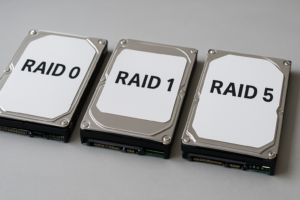
Something to keep in mind: drive reliability in RAID arrays depends heavily on your setup. Running drives too hot, using an underpowered enclosure, or choosing the wrong RAID level can negate any quality advantage. If you’re new to building RAID arrays, understanding the differences between RAID 0 and RAID 1 is essential before you commit to a drive purchase.
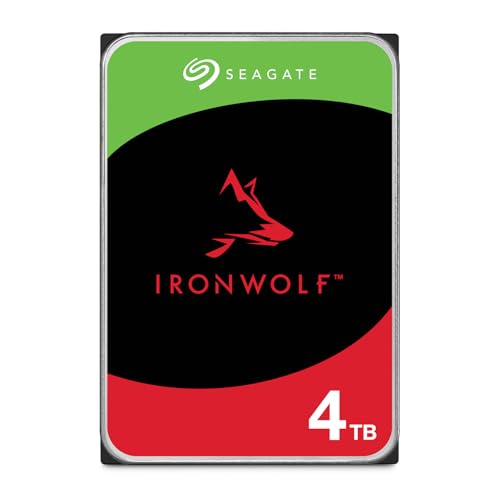
Seagate IronWolf 4TB NAS Hard Drive
Built-in RV sensors at every capacity and excellent IronWolf Health Management integration with major NAS brands
Which Drive Should You Actually Buy?
After running both drives in various configurations, here’s my recommendation: for 4-bay and larger NAS setups, go with the Seagate IronWolf. The universal RV sensor inclusion across all capacities makes it the safer choice when vibration management is a factor. The IronWolf Health Management integration is also genuinely useful if you’re running a Synology or QNAP NAS, giving you early warnings that standard S.M.A.R.T. monitoring would miss.
For 1-to-2 bay NAS systems or tighter budgets, the WD Red Plus is an excellent pick. Vibration is less of a concern in smaller enclosures, and the CMR guarantee across the full lineup means you won’t run into the rebuild nightmares that plagued the older SMR-based WD Red drives. WD’s firmware tuning for NAS environments is mature and reliable.
For both drives, I’d recommend buying all your RAID drives at the same time, ideally from the same batch if possible. Mixing drive ages and firmware revisions in a RAID array can introduce inconsistencies that lead to problems during rebuilds. And once your array is up and running, make sure you’re also backing up to a separate location. RAID is not a backup strategy. Our guide on setting up automated backups to your NAS covers how to configure this properly.
If you’re still deciding between spinning drives and solid-state storage for your build, our SSD vs HDD comparison breaks down when each type makes sense. For pure NAS storage capacity, HDDs like the Red Plus and IronWolf still offer far more space per dollar.
Frequently Asked Questions
Can I mix WD Red Plus and Seagate IronWolf drives in the same RAID array?
Technically, yes. Most NAS operating systems (Synology DSM, TrueNAS, Unraid) will let you mix brands and even capacities in certain RAID configurations. However, it’s not recommended. Different drives have different performance characteristics, cache behaviors, and error recovery settings (TLER/ERC timing). Mixing drives can lead to inconsistent performance and complicate rebuilds. Stick with one brand and model for your entire array when possible.
Do I need the Pro versions (WD Red Pro or IronWolf Pro) for a home NAS?
For most home users, no. The standard WD Red Plus and IronWolf are rated for 180 TB/year workload and designed for 1-to-8 bay NAS systems. The Pro versions add higher workload ratings (300 TB/year), 5-year warranties, and faster spindle speeds (7200 RPM vs 5400/5640 RPM). Unless you’re running a multi-user business environment or a NAS with 8 or more bays, the standard versions will serve you well and cost less. The faster RPM on Pro models also generates more heat and noise, which matters in a home setting.
How long do NAS drives typically last in a RAID array?
Most NAS drives are rated for a mean time between failures (MTBF) of around 1 million hours, which translates to roughly 114 years of continuous operation on paper. In practice, real-world data shows that hard drives have a higher failure rate in the first year (infant mortality), then stabilize, and begin failing more frequently after the 3-to-5 year mark. Planning to replace drives proactively around the 4-to-5 year mark is a reasonable approach, especially in critical RAID arrays. Always keep a cold spare on hand so you can rebuild quickly if a drive fails. If you ever need to retire or repurpose an old drive, make sure you securely wipe it before selling or disposing of it.
This article contains affiliate links. We may earn a small commission at no extra cost to you.

James Kennedy is a writer and product researcher at Drives Hero with a background in IT administration and consulting. He has hands-on experience with storage, networking, and system performance, and regularly improves and optimizes his home networking setup.