NAS vs External SSD for Creative Workflows
If you’re editing video, working with RAW photos, or producing music, your storage setup can either keep you in the flow or bring your entire session to a crawl. The two most popular options for creative professionals right now are a NAS (network-attached storage) with a fast network connection and a direct-attached external SSD over Thunderbolt. Both can work brilliantly, but they solve different problems.
I’ve spent time with both setups in real editing environments, and the right choice depends on how you work, whether you collaborate, and how much data you’re juggling. Here’s how they actually compare.
Speed: 10GbE NAS vs. Thunderbolt SSD
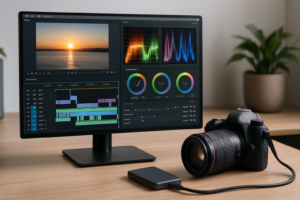
This is where most people start, and the numbers tell a clear story. A Thunderbolt 3 or 4 external NVMe SSD like the Samsung T9 or SanDisk Professional PRO-BLADE Transport can deliver sequential read speeds of 2,000 MB/s or more. That’s fast enough to edit 8K RAW footage directly from the drive without proxy files.
A 10GbE NAS, by contrast, tops out at a theoretical 1,250 MB/s, and real-world throughput with a well-configured Synology DS1522+ or QNAP TS-464 typically lands between 400 and 900 MB/s depending on your RAID configuration, number of drives, and network overhead. That’s still plenty for 4K ProRes and most multi-track audio work, but it can’t match Thunderbolt for the heaviest codecs.

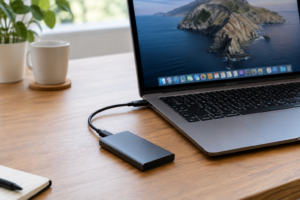
Samsung T9 4TB Portable SSD
Blazing Thunderbolt speeds up to 2,000 MB/s, ideal for editing directly from the drive
If you’re a solo editor and raw speed is your top priority, a Thunderbolt SSD wins this round convincingly. For more context on the SSD form factors that affect these speeds, take a look at our M.2 vs. 2.5-inch SSD comparison.
Collaboration and Multi-User Access
Speed isn’t everything. If you work with a team, even a small one, a NAS becomes dramatically more useful. Multiple editors can access the same project files simultaneously without swapping drives around. A Thunderbolt SSD is physically tied to one machine at a time.
A properly configured NAS with 10GbE and SSD caching can serve two or three editors working on 4K timelines without anyone waiting on file transfers. Pair it with the right RAID configuration and you get both speed and redundancy. If you’re new to this kind of setup, our NAS setup guide for beginners walks through the basics.
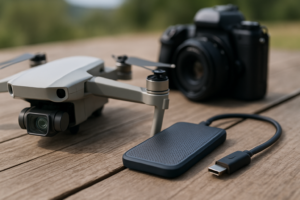
For solo creators who occasionally hand off projects, a portable SSD is more practical. You can physically give the drive to a client or collaborator. Our roundup of the best portable SSDs for travel covers the most durable options for that kind of workflow.
Archiving and Long-Term Storage
Creative work generates enormous amounts of data over time, and this is where a NAS pulls ahead for most people. You can fill a 4-bay NAS with large-capacity HDDs and store 40TB or more for a fraction of the per-terabyte cost of SSDs. Adding drives as your archive grows is simple, and features like automated backups and snapshot protection keep your work safe. We covered this cost angle in our cloud backup vs. local NAS cost comparison.
External SSDs, on the other hand, are best used as active working drives rather than deep archives. SSD capacity per dollar still lags well behind traditional hard drives, and managing a collection of loose portable SSDs gets messy fast. Keep your SSD for current projects, then move finished work to a NAS or dedicated archive drive.

Synology DS1522+ NAS Enclosure
Excellent 5-bay NAS with 10GbE expansion support, perfect for creative teams and archiving
My Recommendation
For most creative professionals, the answer isn’t either/or. Use a Thunderbolt SSD as your active project drive for maximum editing speed, and keep a NAS as your central hub for collaboration, backup, and archiving. This two-tier approach gives you the best of both worlds.
If you absolutely have to pick one and you work alone, go with a high-capacity Thunderbolt SSD. If you work with a team or manage large archives, invest in a 10GbE NAS first. And keep in mind that SSDs can lose performance over time without maintenance. Our guide on why SSDs slow down and how to fix it is worth bookmarking.
FAQ
Can I edit 4K video directly from a NAS?
Yes, but you’ll need at least a 10GbE connection between your NAS and your editing workstation. A standard 1GbE connection maxes out at roughly 125 MB/s, which isn’t enough for most professional 4K codecs. With 10GbE and a multi-drive RAID setup, you can comfortably edit 4K ProRes and DNxHR. For heavier formats like 8K RAW, a direct-attached Thunderbolt SSD is the safer bet.
Is a Thunderbolt SSD reliable enough for long-term storage?
Modern SSDs are very reliable for active use, but they aren’t ideal as your sole long-term archive. Flash memory can lose data if left unpowered for extended periods, and the cost per terabyte is significantly higher than hard drives. Use a Thunderbolt SSD for projects you’re actively working on, and back up completed work to a NAS or cloud storage. For more detail on longevity expectations, check our deep dive into SSD lifespan and real-world durability.
This article contains affiliate links. We may earn a small commission at no extra cost to you.

James Kennedy is a writer and product researcher at Drives Hero with a background in IT administration and consulting. He has hands-on experience with storage, networking, and system performance, and regularly improves and optimizes his home networking setup.