Best NAS Drives for Home and Small Business in 2026
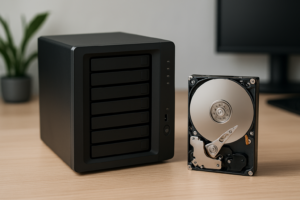
A NAS drive isn’t just any hard drive with a different label. These drives are built to run 24/7, handle multi-user access, and survive the constant vibration of sitting next to other spinning disks in an enclosure. Put a standard desktop drive in your NAS, and you’re rolling the dice on early failure, data corruption, and headaches you don’t need.
If you’re building a home NAS or upgrading storage for a small office, the three names you’ll keep seeing are WD Red Pro, Seagate IronWolf, and Synology HAT. I’ve compared all three across the specs that actually matter for NAS use: endurance, vibration handling, and warranty coverage.
The Three Best NAS Drives in 2026
WD Red Pro (WD221KFGX, up to 22TB)
The WD Red Pro has been a favorite among NAS builders for years, and the current generation continues to deliver. These drives are rated for workloads up to 550 TB/year, which is more than enough for most home and small business setups. They use a multi-axis shock sensor to handle vibration from neighboring drives, and WD backs them with a 5-year limited warranty.
The Red Pro line supports up to 24-bay enclosures, making it a solid choice if you plan to scale up over time. Sustained transfer speeds sit around 272 MB/s on the larger capacity models. For a home media server, surveillance system, or small business file server, these drives hit a sweet spot between performance and reliability.

WD Red Pro 8TB NAS Hard Drive
Excellent endurance rating and 5-year warranty, ideal for multi-bay NAS setups
Seagate IronWolf (ST8000VN004, up to 20TB)
Seagate’s IronWolf line is the direct competitor to the Red Pro, and it holds its own. The standout feature here is Seagate’s AgileArray technology, which includes rotational vibration (RV) sensors on models 4TB and above. These sensors help maintain performance when multiple drives are spinning in the same enclosure, which is critical in a 4+ bay NAS.
Standard IronWolf drives are rated for 180 TB/year workload and carry a 3-year warranty. If you want to step up, the IronWolf Pro bumps that to 550 TB/year and a 5-year warranty, matching the WD Red Pro. The standard IronWolf is a great fit for home users who don’t need enterprise-level endurance but still want a drive purpose-built for always-on storage. Also included is three years of Seagate Rescue Data Recovery Services, a genuinely useful perk if something goes wrong.

Seagate IronWolf 8TB NAS Hard Drive
Includes built-in RV sensors and Rescue Data Recovery Services for added protection
Synology HAT5300 and HAT5310
Synology entered the NAS drive market with their HAT5300 series, and they’ve since expanded with the HAT5310. These are essentially Toshiba enterprise-grade drives that Synology has validated and firmware-tuned specifically for their own NAS units. They offer a workload rating of 550 TB/year and a 5-year warranty.
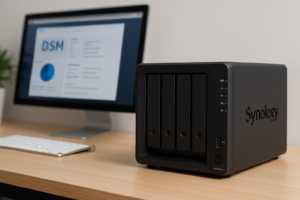
If you’re running a Synology NAS, the HAT5310 series gives you the tightest integration. Synology’s DiskStation Manager can pull detailed health data directly from these drives, giving you more granular monitoring than you’d get with third-party disks. The downside is availability and pricing. You can check current pricing on Amazon, but they tend to be positioned at the premium end of the market.
Quick Comparison: Endurance, Vibration, and Warranty
- WD Red Pro: 550 TB/year workload, multi-axis shock sensor, 5-year warranty, up to 24-bay support
- Seagate IronWolf (standard): 180 TB/year workload, RV sensors (4TB+), 3-year warranty + Rescue Data Recovery
- Seagate IronWolf Pro: 550 TB/year workload, RV sensors, 5-year warranty + Rescue Data Recovery
- Synology HAT5310: 550 TB/year workload, vibration-optimized firmware, 5-year warranty, best integration with Synology NAS
For vibration resistance specifically, all three brands include some form of RV sensing on their higher-capacity models. In multi-bay enclosures with four or more drives, this feature makes a measurable difference in sustained performance and long-term reliability. If you’re only running a 2-bay NAS, vibration is less of a concern, but the drives’ other NAS-specific features (error recovery controls, power management tuning) still make them a better pick than desktop drives.
My Recommendation
For most home users running a 2 to 4-bay NAS, the standard Seagate IronWolf offers the best value. The included data recovery service is a genuine safety net, and 180 TB/year is plenty for home media streaming, backups, and light file sharing. Once you’ve got your drives installed, make sure to set up automated backups so your data is actually protected.
For small businesses or anyone running a 4+ bay enclosure with heavier workloads, the WD Red Pro is my pick. The 550 TB/year rating, 5-year warranty, and broad NAS compatibility make it the most versatile option. And if you’re still debating whether a local NAS or cloud storage makes more sense for your situation, our cost comparison between cloud backup and local NAS breaks that decision down in detail.
Synology HAT drives are worth the premium only if you’re already committed to the Synology ecosystem and want the tightest possible integration. For everyone else, WD and Seagate deliver equal or better performance at more competitive price points.
Whichever drive you choose, make sure you understand your RAID configuration options before you start building. The right RAID level matters just as much as the drives you put in it.
Frequently Asked Questions
Can I use a regular desktop hard drive in my NAS?
Technically yes, but it’s a bad idea for anything beyond short-term or non-critical use. Desktop drives lack the firmware tuning for 24/7 operation, don’t include vibration sensors, and often have aggressive error recovery settings that can cause RAID controllers to drop them from an array. NAS-rated drives like the James Kennedy is a writer and product researcher at Drives Hero with a background in IT administration and consulting. He has hands-on experience with storage, networking, and system performance, and regularly improves and optimizes his home networking setup.