The Best Budget SSDs for Large Game Libraries
Modern games are enormous. Call of Duty: Modern Warfare III can eat over 200GB. Baldur’s Gate 3, Starfield, and Final Fantasy XVI all demand significant chunks of storage. If you’ve got a library of 20 or more AAA titles, a 1TB SSD fills up before you’ve barely scratched the surface. You need 2TB at minimum, and honestly, 4TB is starting to make a lot more sense for serious collectors.
The good thing is that high-capacity SSDs have dropped to prices that would’ve seemed absurd two years ago. The price per terabyte on 2TB and 4TB models keeps falling, and there are now genuinely affordable options that don’t sacrifice the performance your games need. I’ve spent weeks comparing the best budget-friendly, high-capacity SSDs specifically for gamers who refuse to constantly uninstall and reinstall titles. Here are the ones worth your money.
Why Capacity Matters More Than Peak Speed for Gaming
Before we get into specific drives, let’s clear something up: for gaming, capacity and consistent read speeds matter far more than the sequential speed numbers on the box. A 7,000 MB/s Gen4 NVMe drive won’t load your games noticeably faster than a solid 5,000 MB/s drive. We’re talking fractions of a second in most real-world scenarios. If you want a deeper look at how interface speeds actually affect game loading, check out our real-world comparison of SATA vs NVMe SSDs for gaming.
What this means for budget shoppers is liberating: you don’t need the fastest, most expensive NVMe drive on the market. A mid-tier Gen4 or even a Gen3 NVMe drive at 2TB or 4TB will serve your gaming library beautifully. Spend your money on more gigabytes, not more megabytes per second.
The metric you should be optimizing for is price per terabyte. A 2TB drive that’s competitively priced per TB is always a better investment than buying two separate 1TB drives. You save an M.2 slot, keep things tidy, and usually get a better overall deal.
Best Overall Budget Pick: WD Blue SN580 2TB
The WD Blue SN580 2TB hits a sweet spot that’s hard to beat for gamers on a budget. It’s a Gen4 NVMe drive with sequential reads up to 4,150 MB/s, which is more than enough for gaming and general use. It runs cool, uses a DRAM-less HMB (Host Memory Buffer) design that keeps costs down without tanking real-world performance, and Western Digital’s reliability track record is solid.
Random read IOPS, which matter more than sequential speeds for game loading, are strong on this drive. You won’t notice any meaningful difference in load times compared to drives costing significantly more. The SN580 also sips power, which is a nice bonus for laptop gamers.
For the vast majority of gamers building a budget-friendly high-capacity setup, this is where I’d start. It consistently offers one of the lowest price-per-TB ratios in the Gen4 NVMe category.

WD Blue SN580 2TB NVMe SSD
Best overall value for gamers who need 2TB of fast Gen4 NVMe storage without overspending.
Best 4TB Option: Crucial P3 Plus 4TB
If 2TB still isn’t enough (and with modern game sizes, it might not be), the Crucial P3 Plus 4TB deserves serious consideration. This is a Gen4 NVMe drive with sequential reads up to 4,800 MB/s, and at 4TB, it can hold roughly 30 to 50 major AAA games depending on their size.
The P3 Plus uses QLC NAND, which means write speeds can slow down during sustained large file transfers once the SLC cache is exhausted. For gaming, this rarely matters. You’re mostly reading data, not writing it in sustained bursts. Game installations might take slightly longer compared to a TLC-based drive, but once your games are installed, you won’t feel any difference during play.
Crucial’s 4TB pricing per terabyte often undercuts nearly everything else at this capacity, making it the go-to for gamers who want to install everything and forget about storage management entirely.

Crucial P3 Plus 4TB NVMe SSD
The most affordable way to get 4TB of NVMe storage for a massive game library.
Best for SATA Setups: Samsung 870 EVO 2TB
Not every system has a free M.2 slot. If you’re adding storage to an older gaming PC or filling a 2.5-inch bay, the Samsung 870 EVO 2TB remains one of the best 2.5-inch SATA SSDs you can buy. It maxes out at around 560 MB/s (the SATA interface ceiling), which is dramatically faster than any hard drive and still plenty quick for loading games.
The 870 EVO uses Samsung’s proven V-NAND TLC technology with a proper DRAM cache, giving it excellent sustained write performance and longevity. Samsung rates it for 1,200 TBW (terabytes written) at the 2TB capacity, which is far more endurance than any gamer will realistically need. If you’re curious about how long SSDs typically last under real-world usage, we’ve covered that in detail in our SSD lifespan data analysis.
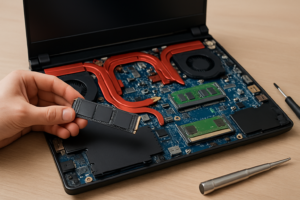
The 870 EVO is also a great choice if you’re upgrading a laptop from an HDD to an SSD. You can clone your existing hard drive to it and enjoy dramatically faster boot times and game loads. For understanding whether a SATA or NVMe drive makes more sense for your specific setup, our M.2 vs 2.5-inch SSD form factor guide breaks down the differences.
Other Strong Contenders Worth Considering
Kingston NV2 2TB
The Kingston NV2 2TB is one of the most affordable Gen4 NVMe drives available. It offers sequential reads up to 3,500 MB/s, and while it’s a DRAM-less design without the strongest sustained write performance, it’s perfectly fine as a game storage drive. Kingston is transparent about this being a budget offering, and it delivers exactly what you’d expect: cheap, fast-enough NVMe storage in bulk.
One caveat: Kingston uses varying NAND suppliers for the NV2, meaning performance can vary slightly between batches. For a pure game storage drive where you’re mostly reading data, this inconsistency is a non-issue. For a boot drive or heavy workstation use, I’d look elsewhere.
Teamgroup MP34 2TB
The Teamgroup MP34 2TB is a Gen3 NVMe option that still holds its own for gaming. With reads around 3,500 MB/s and a DRAM cache, it’s a solid performer. Gen3 bandwidth is completely adequate for game loading, and the MP34 sometimes offers exceptional value during sales. Keep an eye on our Black Friday SSD deals roundup for seasonal discounts on drives like this one.
ADATA Legend 800 2TB
The ADATA Legend 800 2TB slots into the budget Gen4 category with reads up to 3,500 MB/s. It includes a basic heat spreader and runs efficiently enough for most builds. ADATA’s warranty and support are decent, and this drive frequently pops up at very competitive pricing, making it a solid alternative if the WD Blue SN580 or Kingston NV2 aren’t available.

ADATA Legend 800 2TB NVMe SSD
A reliable Gen4 NVMe option that frequently offers strong price-per-TB value.
QLC vs TLC NAND: Does It Matter for Gaming?
You’ll see a lot of debate about QLC (Quad-Level Cell) versus TLC (Triple-Level Cell) NAND in SSD discussions. Here’s the practical summary for gamers: QLC is fine for game storage. The main downside of QLC is slower sustained write speeds and lower endurance ratings. Neither of these matters much for a drive that primarily holds games.
When you install a game, yes, there’s a sustained write operation. QLC drives with SLC caching handle this perfectly well for the kind of writes gaming involves. You’re not doing database workloads or editing 8K video on your game drive. You’re installing a 100GB game once and then reading from it hundreds of times.
TLC drives like the Samsung 870 EVO and Teamgroup MP34 do offer better sustained write speeds and higher endurance. If you also use the drive for content creation, frequent large file transfers, or as a boot drive alongside your games, TLC gives you more flexibility. But if it’s purely a game library drive, save the money and don’t stress about QLC.
Optimizing Your SSD for Long-Term Gaming Performance
Filling an SSD to the brim can hurt performance. Most SSDs start slowing down when they hit about 80 to 90 percent capacity, because the controller has less free space to work with for wear leveling and garbage collection. On a 2TB drive, try to keep at least 200GB free. On a 4TB drive, leave 300 to 400GB of breathing room.
If you’ve noticed your SSD isn’t as fast as it used to be, there are specific steps you can take to restore performance. We wrote an entire guide on why SSDs slow down over time and how to fix it, which covers TRIM commands, firmware updates, and other maintenance tips that keep your drive running well.
Another practical tip: use your NVMe SSD for games you’re currently playing and an older SATA SSD or even a hard drive for archived titles you’re not actively touching. Using an SSD and HDD together in one PC is a well-proven strategy that balances speed, capacity, and budget. Steam, Epic, and GOG Galaxy all let you set multiple library folders, making it easy to move games between drives as needed.
What About Console Gamers?
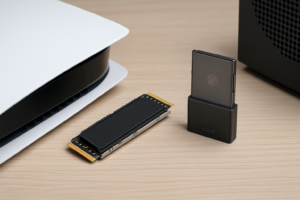
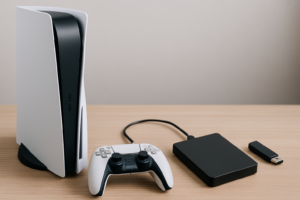
PS5 owners can use any Gen4 NVMe M.2 2230 or 2280 SSD in the expansion slot. The WD Blue SN580 2TB works perfectly here and is one of the best value options for expanding PS5 storage. Just make sure you get a heatsink (the PS5 bay accommodates standard M.2 heatsinks) and that the drive is 2280 form factor, which all the NVMe drives recommended above are.
Xbox Series X|S is trickier. Microsoft uses a proprietary Expansion Card slot, so standard M.2 drives won’t work for playing Series X|S optimized games. You’ll need the Seagate Storage Expansion Card for Xbox, which now comes in 2TB. It’s pricier per terabyte than standard M.2 drives, but it’s your only option for native Xbox storage expansion. You can, however, use any external USB SSD to store (but not play) Series X|S games and play older backward-compatible titles.
Frequently Asked Questions
Is 2TB enough for a gaming SSD, or should I go for 4TB?
For most gamers, 2TB is a comfortable sweet spot. It holds roughly 15 to 25 major AAA games plus your operating system and apps. If you regularly keep 30 or more large titles installed, or if you play games with massive install sizes like Call of Duty or flight simulators, 4TB gives you room to grow without constantly managing space. Check current pricing on both capacities, because the 4TB options are getting more affordable rapidly. We also break down the 1TB versus 2TB decision in our capacity comparison guide.
Do I need a Gen4 NVMe SSD, or is Gen3 fine for gaming?
Gen3 is perfectly fine for gaming. The difference in game load times between a Gen3 NVMe drive (around 3,500 MB/s reads) and a Gen4 drive (5,000+ MB/s) is typically under two seconds, and often less than one. Windows DirectStorage may eventually widen this gap, but as of now, Gen3 NVMe remains excellent for game storage. The only exception is PS5, which requires Gen4.
Will a budget SSD wear out faster if I constantly install and uninstall games?
Practically speaking, no. Even budget 2TB SSDs typically come with endurance ratings of 400 to 1,200 TBW. If you installed and deleted a 100GB game every single day, it would take over a decade to reach 400 TBW. Normal gaming usage, including regular installs and updates, puts very mild write stress on any modern SSD.
Should I use my budget SSD as both a boot drive and game drive?
You can, and many gamers do. A single 2TB or 4TB NVMe drive as your only drive keeps things simple. Just be aware that your OS, applications, and game library will all compete for space. If you prefer separating concerns, a smaller NVMe boot drive (500GB or 1TB) paired with a large budget SSD for games is an excellent setup. This also makes it easier if you ever need to reinstall Windows without touching your game library.
This article contains affiliate

James Kennedy is a writer and product researcher at Drives Hero with a background in IT administration and consulting. He has hands-on experience with storage, networking, and system performance, and regularly improves and optimizes his home networking setup.