TBW, DWPD, and SSD Endurance Ratings: How Long Will Your SSD Last?
You’re shopping for an SSD, and the spec sheet hits you with numbers like “600 TBW” or “0.3 DWPD.” These figures are supposed to tell you how long the drive will last, but they might as well be written in hieroglyphics if nobody explains what they actually mean. Even worse, some shoppers skip over these specs entirely and end up worrying about their SSD dying prematurely.
Here’s the good news: once you understand what TBW and DWPD mean, you can quickly figure out whether any SSD will outlast your needs. And spoiler alert: for most people, modern SSDs will last far longer than you’d ever expect. Let’s break down exactly how these endurance ratings work and what they mean for your daily use.
What TBW and DWPD Actually Mean
TBW stands for Terabytes Written. It represents the total amount of data you can write to the SSD over its entire lifetime before the manufacturer expects the flash memory cells to start wearing out. A 1TB SSD rated at 600 TBW means you can write 600 terabytes of data to that drive before it reaches the end of its rated endurance.
DWPD stands for Drive Writes Per Day. This metric tells you how many times you can completely overwrite the entire capacity of the drive every day for its warranty period (usually 3 or 5 years). A 1TB SSD with a 0.3 DWPD rating over a 5-year warranty means you can write roughly 300GB per day, every single day, for five years straight.
Both metrics measure the same thing (write endurance) from different angles. TBW gives you the absolute total, while DWPD puts it in a daily context. Enterprise drives tend to use DWPD because servers write data constantly, while consumer drives favor TBW because it’s easier to grasp for everyday users.
How to Calculate Your SSD’s Expected Lifespan
Here’s a simple formula to estimate how many years your SSD will last based on its TBW rating:
Estimated Lifespan (years) = TBW rating ÷ (daily writes in TB × 365)
The average consumer writes between 10GB and 35GB per day. If you’re browsing the web, working in Office documents, and doing some light photo editing, you’re probably closer to 10-20GB per day. Gamers who frequently install and uninstall large titles might hit 20-30GB. Video editors working with 4K footage can push 40-80GB or more on heavy production days.
Let’s run a real example. Take the Samsung 870 EVO 1TB, which carries a 600 TBW rating. If you write 30GB per day (a fairly heavy consumer workload):
- 600 TBW ÷ (0.03 TB/day × 365 days/year) = 54.8 years
That’s not a typo. Even at 30GB per day, you’d need nearly 55 years to exhaust the write endurance on a mainstream 1TB SSD. For someone writing a more typical 15GB per day, that number doubles to over 100 years.

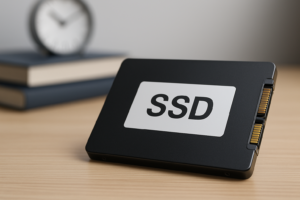
Samsung 870 EVO 1TB SSD
A mainstream SATA SSD with a generous 600 TBW endurance rating that will outlast most users by decades
For a deeper look at real-world failure rates and longevity data, check out our analysis of how long SSDs actually last based on collected data. The numbers might surprise you.
Why NAND Type Matters for Endurance
Not all flash memory is created equal. The type of NAND flash in your SSD directly impacts how many write cycles each cell can endure before wearing out.
- SLC (Single-Level Cell): ~100,000 write cycles per cell. Found in enterprise and industrial drives. Extremely durable, extremely expensive.
- MLC (Multi-Level Cell): ~10,000 write cycles. Mostly phased out of consumer drives but still used in some enterprise products.
- TLC (Triple-Level Cell): ~3,000-5,000 write cycles. The sweet spot for most consumer SSDs today. Used in popular drives like the Samsung 870 EVO and WD Blue SN580.
- QLC (Quad-Level Cell): ~1,000 write cycles. Found in budget and high-capacity drives. Lower endurance per cell, but manufacturers compensate with over-provisioning and smarter controllers.
Those per-cell numbers might make QLC sound concerning, but modern SSD controllers use wear-leveling algorithms to distribute writes evenly across all cells. This is why even a QLC drive like the Samsung 870 QVO still carries a TBW rating that far exceeds typical consumer use. If you’re curious about how different SSD technologies compare to traditional spinning drives, our SSD vs HDD comparison covers the practical differences.
Endurance Ratings Across Popular SSDs
To put things in perspective, here’s how TBW ratings stack up across some well-known drives at the 1TB capacity:
- Samsung 990 Pro 1TB (NVMe, TLC): 600 TBW
- WD Black SN850X 1TB (NVMe, TLC): 600 TBW
- Crucial T500 1TB (NVMe, TLC): 600 TBW
- Samsung 870 EVO 1TB (SATA, TLC): 600 TBW
- Samsung 870 QVO 1TB (SATA, QLC): 360 TBW
- Crucial BX500 1TB (SATA, QLC): 360 TBW
Notice that TBW ratings scale with capacity. A 2TB version of the same drive typically carries double the TBW of its 1TB sibling. This makes sense since there are more NAND cells available to share the wear. If you’re debating between capacities, our guide on choosing between 1TB and 2TB SSDs breaks down the practical tradeoffs.

Samsung 990 Pro 1TB NVMe SSD
A top-tier NVMe drive with excellent endurance and speed for power users and content creators
When Endurance Actually Matters (and When It Doesn’t)
For the vast majority of people using an SSD as a boot drive, gaming drive, or general-purpose storage, endurance will never be a factor. Your SSD’s TBW rating will outlive the rest of your computer by a wide margin. Most consumer SSDs will fail from other causes (controller failure, power surge, or simple obsolescence) long before the NAND wears out.
Endurance becomes a real consideration in these specific scenarios:
- Database servers that write and rewrite data continuously, 24/7
- Video surveillance systems (like NAS setups) that overwrite footage in loops
- Heavy video production with constant rendering, transcoding, and scratch disk usage
- Chia farming or cryptocurrency plotting that hammers drives with massive sequential writes
If you fall into one of those categories, look for drives with DWPD ratings of 1.0 or higher, or consumer drives with exceptionally high TBW numbers. Enterprise SSDs from brands like Intel/Solidigm and Samsung’s PM/PM series are built for exactly this kind of punishment.
For everyone else, pick your SSD based on speed, capacity, and price. The endurance will take care of itself. And if you notice your SSD performing worse over time, the cause is almost certainly unrelated to cell wear. Write amplification, a full drive, or TRIM issues are far more common culprits, and most of them are fixable. Our guide on why SSDs slow down and how to fix them walks through each solution.
How to Monitor Your SSD’s Health
You don’t have to guess how much endurance your SSD has left. Every modern SSD tracks its total data written and reports health status through S.M.A.R.T. (Self-Monitoring, Analysis and Reporting Technology) data.
Free tools that can show you this information include:
- CrystalDiskInfo (Windows): Shows total data written, temperature, and health percentage
- Samsung Magician: For Samsung drives specifically, with detailed health metrics
- WD Dashboard: For Western Digital drives, with similar reporting
- Disk Utility (macOS): Provides basic S.M.A.R.T. status
Check your total data written once or twice a year. Compare it to your drive’s TBW rating, and you’ll have a clear picture of how much life remains. Most people are shocked at how little they’ve actually written, even after years of use.

Crucial T500 1TB NVMe SSD
Excellent Gen4 NVMe performance with 600 TBW endurance at a competitive price point
Frequently Asked Questions
Can an SSD last 10 years with normal use?
Absolutely. Most modern consumer SSDs with TLC NAND are rated for endurance levels that translate to decades of typical use. A 1TB drive rated at 600 TBW would last over 50 years at 30GB of writes per day. The more realistic limit on SSD lifespan is component failure or technological obsolescence rather than NAND wear. A quality drive from Samsung, Western Digital, or Crucial should comfortably serve you for 10 years or more under normal conditions.
Does reading data from an SSD wear it out?
No. TBW and DWPD ratings only measure write endurance. Reading data from an SSD causes essentially zero wear on the NAND cells. This is why SSDs are perfect for read-heavy tasks like booting your operating system, loading games, or accessing large media libraries. Only write operations degrade the flash memory over time, and even then, modern wear-leveling ensures the degradation is spread evenly across all cells.

James Kennedy is a writer and product researcher at Drives Hero with a background in IT administration and consulting. He has hands-on experience with storage, networking, and system performance, and regularly improves and optimizes his home networking setup.