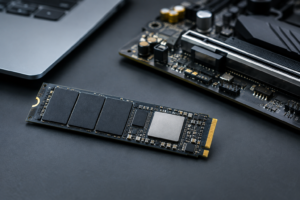
TLC vs QLC SSD List
Not all “TLC” or “QLC” drives are created equal, and the spec sheet rarely tells you the whole story. Two SSDs with the same capacity and the same NAND type can still have completely different controllers, different DRAM configurations, and wildly different endurance ratings. This page is built as a quick lookup so you can check what’s actually inside a drive before you buy it, rather than relying on marketing copy.
If you want the short version of why this even matters, TLC (Triple-Level Cell) stores 3 bits per cell and generally offers better endurance and sustained write performance. QLC (Quad-Level Cell) packs in 4 bits per cell, which lowers cost per gigabyte but usually means lower TBW ratings and slower performance once the cache runs out. The video below covers the practical differences in more depth.
TLC SSD List: Verified Specs
These are TLC drives with confirmed controller and NAND details. Pay attention to how TBW scales with capacity, since it’s rarely a simple multiplication.
Samsung 990 Pro
- Controller: Samsung Pablo (in-house)
- NAND: Samsung 176-layer V-NAND TLC
- DRAM: Yes, dedicated LPDDR4
- Interface: PCIe 4.0 x4, NVMe 2.0
- TBW: 1TB rated at 600TBW, 2TB at 1200TBW, 4TB at 2400TBW
- Warranty: 5 years
This is one of the more consistent lines Samsung makes. All capacities use the same controller and NAND generation, so you’re not gambling on which revision you get.
Samsung 990 Pro SSD
Consistent TLC hardware across capacities with class-leading endurance for a consumer NVMe drive.
WD Black SN850X
- Controller: Western Digital in-house
- NAND: Kioxia/WD BiCS5 112-layer TLC
- DRAM: Yes, dedicated DRAM on all capacities
- Interface: PCIe Gen4 x4, NVMe
- TBW: 300TBW at 512GB, 600TBW at 1TB, 1200TBW at 2TB, 2400TBW at 4TB
- Warranty: 5 years
If you’re weighing this against WD’s cheaper drives, the difference in NAND and controller is worth understanding before you buy. We break that comparison down in more detail in our WD Black SN770 vs SN850X specs comparison, and if you’re deciding between WD and Samsung more broadly, our WD Black vs Samsung SSD guide covers that head to head.
Kingston KC3000
- Controller: Phison E18
- NAND: Micron 176-layer TLC
- DRAM: Yes, DDR4 cache
- Interface: PCIe 4.0 x4, NVMe
- TBW: 400TBW at 512GB, 800TBW at 1TB, 1600TBW at 2TB, 3200TBW at 4TB
- Warranty: 5 years
Crucial MX500 (SATA)
- Controller: Silicon Motion SM2259
- NAND: Micron 3D TLC, though Crucial shifted from 64-layer to 96-layer NAND partway through production without changing the model name
- DRAM: Yes, on all capacities
- Interface: SATA III
- TBW: 100TBW at 250GB, 180TBW at 500GB, 360TBW at 1TB, 700TBW at 2TB, 1000TBW at 4TB
- Warranty: 5 years
The MX500 is a good example of why “same model, same specs” isn’t always true. If you’re still comparing SATA against newer interfaces for a laptop build, our 512GB NVMe SSD vs 512GB SSD comparison is a useful starting point.
QLC SSD List: Verified Specs
QLC drives trade some endurance and sustained speed for lower cost per terabyte. That’s a fine trade for bulk storage or light desktop use, but it matters more for anyone doing heavy writes.
Samsung 870 QVO (SATA)
- Controller: Samsung MJX
- NAND: Samsung QLC V-NAND
- DRAM: Yes, on all capacities
- Interface: SATA III
- TBW: 360TBW at 1TB, 720TBW at 2TB, 1440TBW at 4TB, 2880TBW at 8TB
- Warranty: 3 years
Notice the shorter warranty compared to the TLC 870 EVO, even though both drives keep DRAM at every capacity. That’s the QLC endurance trade-off showing up directly in the warranty terms.
Crucial P3 and P3 Plus
- Controller: Phison E21T on most capacities, though Crucial has used Silicon Motion SM2267XT silicon in some P3 (non-Plus) units, so the controller isn’t guaranteed to match across every batch
- NAND: Micron QLC
- DRAM: None. Both lines rely on Host Memory Buffer (HMB) instead of dedicated DRAM
- Interface: P3 runs PCIe 3.0 x4, P3 Plus runs PCIe 4.0 x4
- TBW: Roughly 220TBW at 1TB, 440TBW at 2TB, 800TBW at 4TB for the standard P3
- Warranty: 5 years
This is a case where the “Plus” naming refers to interface speed, not NAND quality. Both are DRAM-less, so don’t assume the Plus version added a memory chip.
Sabrent Rocket Q
- Controller: Varies by capacity, with Sabrent using Phison E12S on some SKUs and Silicon Motion controllers on others depending on manufacturing run
- NAND: QLC, sourced from Micron or Intel depending on batch
- DRAM: Present on larger capacities, thinner on smaller ones
- Interface: PCIe 3.0 x4, NVMe
- TBW: 400TBW at 1TB, 800TBW at 2TB, 1750TBW at 4TB, 3400TBW at 8TB
- Warranty: 5 years
Sabrent is one of the more transparent brands about component sourcing, but it also means you genuinely need to check the specific batch before assuming what’s inside.
Solidigm P41 Plus
- Controller: Solidigm in-house
- NAND: Solidigm 144-layer QLC
- DRAM: None, uses HMB
- Interface: PCIe 4.0 x4, NVMe
- TBW: 200TBW at 512GB, 400TBW at 1TB, 800TBW at 2TB
- Warranty: 5 years
Crucial P3 Plus SSD
A budget-friendly PCIe 4.0 QLC option that’s fine for everyday use, just don’t expect TLC-level endurance.
Why Capacity Matters More Than the Model Name
Manufacturers routinely change NAND generation, controller silicon, or DRAM presence between capacities of the “same” drive. Smaller capacities are the most common target for cuts since there’s less data to cache and less need for a big controller.
A 250GB drive in a lineup might drop DRAM entirely while the 1TB and 2TB versions keep it. A drive might ship with 512-layer NAND for a year, then quietly switch to a denser NAND generation once the original supply runs out, all under the same model number. This is exactly why we recommend checking the specific capacity you’re buying against the manufacturer’s current spec sheet, not just the general model page.
If you’re shopping for a laptop upgrade and trying to figure out what capacity actually makes sense for your workload, our guide on what 512GB SSD actually means on a laptop is a good companion read.
Which Should You Buy: TLC or QLC?
For a boot drive running your operating system and applications, TLC is the safer pick. The sustained write performance holds up better once you fill the SLC cache, and the endurance numbers give you more room before you need to worry about wear.
QLC makes sense for secondary storage: game libraries, media archives, or anything that’s mostly read rather than written. The Samsung 870 QVO and Crucial P3 Plus both fit that role well, and the cost savings are real. Just don’t put your primary OS drive on QLC if you can avoid it, especially in a machine that sees heavy day-to-day use.
If you’re weighing NVMe against SATA on top of the TLC vs QLC decision, our SATA vs NVMe SSD for gaming breakdown and our piece on whether NVMe is really faster than SATA SSDs both help narrow that down further.
WD Black SN850X NVMe SSD
Dedicated DRAM and TLC NAND across every capacity make this one of the more predictable high-endurance picks.
FAQ
Does DRAM-less mean a drive is bad?
Not automatically. DRAM-less drives that use Host Memory Buffer, like the Crucial P3 or Solidigm P41 Plus, borrow a slice of your system RAM to handle mapping tasks. It’s not as fast as dedicated DRAM under heavy sustained loads, but for typical desktop and laptop use it’s rarely noticeable.
Can I tell TLC from QLC just by looking at the price?
Roughly, yes. QLC drives are almost always cheaper per gigabyte than TLC drives at the same capacity and interface. But price alone won’t tell you the controller or whether DRAM is present, so it’s still worth checking the actual spec sheet, which is the whole point of this list.
Do TBW ratings actually matter for a normal user?
For most people, no drive on this list will get anywhere near its TBW limit during normal use over 5 years. TBW matters more if you’re doing constant large file transfers, video editing, or running a workload with heavy sustained writes. For general browsing and gaming, either TLC or QLC will comfortably outlast the rest of your system.
This article contains affiliate links. We may earn a small commission at no extra cost to you.

James Kennedy is a writer and product researcher at Drives Hero with a background in IT administration and consulting. He has hands-on experience with storage, networking, and system performance, and regularly improves and optimizes his home networking setup.