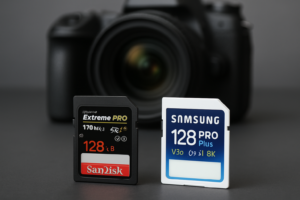
Best SD Cards for 4K and 8K Video Recording
Dropping frames during a shoot isn’t just frustrating. It can ruin an entire day of work. And nine times out of ten, the culprit isn’t your camera or your settings. It’s your SD card. When you’re recording 4K or 8K video, the data your camera produces is enormous, and your card needs to write that data continuously without stuttering. Choosing the wrong card means corrupted files, dropped frames, and the kind of headaches no videographer wants to deal with.
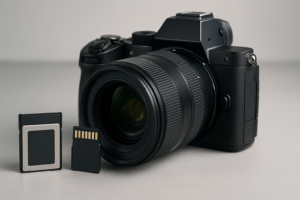
This guide covers the fastest and most reliable SD cards for serious video work. I’ll explain exactly which speed ratings matter, which cards deliver in real-world recording, and how to match the right card to your camera.
Understanding Speed Ratings for Video Recording
SD card marketing is full of big numbers that sound impressive but don’t always tell the full story. For video, the number that matters most is minimum sustained write speed, not peak speed. Your camera needs a card that can keep up with a constant stream of data, not one that writes fast in short bursts and then chokes.
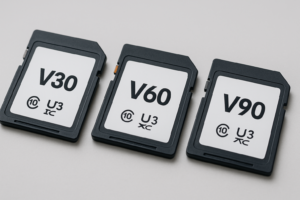
Here’s a quick breakdown of the ratings that actually matter for video:
- V30 (Video Speed Class 30): Minimum 30 MB/s sustained write. Adequate for 4K at lower bitrates (like many consumer cameras).
- V60 (Video Speed Class 60): Minimum 60 MB/s sustained write. Good for 4K at higher bitrates and some 4K 120fps modes.
- V90 (Video Speed Class 90): Minimum 90 MB/s sustained write. Required for 8K video and 4K ProRes/RAW recording.
The UHS Speed Class (U1, U3) and regular Speed Class (Class 10) ratings are older standards. They still show up on cards, but for modern video work, focus on the V rating. If your camera records 4K internally at ALL-I compression, you’ll want V60 at minimum. For 8K or high-bitrate codecs like ProRes, V90 is the safe bet.
Best V90 SD Cards for 8K and High-Bitrate 4K
V90 cards are the top tier for video recording. They guarantee at least 90 MB/s sustained writes, and the best ones significantly exceed that. These are the cards you need for cameras like the Canon EOS R5, Sony A7S III (using the SD slot), Nikon Z8, or any camera recording 8K or 4K in ProRes.
The Sony TOUGH SF-G series (V90) is my top recommendation. These cards are built to survive abuse, with a one-piece molded design that’s waterproof, dustproof, and bend-resistant. Sony rates them at up to 300 MB/s write speed, and real-world tests consistently show them holding above 250 MB/s sustained. If you’re shooting professionally and can’t afford a failed card on set, this is the one to buy.

Sony TOUGH SF-G V90 128GB SDXC
The most durable V90 card available with sustained write speeds well above 250 MB/s, ideal for 8K and 4K ProRes recording
The ProGrade Digital Cobalt V90 is another excellent choice. ProGrade was founded by former Lexar engineers, and their Cobalt line consistently tests near the top in sustained write benchmarks. These cards also come with a free refresh utility that helps maintain performance over time, which is a thoughtful addition for working professionals.
For a more widely available option, the Lexar Professional 2000x V90 delivers strong performance and is stocked at most major retailers. It supports up to 300 MB/s read and 260 MB/s write, making it reliable for high-bitrate recording across most professional cameras.
Best V60 SD Cards for Standard 4K Recording
Not every 4K workflow requires a V90 card. If you’re shooting 4K at standard bitrates (100-200 Mbps), using codecs like H.265 or Long GOP compression, a V60 card gives you plenty of headroom at a lower price point. These cards are a smart match for cameras like the Sony A7 IV, Canon EOS R6 II, Fujifilm X-T5, or Panasonic Lumix S5 II.
The SanDisk Extreme PRO SDXC UHS-II (V60) is probably the most popular SD card among videographers, and for good reason. It’s widely compatible, thoroughly tested across dozens of cameras, and offers reliable sustained writes around 130 MB/s. SanDisk also includes data recovery software, which is a nice safety net.

SanDisk Extreme PRO SDXC UHS-II V60 128GB
The most widely tested V60 card with excellent 4K compatibility across nearly every major camera brand
The Kingston Canvas React Plus V60 is a solid alternative that often flies under the radar. Kingston has stepped up its media card game in recent years, and the Canvas React Plus delivers consistent V60 performance with good thermal management during long recording sessions.
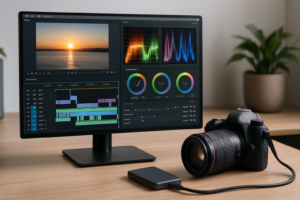
Once you’ve finished a shoot, you’ll want to transfer your footage to a fast editing drive. If you’re working on location, a portable SSD designed for travel can speed up your backup workflow significantly compared to transferring to a traditional hard drive. And for larger ongoing projects, consider setting up a dedicated external drive optimized for video editing.
Card Capacity: How Much Do You Actually Need?
Video eats storage fast. Here’s a rough guide for how long you can record on a 128GB card:
- 4K 30fps H.265 (100 Mbps): About 2.5 hours
- 4K 60fps H.265 (200 Mbps): About 1.25 hours
- 4K ProRes 422 HQ: About 20 to 25 minutes
- 8K RAW: About 10 to 15 minutes
For most shooters, 128GB is the sweet spot per card. It’s large enough for a solid shooting session but small enough that losing a single card doesn’t wipe out an entire day’s work. Many professionals carry multiple 128GB cards rather than one massive 512GB card, spreading their risk across several cards.
If you’re working with 8K or ProRes, 256GB cards give you more breathing room. Just remember that higher-capacity V90 cards carry a premium, so check current pricing on Amazon to see where the value sits for your budget.
Tips for Keeping Your SD Cards Healthy
Even the best SD card will let you down if you don’t treat it right. A few habits can save you from heartbreak:
- Format in-camera, not on your computer. Always format your SD card using the camera’s built-in formatting tool. This ensures the file system matches what the camera expects.
- Don’t delete individual files on the card. This fragments the storage and can reduce sustained write performance. Format the entire card after you’ve backed up your footage.
- Replace cards every 2-3 years of heavy use. Flash memory has a finite number of write cycles. Professional videographers shooting daily should rotate cards on a regular schedule. This is similar to how SSDs have a measurable lifespan based on total data written.
- Back up immediately. Always copy your footage to at least two locations before reformatting a card. A combination of local and cloud backup gives you the best protection against data loss.
- Use a UHS-II compatible reader. A slow card reader bottlenecks your transfer speeds. A good UHS-II reader can pull data off a V90 card at close to 300 MB/s, while a basic reader might cap out at 30 MB/s.
If you ever need to sell or repurpose an old SD card, make sure you securely wipe it first. A simple format doesn’t fully erase data from flash storage.
Frequently Asked Questions
Can I use a V30 card for 4K video?
It depends on the camera and codec. Many consumer cameras recording 4K at 100 Mbps or lower with H.265 compression will work fine with a V30 card. But if your camera uses higher bitrates, ALL-I compression, or 4K at 60fps, you’ll likely get buffer warnings or dropped frames. When in doubt, check your camera manufacturer’s recommended card list and lean toward V60 for reliable 4K recording.
Do I need a V90 card for every 4K camera?
No. V90 is overkill for most standard 4K recording. It’s specifically necessary for 8K video, 4K ProRes or RAW internal recording, and cameras with very high bitrate codecs (400 Mbps and above). If your camera records 4K using Long GOP compression at typical bitrates, a V60 card will serve you perfectly well and save you money.
Why does my SD card record fine at first but then stop during long takes?
This is a thermal throttling or write speed consistency issue. Some SD cards hit their rated speeds in short bursts but can’t sustain them during extended recording. The card’s internal cache fills up, and the actual write speed drops below what your camera requires. This is why minimum sustained write speed matters more than peak speed. Investing in a quality V60 or V90 card from a reputable brand solves this problem.

ProGrade Digital SDXC UHS-II V90 Cobalt 128GB
Designed by former Lexar engineers with a free refresh utility for maintaining long-term performance
This article contains affiliate links. We may earn a small commission at no extra cost to you.

James Kennedy is a writer and product researcher at Drives Hero with a background in IT administration and consulting. He has hands-on experience with storage, networking, and system performance, and regularly improves and optimizes his home networking setup.