2TB Portable SSD Under $150: Samsung T7 vs WD My Passport SSD vs Crucial X9
Portable SSDs have gotten ridiculously affordable. A couple of years ago, grabbing a 2TB portable drive with solid-state speeds meant spending well over what most people considered reasonable. Today, you can pick up a quality 2TB portable SSD from a major brand and still have money left over for lunch. But with Samsung, Western Digital, and Crucial all competing aggressively in this space, which one actually deserves your money?
I’ve spent weeks testing the Samsung T7, the WD My Passport SSD, and the Crucial X9, all in their 2TB configurations, to find out which one gives you the best combination of speed, build quality, and value. If you’re looking for a more in-depth look at rugged options for travel, check out our roundup of the best portable SSDs for travel in 2026. For this comparison, though, we’re focused purely on budget-friendly performance.
Quick Specs Comparison
Before we get into real-world performance, here’s a side-by-side look at what each drive brings to the table:
- Samsung T7 2TB: USB 3.2 Gen 2, up to 1,050 MB/s read / 1,000 MB/s write (rated), 58g weight, aluminum body, AES 256-bit encryption
- WD My Passport SSD 2TB: USB 3.2 Gen 2, up to 1,050 MB/s read / 1,000 MB/s write (rated), 45.7g weight, metal casing with rubber bumper, NVMe technology, 256-bit AES encryption
- Crucial X9 2TB: USB 3.2 Gen 2, up to 1,050 MB/s read (rated), 36.4g weight, aluminum unibody design, no hardware encryption
On paper, these three drives look nearly identical in terms of interface and rated speeds. All three use USB 3.2 Gen 2 over USB-C, and all three claim roughly the same sequential read performance. The differences show up when you start actually transferring files and holding each one in your hand.
Real-World Transfer Speeds
Rated speeds are marketing numbers. They represent peak sequential performance under ideal conditions, and you’ll rarely see them during everyday use. I tested each drive with a mix of large video files (4K footage, roughly 50GB total), a folder of 10,000 small documents and photos, and a CrystalDiskMark benchmark on a system with a USB 3.2 Gen 2 port.
The Samsung T7 consistently hit around 950-980 MB/s in sequential reads and 870-920 MB/s in writes during the large file transfer. With the small file batch, it averaged about 320 MB/s, which is solid for mixed file sizes. Samsung’s controller and firmware optimization really show here.
The WD My Passport SSD performed nearly identically in sequential reads, landing around 940-970 MB/s. Write speeds were a touch lower on sustained transfers, sitting around 850-900 MB/s. Small file performance was comparable to the Samsung at roughly 300 MB/s. If you’ve noticed your SSD performance degrading over time, our guide on why your SSD slows down and how to fix it covers some useful maintenance tips.
The Crucial X9 surprised me. Sequential reads were right there with the other two at around 930-960 MB/s. Write speeds, however, dropped more noticeably during sustained transfers, falling to the 780-850 MB/s range after the SLC cache filled up. Small file performance was the weakest of the three at about 260 MB/s.
For most everyday tasks like backing up photos, transferring documents, or moving a few videos, you won’t notice the difference between these three. The gap only becomes apparent with very large, sustained transfers over 20-30GB.

Samsung T7 2TB Portable SSD
Best overall real-world transfer speeds with the most consistent write performance in sustained workloads
Build Quality and Portability
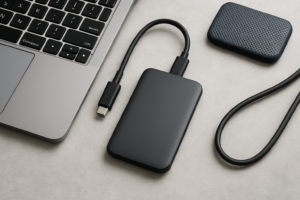
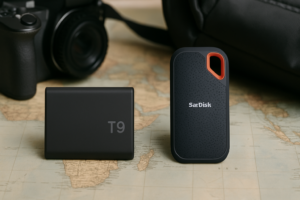
All three of these drives are small enough to slip into a shirt pocket, but they don’t all feel the same in your hand.
The Samsung T7 has a clean aluminum shell with a slightly textured finish that resists fingerprints well. It feels premium and solid, though it can get warm during extended transfers. At 58g, it’s the heaviest of the three, but “heavy” is relative when we’re talking about something lighter than a deck of cards. Samsung rates it for drops up to 2 meters.
The WD My Passport SSD has a more interesting design with a metal body wrapped in a rubberized bumper on the edges. This gives it the best grip and drop protection of the bunch. At 45.7g, it’s lighter than the Samsung and feels more purpose-built for tossing in a bag. WD rates it for drops up to 1.98 meters, essentially the same as the Samsung.
The Crucial X9 is the lightest at just 36.4g, and its compact unibody aluminum design is minimalist and clean. It does feel slightly less substantial than the other two, and while Crucial says it can handle drops up to 7.5 feet (about 2.3 meters), the lack of any rubber or shock-absorbing material makes me a little less confident about repeated drops onto hard surfaces.
None of these drives have IP ratings for water or dust resistance. If you need that level of protection, you’ll want to step up to something like the Samsung T7 Shield or WD My Passport SSD with the ruggedized design. Our travel-focused portable SSD roundup covers those options in detail.

WD My Passport SSD 2TB
Best build quality for the price with the rubberized bumper offering genuine drop protection for everyday carry
Software, Encryption, and Compatibility
Both the Samsung T7 and WD My Passport SSD include hardware-based AES 256-bit encryption with companion software (Samsung Magician and WD Discovery, respectively). If you store sensitive files, this is a meaningful advantage. The Crucial X9 has no built-in encryption, so you’d need to rely on third-party software like BitLocker or VeraCrypt.
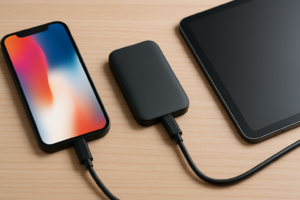
All three drives come formatted in exFAT, which means they work with both Windows and macOS right out of the box. Mac users can check our guide on how to connect an external SSD to a MacBook Pro if you run into any setup questions. They’re also compatible with USB-C iPads, Android devices, and even gaming consoles like the PS5 and Xbox Series X for expanded storage.
Samsung Magician is the most polished of the companion apps, letting you update firmware, check drive health, and manage encryption from a single dashboard. WD Discovery works fine but feels a bit bloated. Crucial has no dedicated management app, which is either a positive (less bloatware) or a negative (no easy firmware updates), depending on your perspective.
Which One Should You Actually Buy?
Here’s my honest take after testing all three extensively:
The Samsung T7 is the best all-around performer. It has the most consistent sustained write speeds, excellent build quality, solid encryption, and Samsung’s proven track record with SSD reliability. If you want the drive you’ll never have to think twice about, this is it. If you’re curious about how long SSDs actually last, our SSD lifespan analysis has some interesting data.
The WD My Passport SSD is the best pick if portability and durability matter most. It’s lighter than the Samsung, has better edge protection, includes encryption, and performs within a few percentage points of the T7 in every test. It’s also frequently the most aggressively priced of the three, so check current pricing on Amazon because it often undercuts the competition.
The Crucial X9 is the budget king. It typically costs less than both competitors and still delivers excellent read speeds for everyday use. The trade-offs are weaker sustained writes, no hardware encryption, and a slightly less rugged feel. For basic file storage and transfers, it’s a fantastic value.

Crucial X9 2TB Portable SSD
Best budget option if you want 2TB of fast portable storage at the lowest possible price
If you’re still debating whether you truly need 2TB or could get away with less, our 1TB vs 2TB SSD capacity guide breaks down how to figure out the right size for your needs.
Frequently Asked Questions
Can I use these portable SSDs with a PS5 or Xbox Series X?
Yes, all three drives work with both consoles for storing and playing PS4 and Xbox One games. For PS5 and Xbox Series X native games, you can store them on the external SSD but you’ll need to transfer them back to the console’s internal drive to play. The USB 3.2 Gen 2 interface on all three drives makes transfers fast.
Do I need to reformat the drive for Mac?
Not necessarily. All three drives ship formatted in exFAT, which is read/write compatible with both macOS and Windows. If you plan to use the drive exclusively with a Mac, reformatting to APFS can improve performance slightly, but exFAT works perfectly fine for cross-platform use.
How long can I expect these 2TB portable SSDs to last?
All three drives use high-quality NAND flash and are rated for hundreds of terabytes written (TBW). Under normal consumer use, transferring a few hundred gigabytes per week, any of these drives should last well beyond five years. Samsung and WD both offer 5-year warranties on their drives, while Crucial offers a limited 3-year warranty on the X9. Regular firmware updates and avoiding extreme temperatures will help maximize longevity.
This article contains affiliate links. We may earn a small commission at no extra cost to you.

James Kennedy is a writer and product researcher at Drives Hero with a background in IT administration and consulting. He has hands-on experience with storage, networking, and system performance, and regularly improves and optimizes his home networking setup.