SD Card Speed Class Chart Explained
Grab any SD card off a store shelf and you’ll see a small alphabet soup of symbols stamped on it: a number inside a “C,” a “U” with a number inside, a “V” with a number, and sometimes a roman numeral I, II, or III. These marks aren’t decoration. They’re speed class ratings, and they tell you the minimum sustained write speed the card guarantees, which matters a lot more than the big “up to 200MB/s” number printed next to them.
This guide breaks down every SD speed class system in one place, explains what the numbers actually mean in MB/s, and clears up the confusion between interface bandwidth and real-world storage throughput. If you’ve ever bought a card that seemed fast on paper but choked while recording 4K video, this is why.
The Original Speed Class: C2, C4, C6, C10
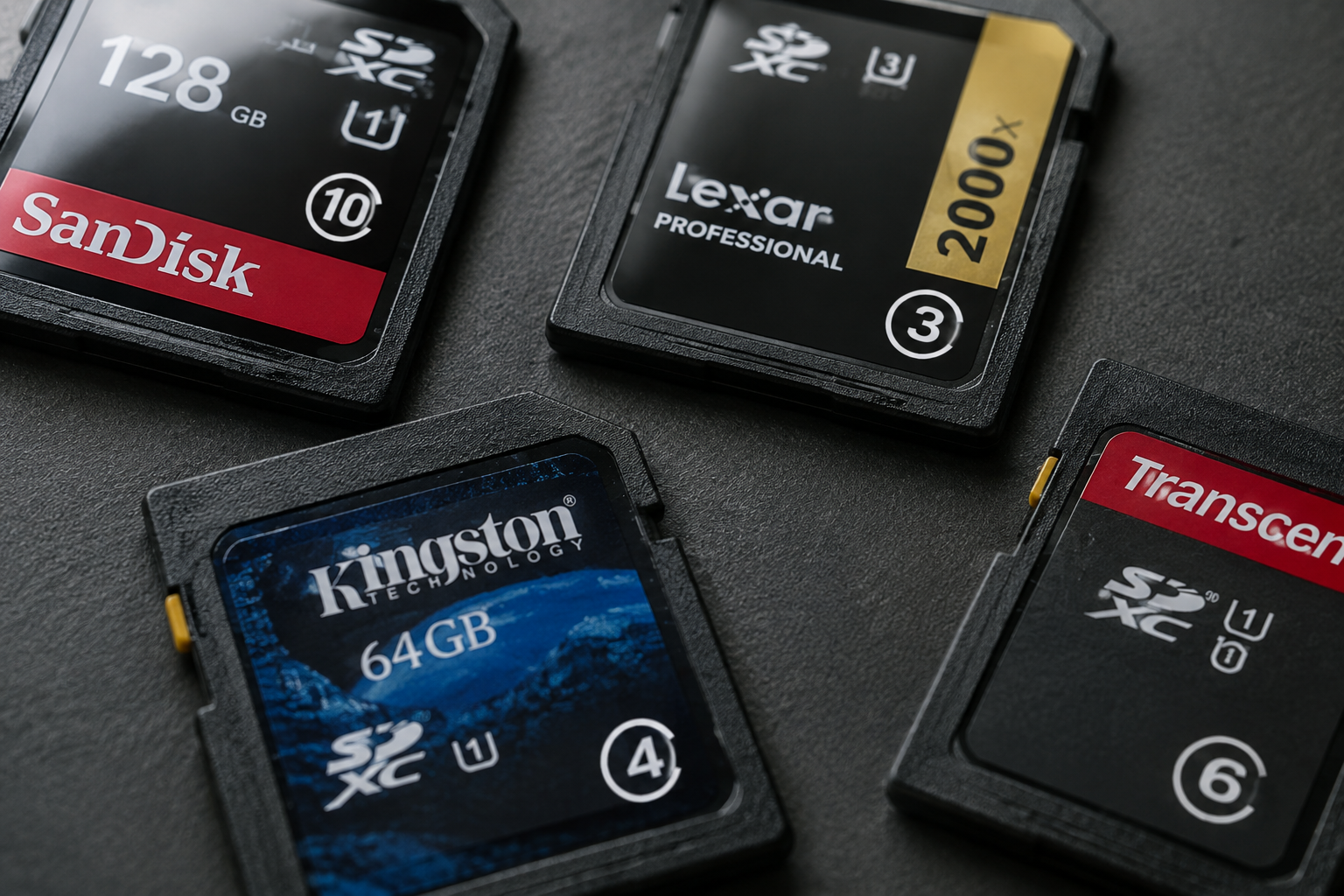
The original SD Speed Class rating is the oldest and simplest system, and you’ll still see it on budget cards today. It guarantees a minimum sustained write speed, with no separate marketing bump for burst speeds.
- Class 2: minimum 2MB/s sustained write
- Class 4: minimum 4MB/s sustained write
- Class 6: minimum 6MB/s sustained write
- Class 10: minimum 10MB/s sustained write
Class 10 is the one you’ll actually encounter today, usually paired with a UHS rating on the same card. Anything below Class 10 is fine for basic photo storage or slow-scan devices, but it’s not built for video.
UHS Speed Class: U1 and U3
UHS (Ultra High Speed) cards use the SD 3.0 bus interface and carry their own rating system, shown as a “U” shape with a number inside.
- U1: minimum 10MB/s sustained write
- U3: minimum 30MB/s sustained write
U3 is the practical floor for full HD and entry-level 4K recording. If a card only lists U1, treat it as a card for photos and standard video, not high-bitrate 4K or burst-mode sports photography. Most reputable UHS-I and UHS-II cards from Sandisk, Lexar, and Kingston are rated U3 for exactly this reason.
Video Speed Class: V6 to V90
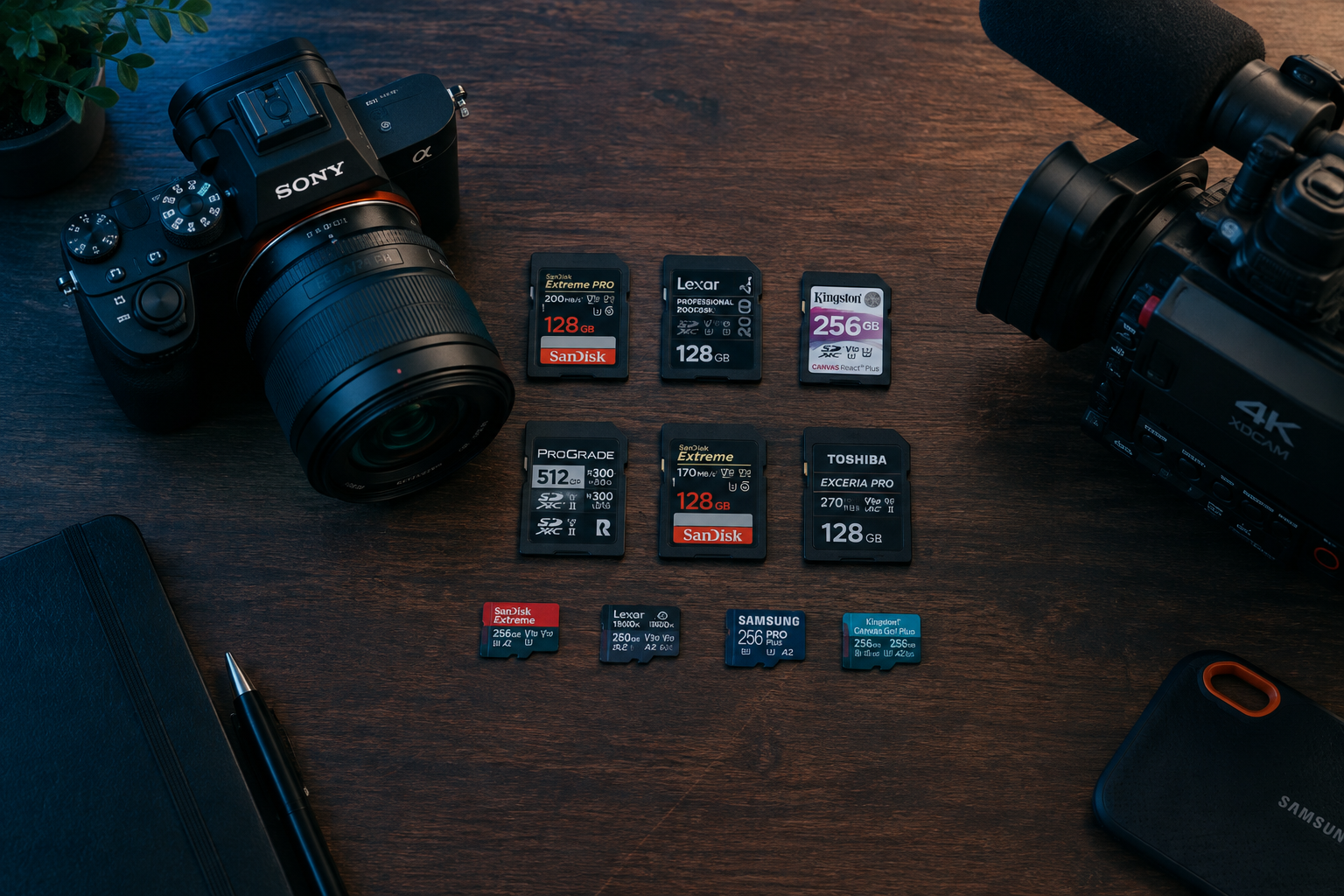
Because U1 and U3 didn’t scale well for 4K, 8K, and high frame rate video, the SD Association introduced the Video Speed Class, marked with a “V” and a number. This is the rating you should actually prioritize if you shoot video.
- V6: minimum 6MB/s sustained write
- V10: minimum 10MB/s sustained write
- V30: minimum 30MB/s sustained write
- V60: minimum 60MB/s sustained write
- V90: minimum 90MB/s sustained write
V30 is generally considered the minimum for smooth 4K video at standard bitrates. V60 and V90 are aimed at high frame rate 4K, 6K, and 8K capture where sustained write speed has to stay consistently high or you get dropped frames. If you’re shooting on a camera that supports V90 cards, don’t cheap out here. This is one spec where paying for the rated speed class actually pays off in usable footage.
Bus Interface Types: UHS-I, UHS-II, UHS-III, and SD Express
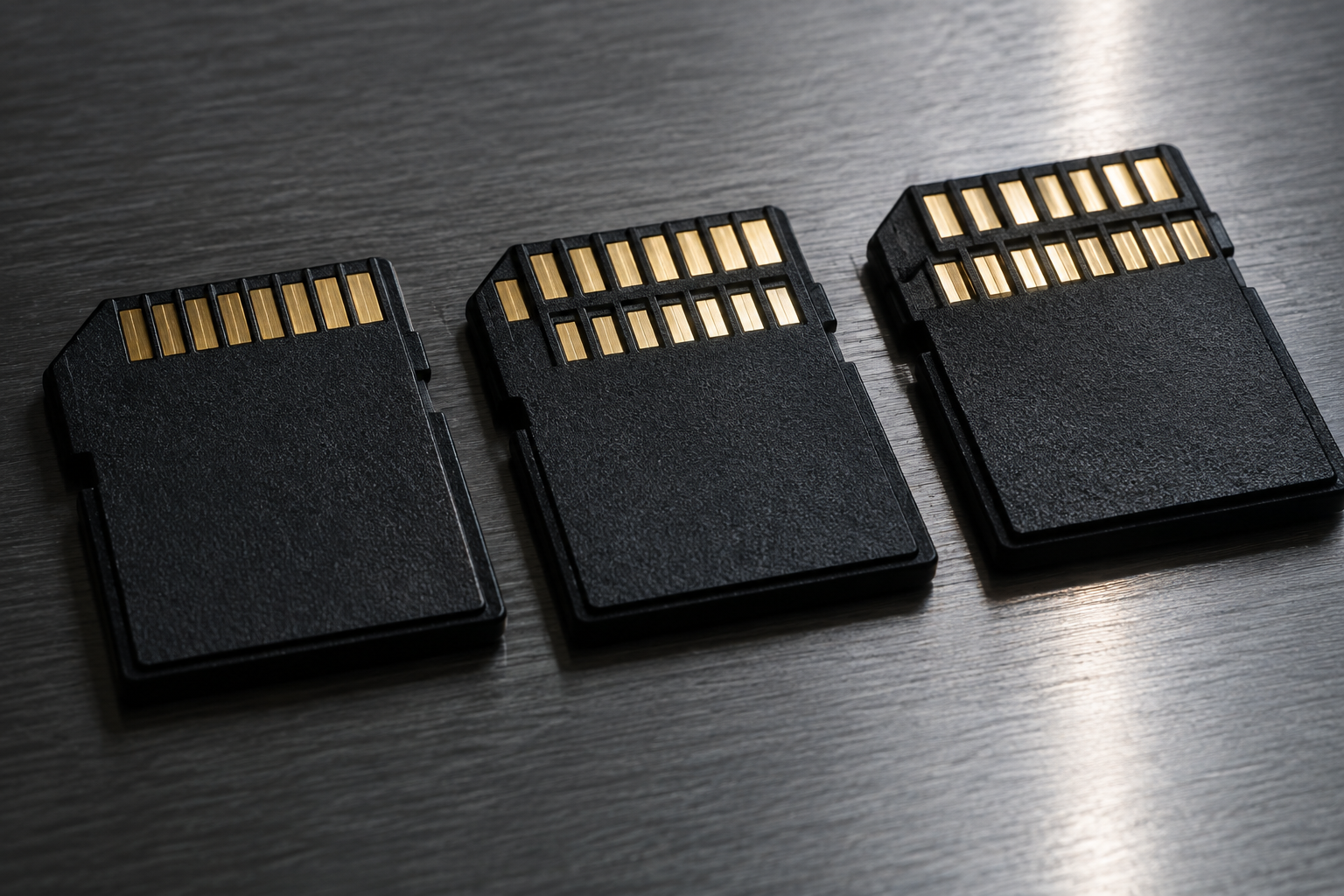
Speed class tells you the guaranteed minimum, but the bus interface tells you the theoretical ceiling. These get confused constantly, so it helps to separate them clearly, the same way it’s worth separating interface bandwidth from real throughput when you’re comparing NVMe and SATA SSDs.
| Bus Interface | Theoretical Max Bandwidth | Realistic Sustained Speeds |
|---|---|---|
| UHS-I | 104 MB/s | 60-95 MB/s |
| UHS-II | 312 MB/s | 150-260 MB/s |
| UHS-III | 624 MB/s | Rarely seen in consumer cards |
| SD Express (SD 7.x) | Up to 3.9 GB/s (PCIe 4.0 x1) | 800 MB/s to 2 GB/s on capable cards and readers |
Notice the units carefully here. Interface bandwidth is often marketed in gigabits per second (Gbps) in raw spec sheets, but consumer packaging almost always converts to megabytes per second (MB/s) since that’s what matches file transfer speeds you actually see in your OS. One byte equals 8 bits, so a bus rated at 3.9 GB/s in bytes is a very different number than a network spec listed as 3.9 Gbps in bits. Always check which unit you’re looking at before comparing cards.
UHS-II and UHS-III cards use an extra row of physical pins to hit their higher ceilings, and they need a UHS-II compatible reader or camera slot to get anywhere near rated speed. Pop a UHS-II card into a UHS-I slot and it’ll work, but it’ll cap out at UHS-I speeds. This is the SD card equivalent of plugging a fast SSD into a slow interface, similar to the bottleneck you’d see comparing SATA and NVMe drives in a gaming rig.
Why Real-World Speeds Never Match the Label
The big number printed on the front of the card, like “170MB/s” or “300MB/s,” is almost always a best-case sequential read speed measured under ideal lab conditions. It is not the write speed, and it’s definitely not what you’ll see in everyday random file access.
A few things eat into that theoretical number in practice:
- Controller and encoding overhead: Every card runs error correction and wear leveling in the background, which uses some of the available bandwidth.
- Read versus write asymmetry: Write speeds on SD cards are typically 30 to 50 percent lower than the advertised read speed.
- File size and access pattern: Writing thousands of small files (like RAW burst photos) is slower than writing one large continuous video file, even on the same card.
- Reader and host limitations: Your camera, phone, or card reader has its own maximum throughput, and the card can never exceed it.
This is the same reason a drive’s advertised sequential speed doesn’t tell the whole story on internal storage either. It’s part of why NVMe drives outperform SATA SSDs in ways that raw spec sheets alone don’t fully explain, and why real-world testing matters more than headline numbers on both SD cards and internal drives.
Matching Speed Class to Your Use Case
You don’t need the fastest card on the market for every task. Match the rating to what you’re actually doing:
- Basic photos and file storage: Class 10 / U1 is enough.
- Full HD video and DSLR photography: U3 or V30.
- 4K video at standard bitrates: V30 minimum, V60 for extended recording.
- High frame rate 4K, 6K, or 8K: V60 or V90 required.
- Fast file transfer for backups or archiving: UHS-II or SD Express card with a matching reader.
If you’re building a backup workflow around external storage rather than SD cards, it’s worth reading up on whether an external SSD actually speeds up your laptop, since the same interface bottleneck logic applies there too.
Frequently Asked Questions
What’s the difference between Class 10 and U3 if they’re both 10MB/s?
Class 10 and U1 both guarantee a 10MB/s minimum write speed, but U3 steps that guarantee up to 30MB/s. A card can carry both a Class 10 symbol and a U3 symbol at the same time, since they come from separate rating systems. Look for the U3 mark specifically if you need reliable 4K recording.
Does a higher speed class always mean a faster card overall?
Not necessarily. Speed class only guarantees a minimum sustained write speed, not the maximum read speed or overall performance. A UHS-I card rated V30 might still have a lower peak read speed than another UHS-I card rated V30, even though both meet the same minimum write guarantee.
Can I use a UHS-II card in a UHS-I device?
Yes, UHS-II cards are backward compatible with UHS-I slots and readers. The card will work fine, but it will run at UHS-I speeds since the older interface can’t take advantage of the extra pin row. You’ll need a UHS-II rated slot or reader to see the higher throughput.

James Kennedy is a writer and product researcher at Drives Hero with a background in IT administration and consulting. He has hands-on experience with storage, networking, and system performance, and regularly improves and optimizes his home networking setup.